向目录添加新 SKU,并填写属性、品牌和饰面
创建目录 SKU,填写其属性、品牌和饰面详情,可保存为草稿,也可一次添加多个。
要添加新 SKU,请打开目录,创建 SKU 并填写其属性(结构、材料、五金、配件、踢脚板、饰面)。
✓ 已于 2026年10月21日 在产品中核实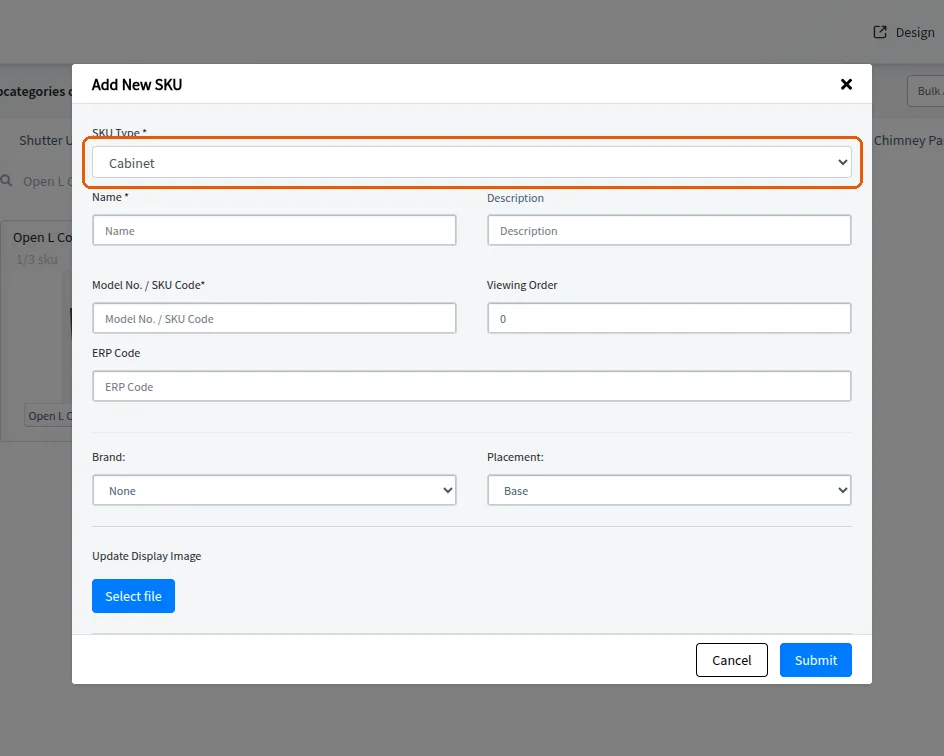
设置顶视图图像。
选择或添加品牌。
✓ 已于 2026年10月10日 在产品中核实定义饰面详情,例如防火板类型、厚度和颜色。
该条目可保存为草稿,稍后再编辑。
批量创建和批量操作选项可用于一次添加多个 SKU。
✓ 已于 2026年10月21日 在产品中核实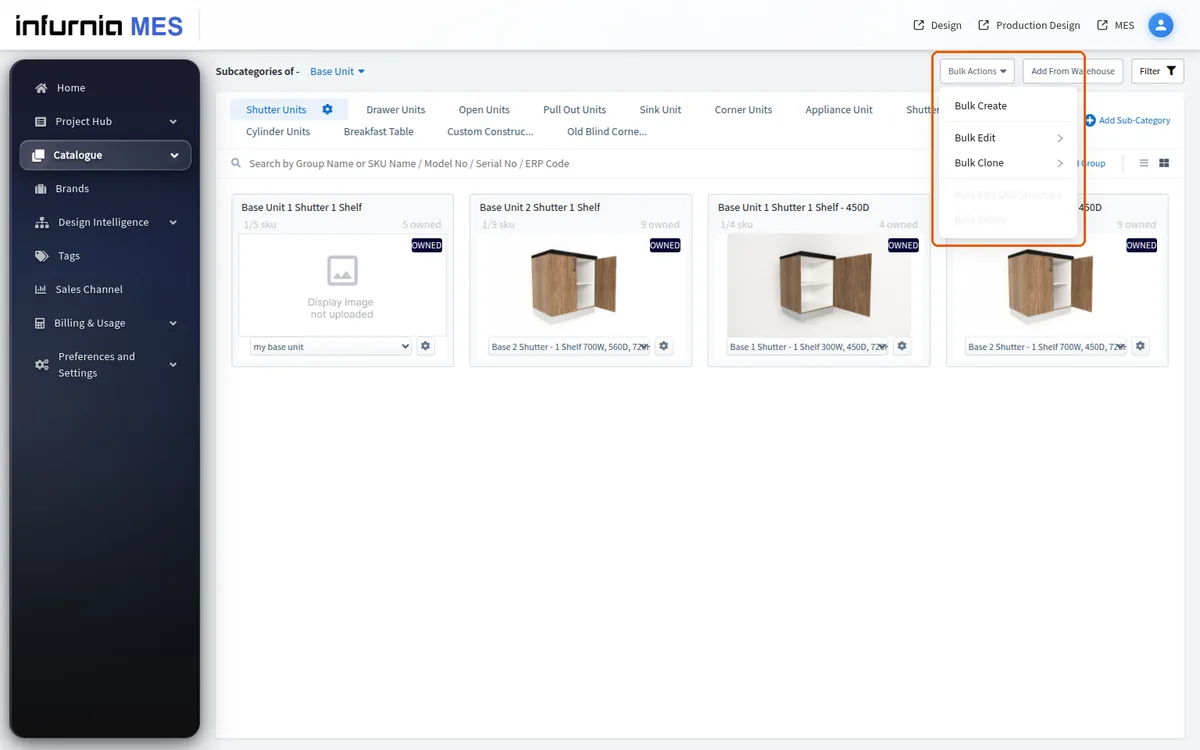
Bulk Create drafts are per-user and per-category. If a user clicks the plus icon on a category where they already have a draft, an 'Existing Draft Found' dialog appears - they must either continue editing that draft or cancel; they cannot start a parallel fresh grid for the same category until the draft is dealt with. The 'Edit Draft' action opens the 'SKUs in Draft' modal listing the latest attempts (time, division, category, owner). Only the draft's owner sees the Edit and trash actions - a teammate's draft is visible but not editable, which explains 'I can't open the draft my colleague saved'. The trash icon warns 'This action will delete all your existing drafts. click Delete to proceeed' - it removes every draft attached to that attempt, not a single row, so treat it as destructive. Saving happens via the 'save as draft' prompt when closing the create grid; drafts persist server-side (retrievable later even from another machine). If there are no drafts, the modal offers an 'Add new SKUs' shortcut that starts a fresh attempt.