Inspect units and panels in the QC Mode tabs
Read the Units and Panels tabs to see annotations, rooms and where each material came from.
The Panels tab lists panels separately, which is why panel counts typically exceed unit counts.
✓ 19 Ekim 2026 tarihinde üründe doğrulandı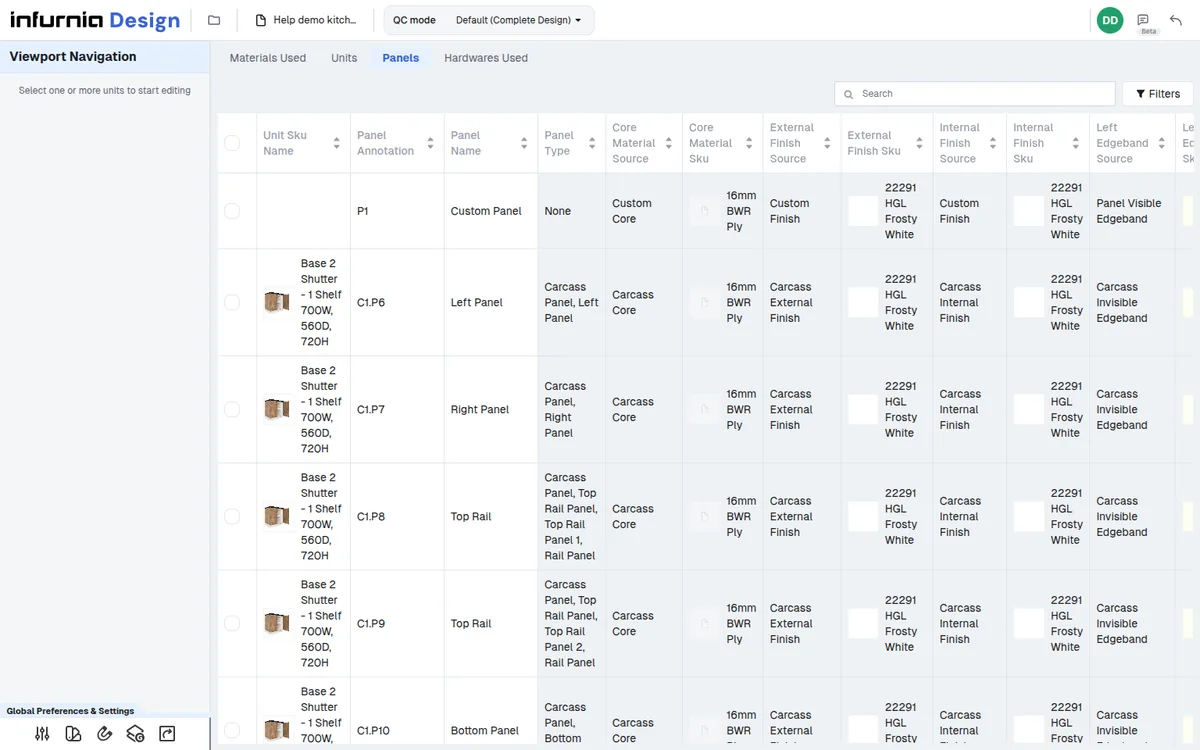
The Units tab also shows a Room column, so units can be inspected per room.
✓ 19 Ekim 2026 tarihinde üründe doğrulandı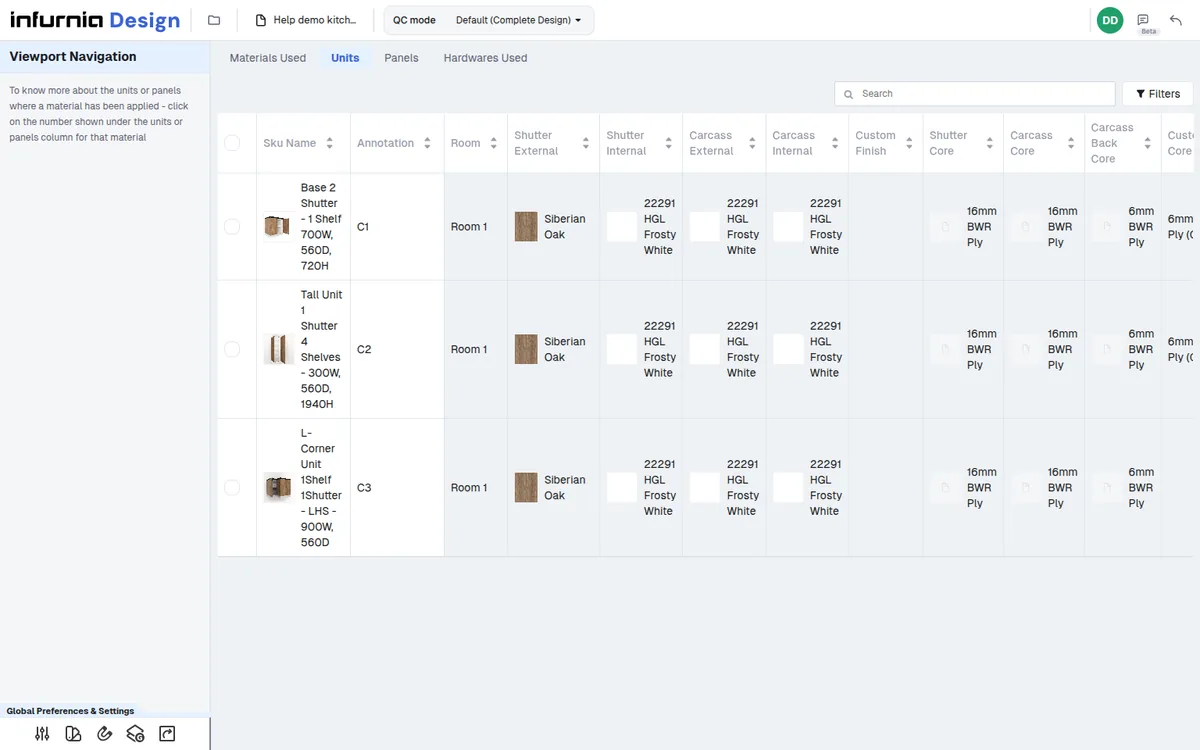
Panels that belong to a cabinet carry both the cabinet and the panel annotation (e.g. C3.P7).
✓ 19 Ekim 2026 tarihinde üründe doğrulandıCustom or independent panels show only the panel annotation (e.g. P7).
✓ 21 Ekim 2026 tarihinde üründe doğrulandı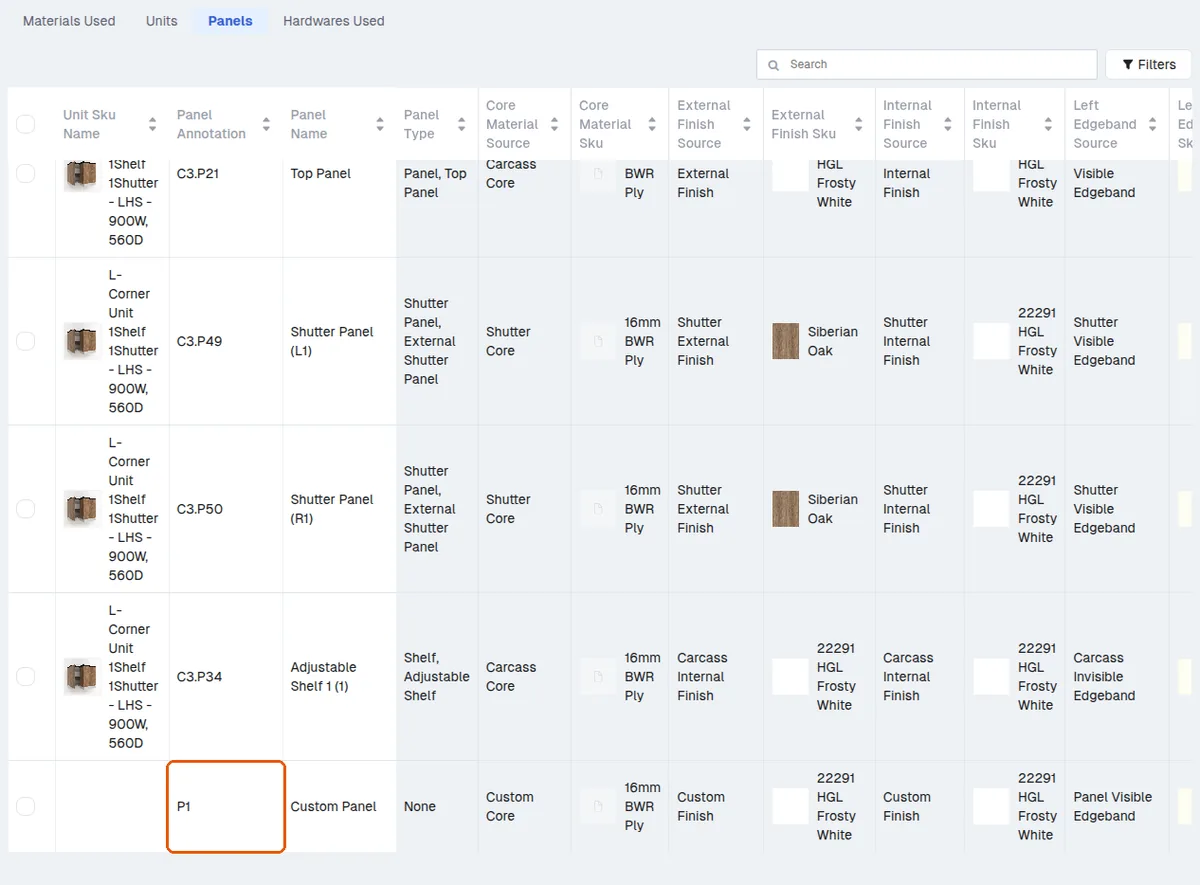
In QC mode the Panels tab can be searched and filtered by cabinet ID, panel type (e.g. shutter, back panel), laminate or edge band.
✓ 19 Ekim 2026 tarihinde üründe doğrulandı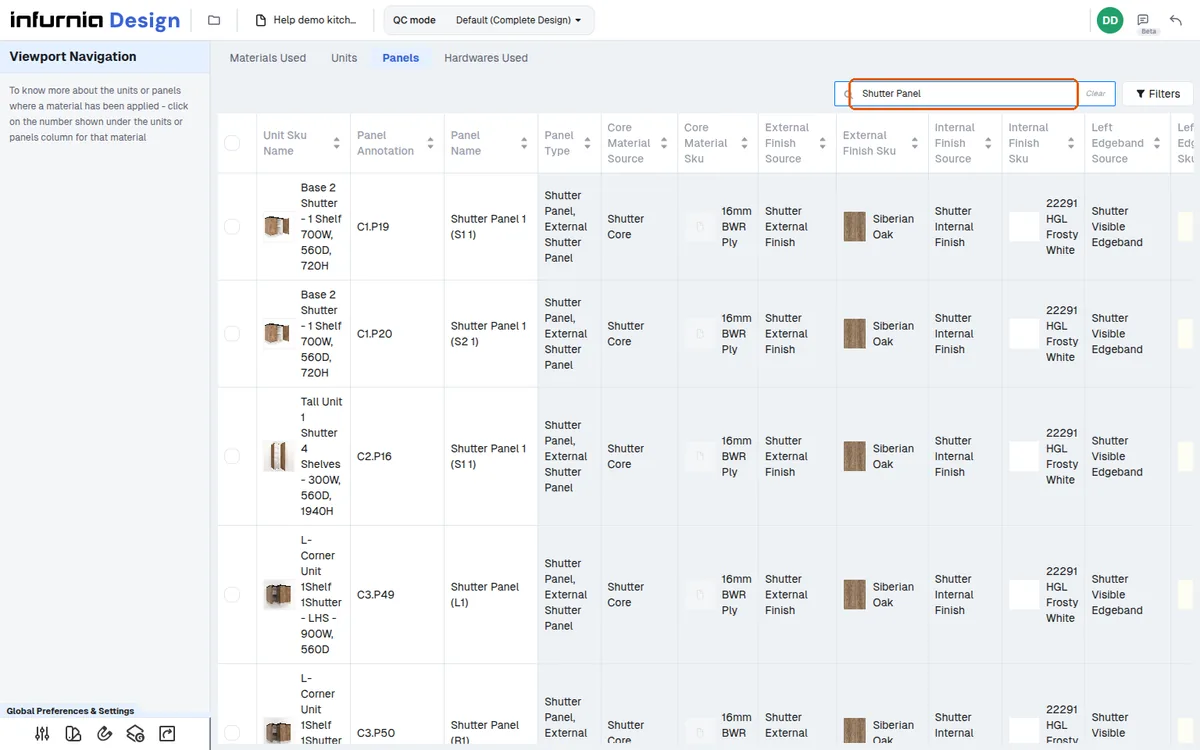
Searching the Panels tab by a panel type such as "Shutter Panel" lists all matching panels across the project; the header check box then selects them all.
✓ 19 Ekim 2026 tarihinde üründe doğrulandı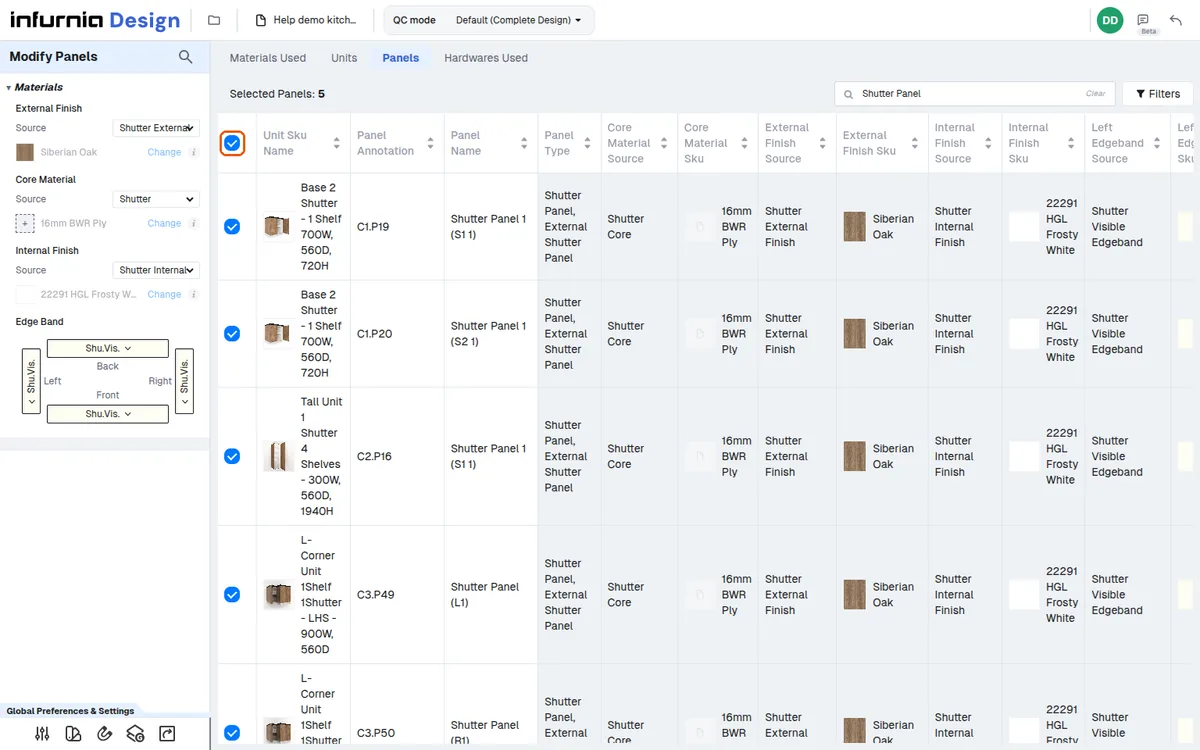
Scrolling through the matching panels shows each panel's core material so a wrongly applied ply can be spotted.
✓ 19 Ekim 2026 tarihinde üründe doğrulandıShutters can be checked the same way by searching the shutter panel and reading its core material.
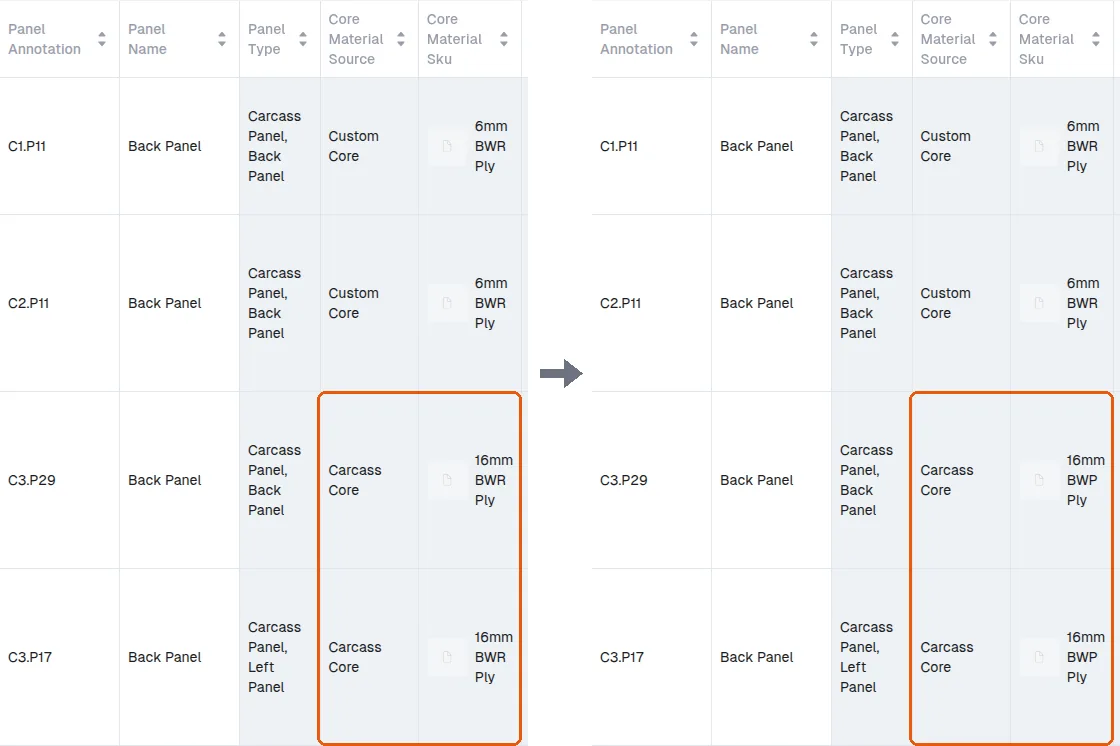
✓ 19 Ekim 2026 tarihinde üründe doğrulandıBack panels whose core source is the carcass core ('Carcass Core') follow the carcass material automatically; a back panel with its own core ('Custom Core', such as a 6 mm back) keeps it.
✓ 21 Ekim 2026 tarihinde üründe doğrulandı