Draw walls in the 2D floor plan with exact dimensions
Draw walls in the 2D floor plan by entering height and thickness, then clicking and typing exact lengths.
Drawing the wall clockwise keeps the internal (inside-to-inside) dimensions on the inside of the room.
✓ 19 ਅਕਤੂਬਰ 2026 ਨੂੰ ਪ੍ਰੋਡਕਟ ਵਿੱਚ ਜਾਂਚਿਆ ਗਿਆWall height and thickness are entered in the wall tool settings before/while drawing (for example a height of 3000 and a thickness of 150).
✓ 19 ਅਕਤੂਬਰ 2026 ਨੂੰ ਪ੍ਰੋਡਕਟ ਵਿੱਚ ਜਾਂਚਿਆ ਗਿਆ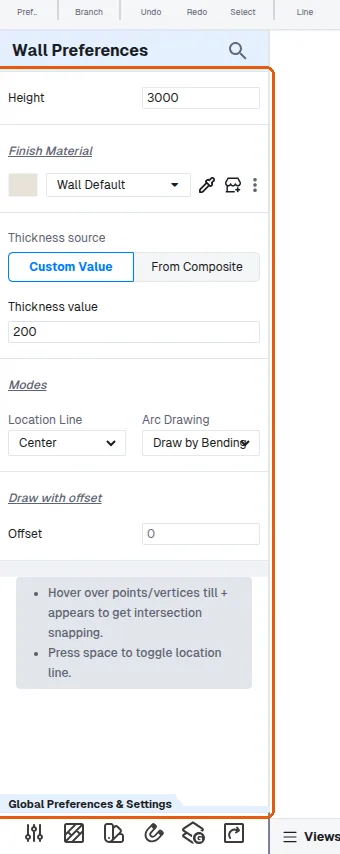
The wall thickness and location line can be set from the wall tool settings before drawing.
✓ 20 ਅਕਤੂਬਰ 2026 ਨੂੰ ਪ੍ਰੋਡਕਟ ਵਿੱਚ ਜਾਂਚਿਆ ਗਿਆThe wall thickness and location line can be set from the wall's properties panel (Location Line offers Center, Left or Right; Thickness accepts a custom value).
✓ 19 ਅਕਤੂਬਰ 2026 ਨੂੰ ਪ੍ਰੋਡਕਟ ਵਿੱਚ ਜਾਂਚਿਆ ਗਿਆ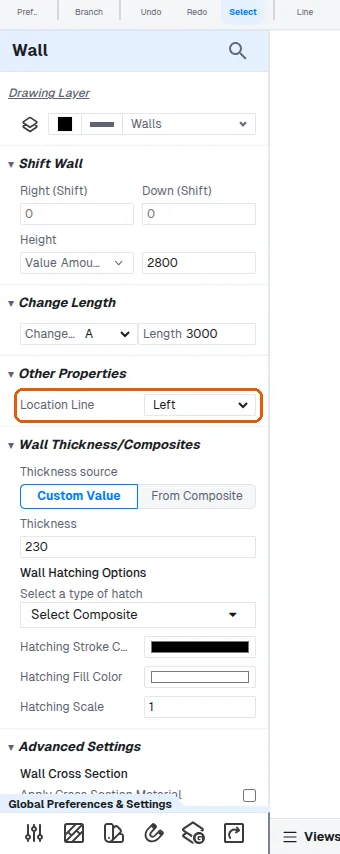
Walls are drawn in the 2D floor plan by selecting the wall tool, entering the wall height and thickness in the tool settings, then clicking on screen and typing the dimension values, pressing Enter to confirm each.
✓ 20 ਅਕਤੂਬਰ 2026 ਨੂੰ ਪ੍ਰੋਡਕਟ ਵਿੱਚ ਜਾਂਚਿਆ ਗਿਆ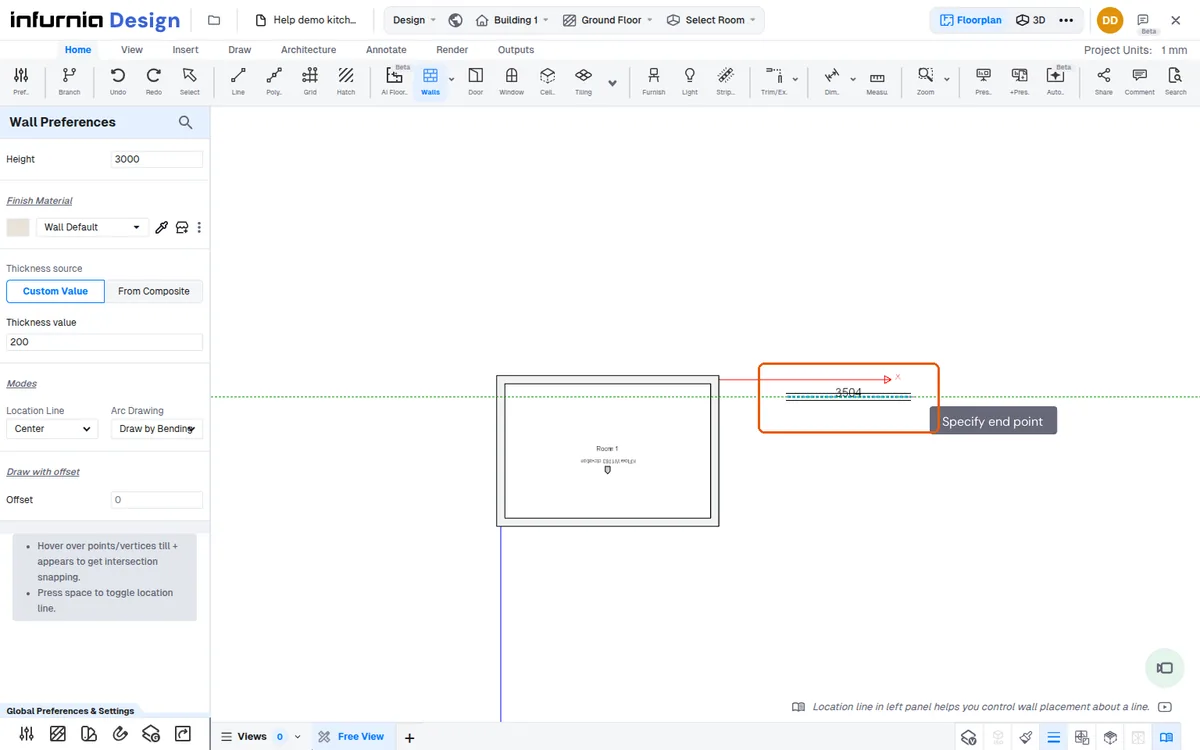
Walls can be drafted with the W-A-Enter shortcut.
✓ 20 ਅਕਤੂਬਰ 2026 ਨੂੰ ਪ੍ਰੋਡਕਟ ਵਿੱਚ ਜਾਂਚਿਆ ਗਿਆ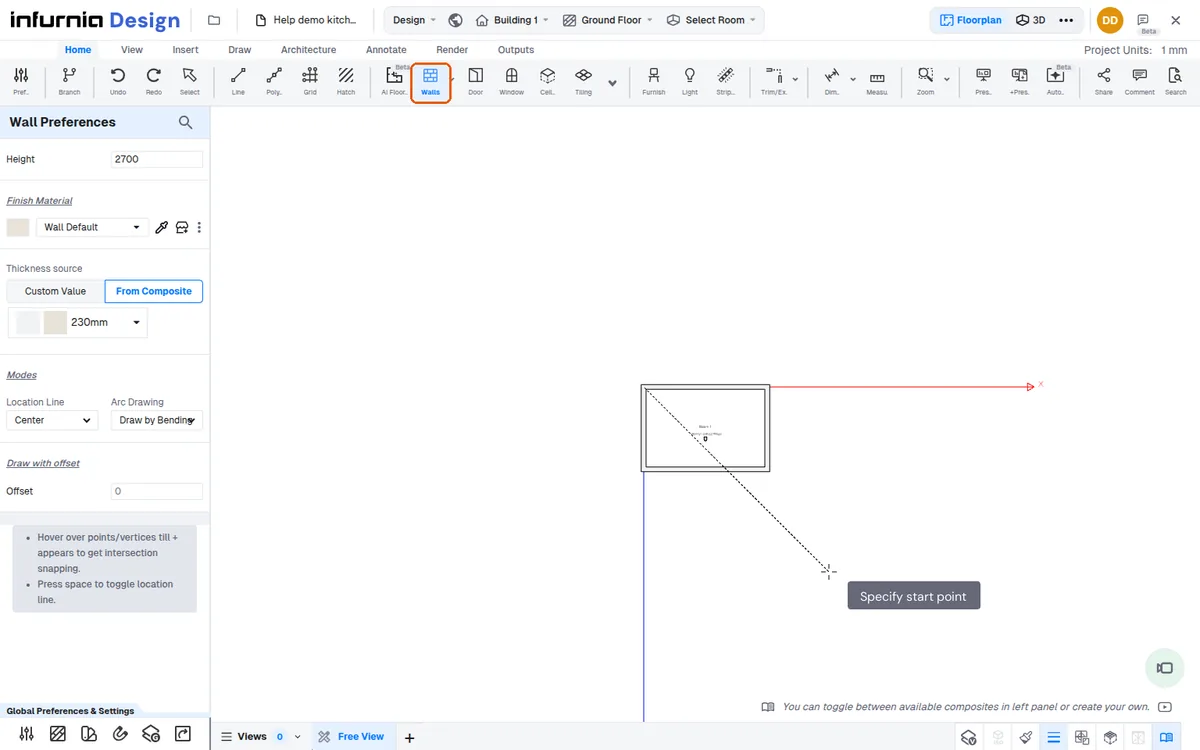
While drawing a wall, click the start point and move the mouse: the wall follows the pointer with its live length, and a second click (or a typed length) ends it. Pressing, dragging with the button held and releasing does not lay out a wall.
Then type the exact length on the keyboard to set that wall precisely.
✓ 20 ਅਕਤੂਬਰ 2026 ਨੂੰ ਪ੍ਰੋਡਕਟ ਵਿੱਚ ਜਾਂਚਿਆ ਗਿਆ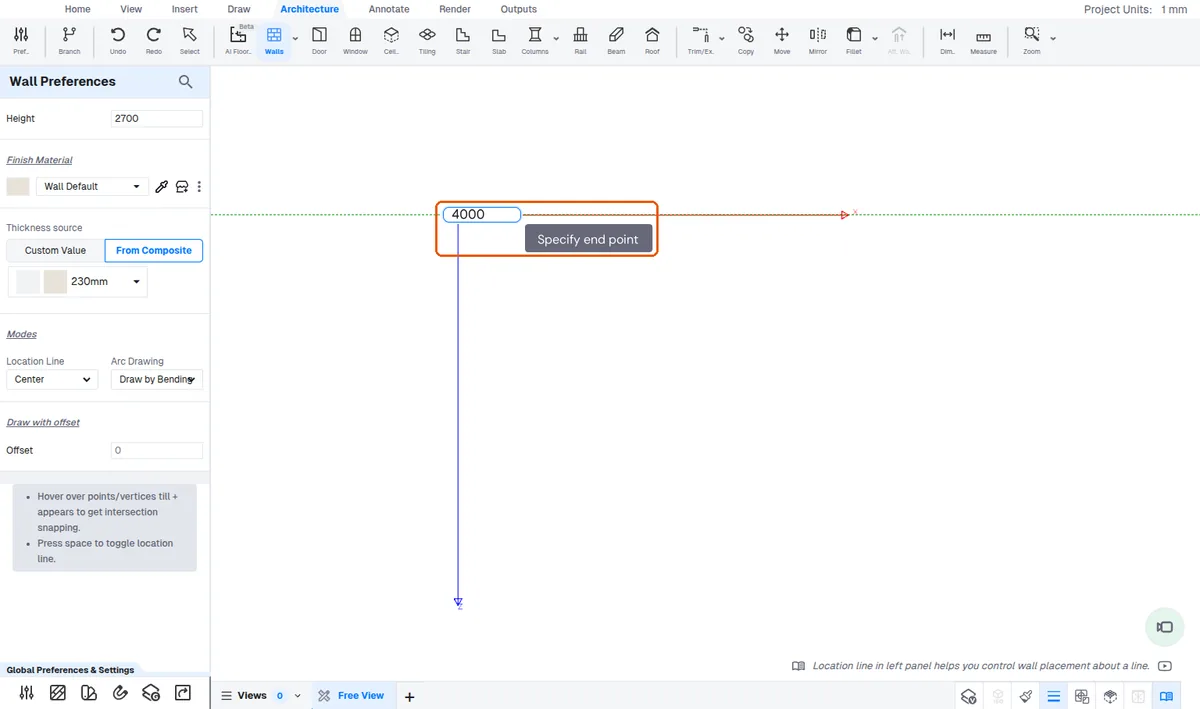
For a perpendicular wall, align the new line with the perpendicular snap guide so it is not slanted.
✓ 15 ਅਕਤੂਬਰ 2026 ਨੂੰ ਪ੍ਰੋਡਕਟ ਵਿੱਚ ਜਾਂਚਿਆ ਗਿਆWhen you draw back toward the start a guide shows where to end so the wall matches the opposite side and the room closes.
✓ 19 ਅਕਤੂਬਰ 2026 ਨੂੰ ਪ੍ਰੋਡਕਟ ਵਿੱਚ ਜਾਂਚਿਆ ਗਿਆ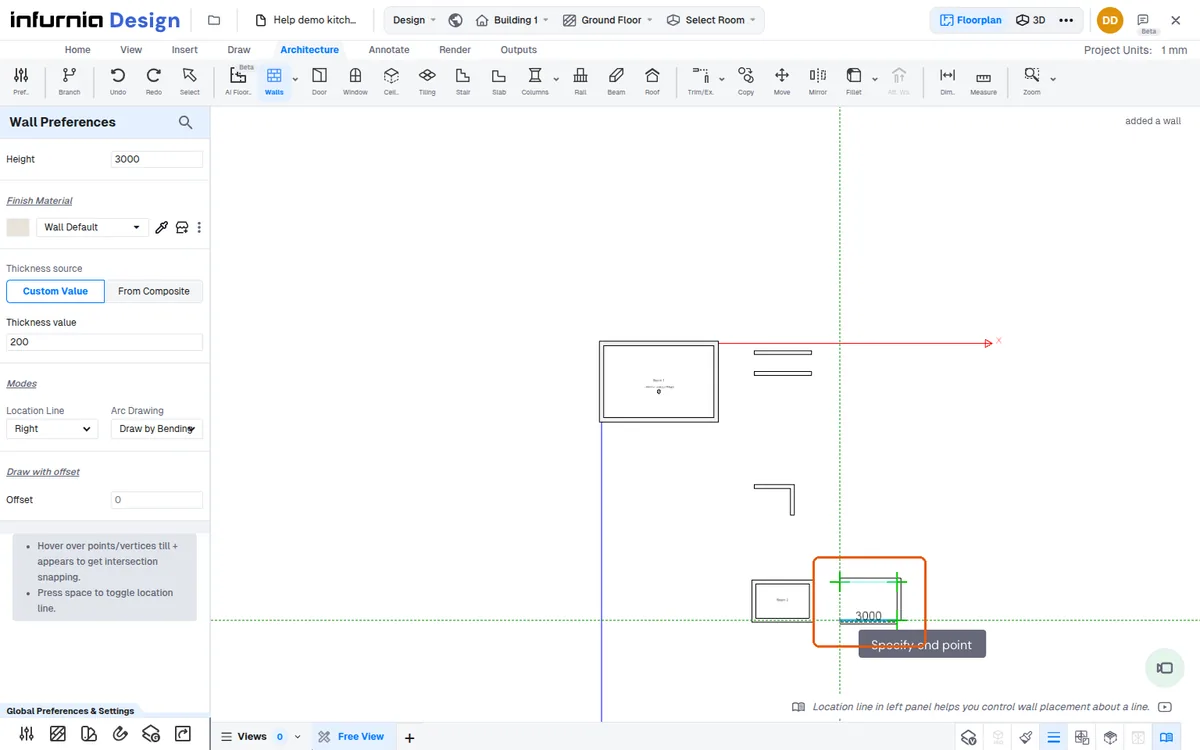
When you type a dimension for the next wall point, the point snaps to the existing wall line, so you can close a room loop without re-entering every measurement.
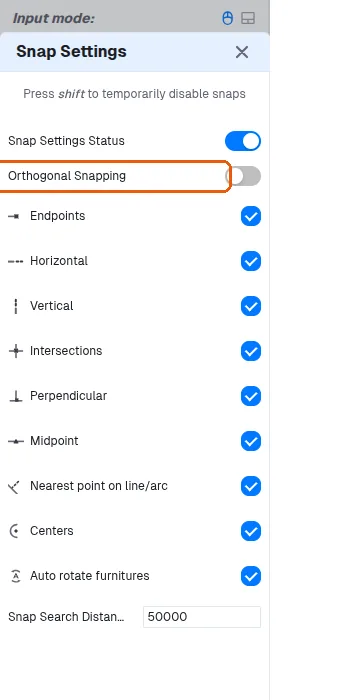
Orthogonal snapping for drawing straight walls is available as a toggle in the Snap Settings panel.
✓ 19 ਅਕਤੂਬਰ 2026 ਨੂੰ ਪ੍ਰੋਡਕਟ ਵਿੱਚ ਜਾਂਚਿਆ ਗਿਆ