Run a bulk edit on selected SKUs
Choose the editing mode in the bulk edit modal and set sales channel prices and tax per SKU or for all selected SKUs.
In the bulk edit modal you first choose the editing mode.
✓ ଅକ୍ଟୋବର 19, 2026 ରେ ପ୍ରଡକ୍ଟରେ ଯାଞ୍ଚ କରାଯାଇଛି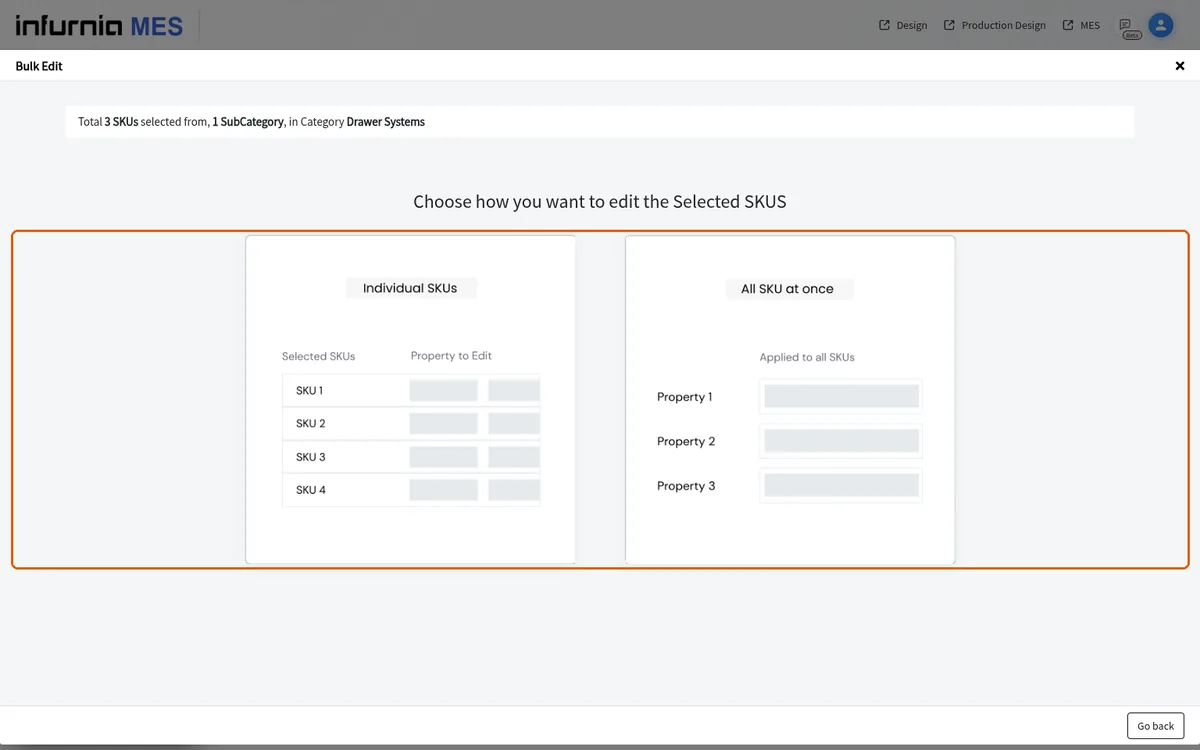
The Individual SKUs option opens a per-SKU editor.
✓ ଅକ୍ଟୋବର 19, 2026 ରେ ପ୍ରଡକ୍ଟରେ ଯାଞ୍ଚ କରାଯାଇଛି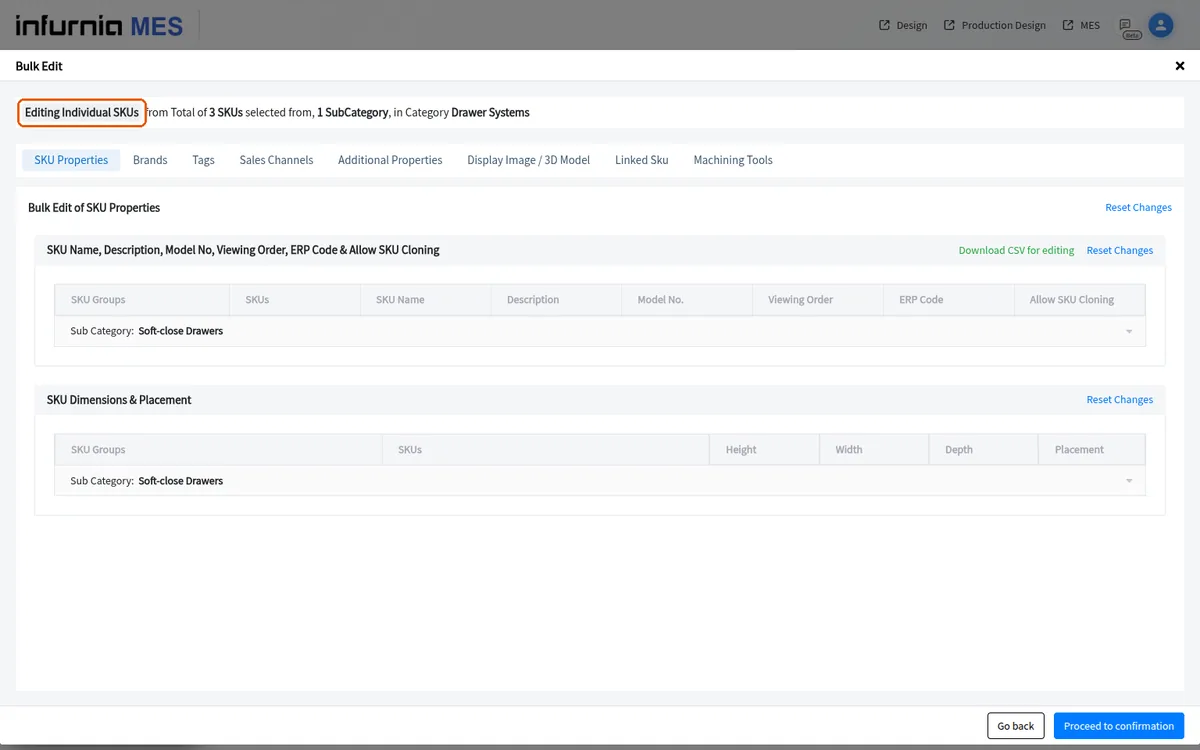
The per-SKU editor's Sales Channels tab lets you set each SKU's channel price and tax before publishing.
✓ ଅକ୍ଟୋବର 19, 2026 ରେ ପ୍ରଡକ୍ଟରେ ଯାଞ୍ଚ କରାଯାଇଛି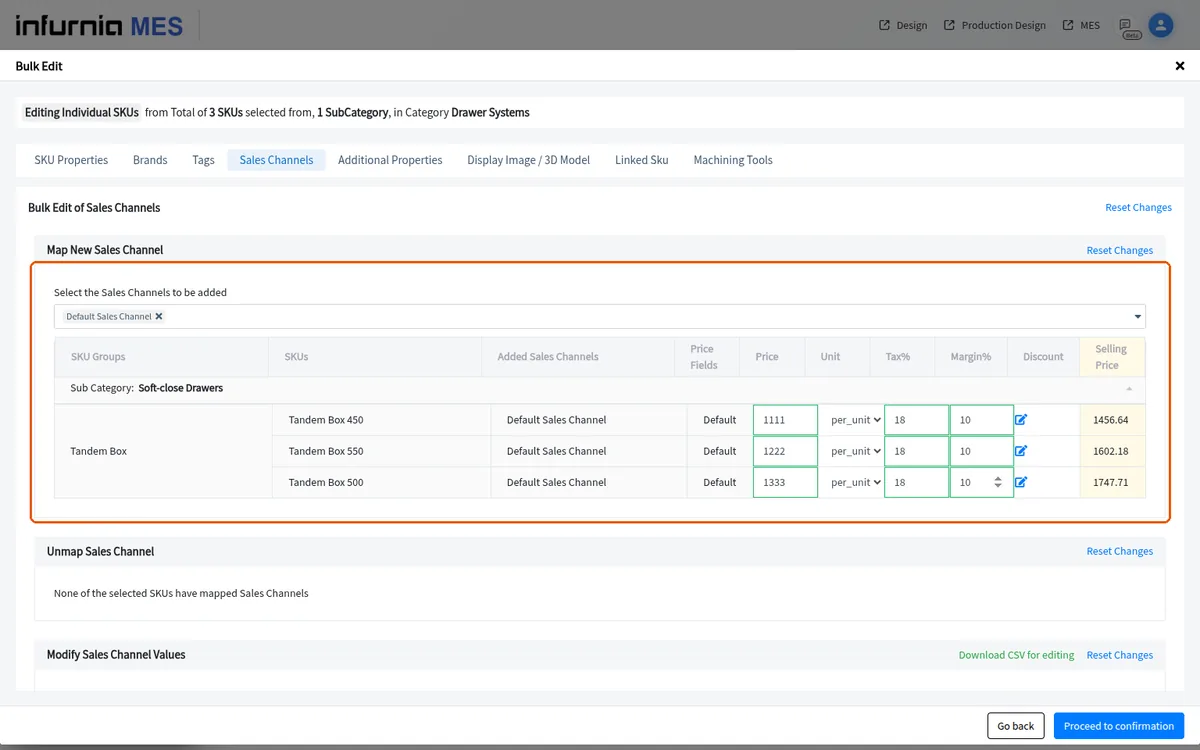
In the individual-SKU bulk edit, the sales-channel section is headed 'Modify Sales Channel Values'.
✓ ଅକ୍ଟୋବର 19, 2026 ରେ ପ୍ରଡକ୍ଟରେ ଯାଞ୍ଚ କରାଯାଇଛି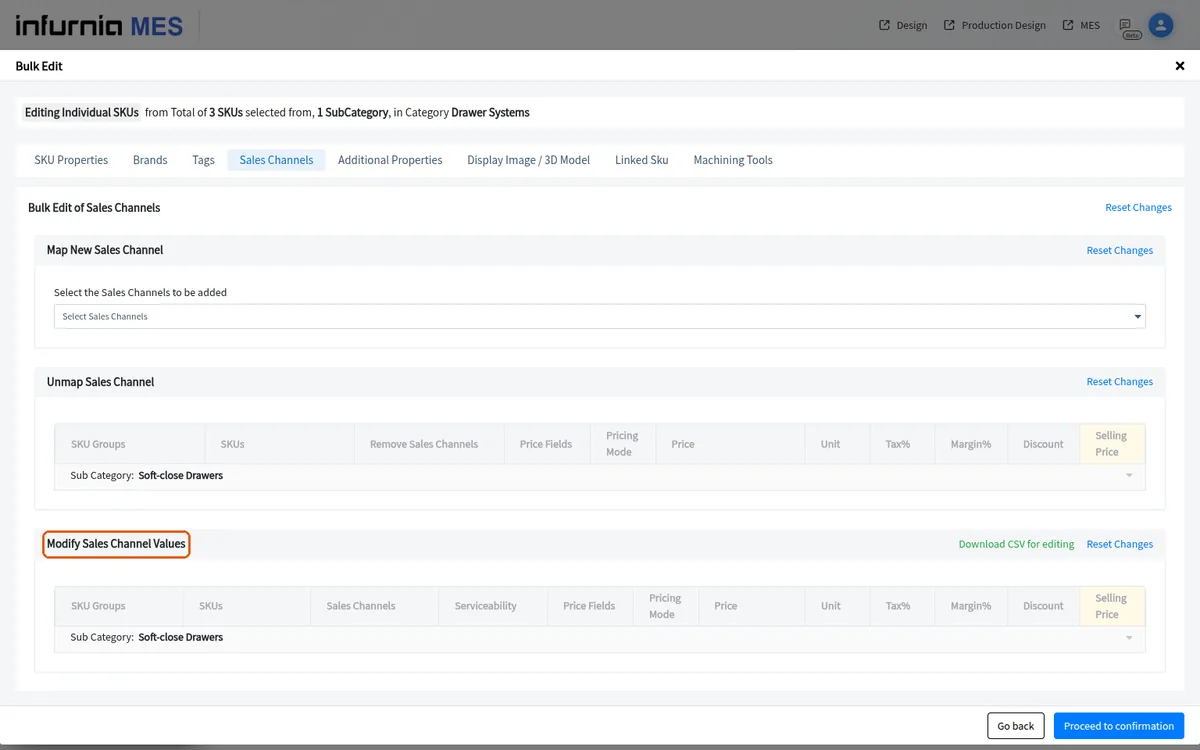
The sales-channel section offers a 'Download CSV for editing' button.
✓ ଅକ୍ଟୋବର 19, 2026 ରେ ପ୍ରଡକ୍ଟରେ ଯାଞ୍ଚ କରାଯାଇଛି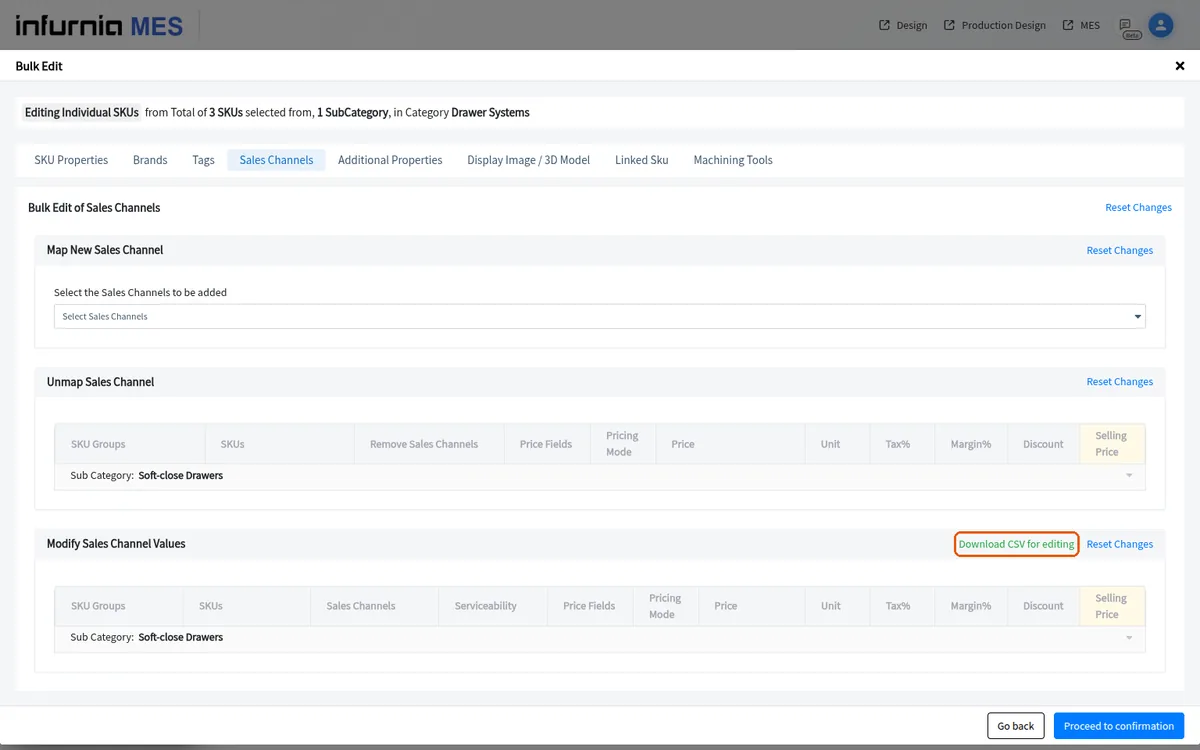
The sales-channel section offers a 'Reset Changes' link.
✓ ଅକ୍ଟୋବର 19, 2026 ରେ ପ୍ରଡକ୍ଟରେ ଯାଞ୍ଚ କରାଯାଇଛି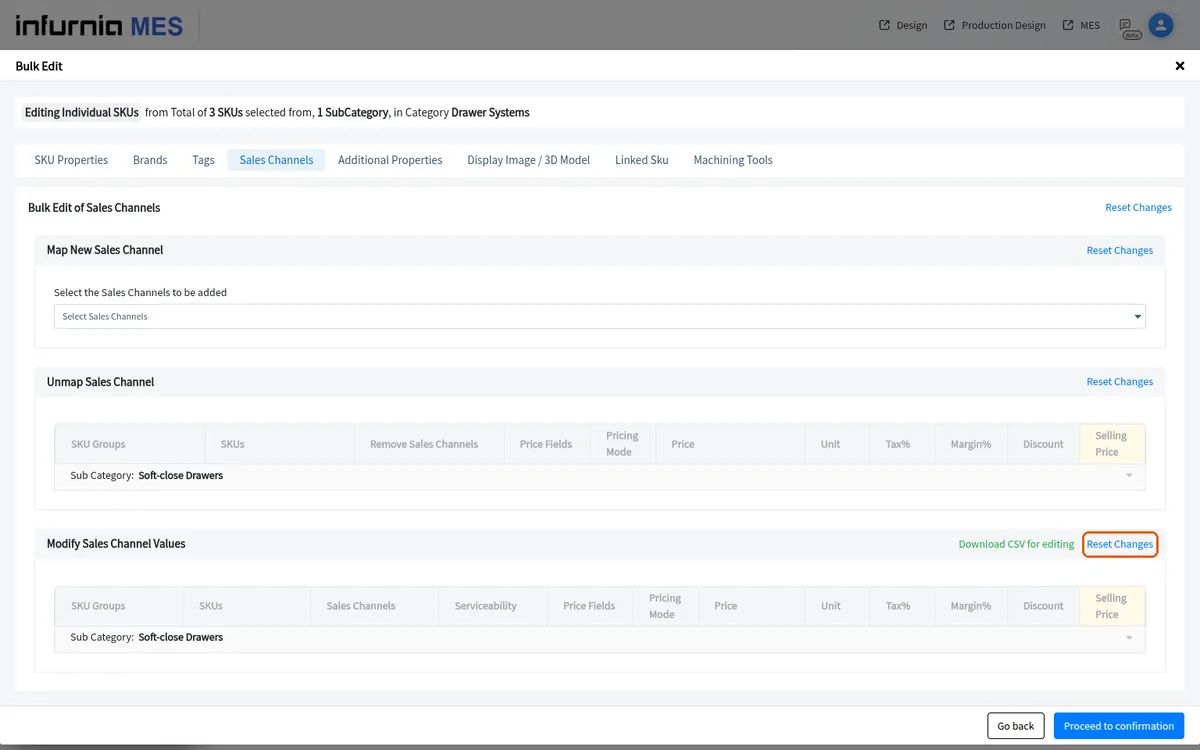
If none of the selected SKUs have a mapped sales channel, the section shows 'None of the selected SKUs have mapped Sales Channels'.
✓ ଅକ୍ଟୋବର 19, 2026 ରେ ପ୍ରଡକ୍ଟରେ ଯାଞ୍ଚ କରାଯାଇଛି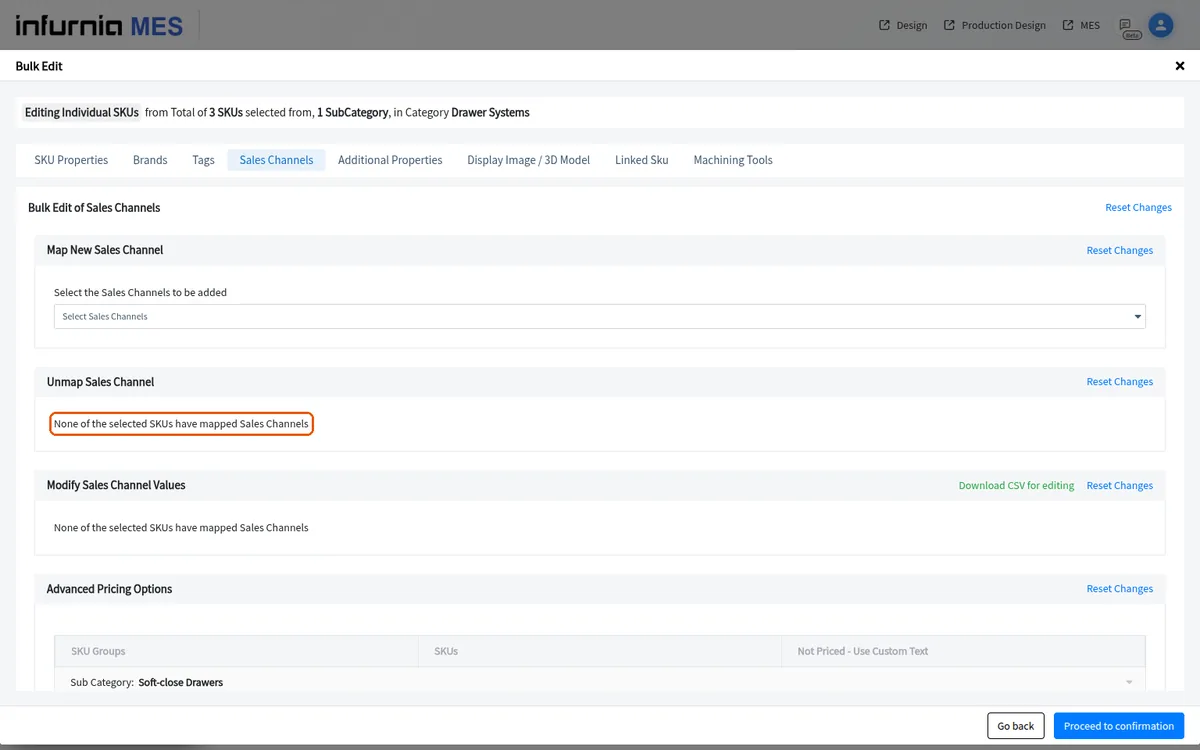
The bulk edit can be run in individual-SKU mode, where you edit each SKU's own sales channel and pricing values row by row, or in common mode, where the same sales channel mapping and price are applied to all selected SKUs at once.
✓ ଅକ୍ଟୋବର 19, 2026 ରେ ପ୍ରଡକ୍ଟରେ ଯାଞ୍ଚ କରାଯାଇଛିIn individual-SKU bulk edit you open each SKU, go to its sales channel section, scroll down and change the sales channel value, then set the per-unit cost for each size/drawer variant before proceeding to confirmation and publishing.
After selecting the category, open the bulk action menu and choose Bulk Edit, then pick the sales channel whose mapped pricing you want to change and enter the new price before publishing.