Share the same design or create a production design copy
Decide whether to share the same design so edits sync automatically or create a production design copy that stays independent.
When sending a design to production, you can either share the same design or create a production design copy.
✓ Checked in the product on 10 October 2026If you share the same design, changes made in either the design portal or the production portal update automatically in the other.
✓ Checked in the product on 17 October 2026If you create a production design copy, the two are independent and any change in one portal must be applied manually in the other.
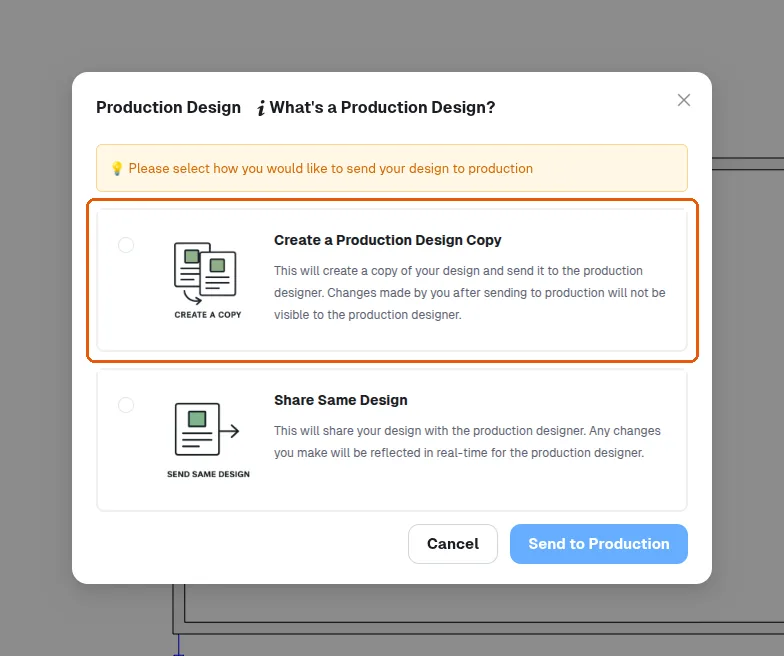
Sharing the same design is generally preferred to avoid manual syncing.
After QC, click on 'production design' and then 'share same design'. Sharing the same design keeps updating, while creating a production design copy creates a snapshot. Sharing the same design is generally preferred before sending to production. This generates a successful pop-up, allowing the user to open the production design. The design portal and production portal remain mostly the same, except the production portal includes production-related outputs such as cut list, board layout, and raw material schedule.