Add architectural columns and beams from ground floor plan view
Add architectural columns and beams by working in the ground floor plan view and choosing them from the architecture options.
To add architectural columns or beams, work in the ground floor plan view so snapping and placement are accurate.

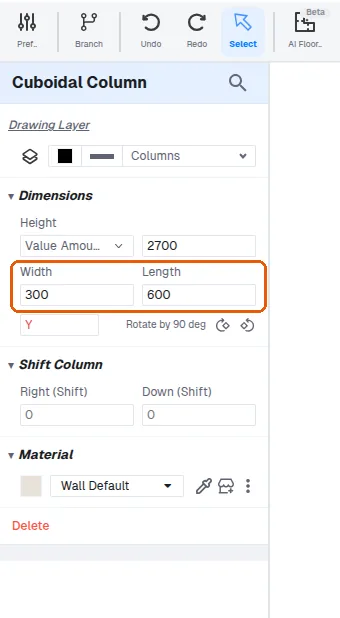
Choose a column or beam from the architecture options, then resize it to the required dimensions (for example 300mm by 600mm) to accommodate architectural constraints.
✓ 2026년 10월 21일에 제품에서 확인됨