פתיחת מצב QC והכרת הלשוניות והיקף העבודה שלו
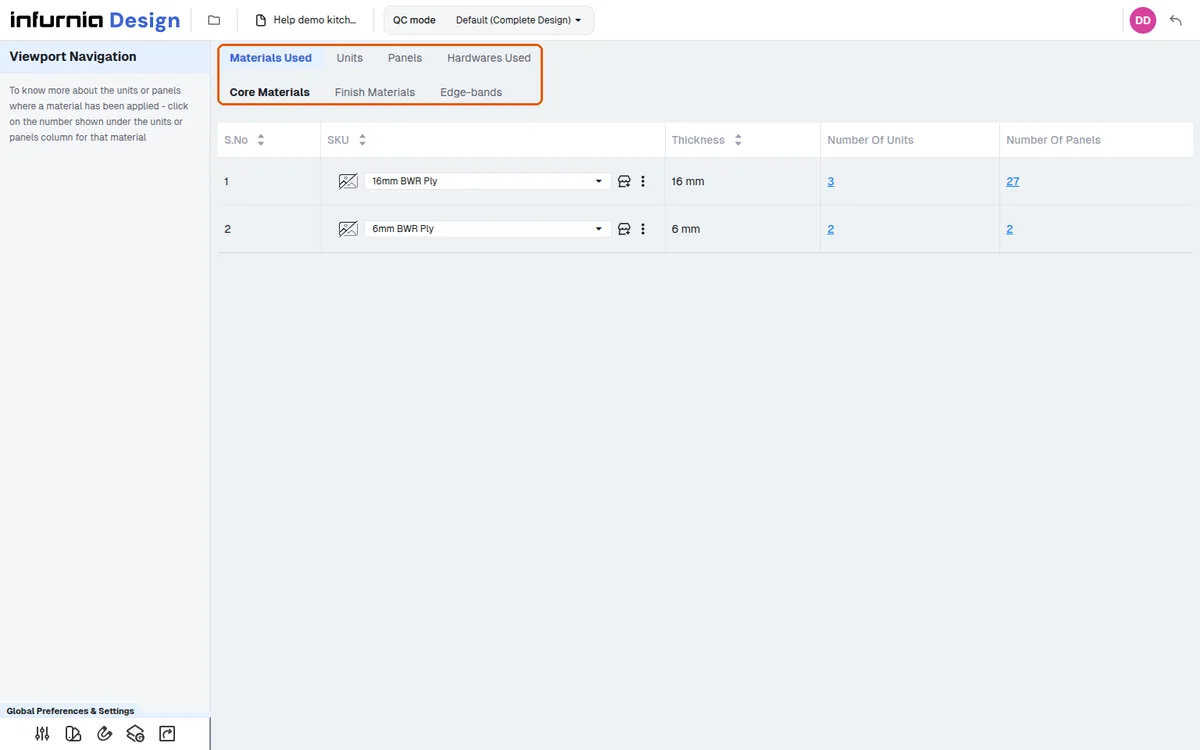
היכנסו למצב QC, ראו על איזה היקף עבודה הוא נפתח ולמדו מה מציגה כל אחת מארבע הלשוניות.
- ✓ נבדק במוצר ב-21 באוקטובר 2026
QC Mode (design portal toolbar; not available in the MES portal) is a design-wide audit with four tabs. Materials Used has Core / Finish / Edge-bands sub-tabs listing every SKU with counts of the units and panels using it; clicking a row's unit or panel count jumps to the Units or Panels tab with the units or panels using that SKU ticked, and from there you can swap that material for another SKU across the design (some finishes can't be changed where the core is Prelam). Units lists each cabinet/corner unit with its annotation, shutter/carcass core and finish SKUs, cut and custom edgeband, parent and room; rows are selectable to drive bulk edits. Panels lists every manufacturable panel with its core, finishes and all five edgeband SKUs plus where each material came from (inheritance source); also selectable. Hardwares Used shows the design-wide hardware list with Source and Details columns, searchable and filterable; it is read-only: hardware cannot be swapped in QC mode. On entry an 'Entering QC mode, please wait...' loader runs (no level is asked for) and QC opens on the active work scope, shown at the top ('Default (Complete Design)' or a work scope; its drop-down lists the Workscopes and '+ Create Work Scope') — first entry can take a while because connector-driven hardware is recalculated. If the view is locked you get 'Unlock the view to switch modes'. Note the Panels tab only lists panels that go to the cutlist/board layout, so helper or excluded panels won't appear there even though they exist in the design.
בדיקת QC מתבצעת לפני שלב פלט המוצר — לאחר שאומת שהליבה והחומרים המוגמרים שהוחלו נכונים, ממשיכים לפלט המוצר.
אימות החומרים ב-QC מתבצע על ידי המעצב לפני שהעיצוב נשלח לתכנון הייצור; לאחר שהחומרים נבדקים, העיצוב נשלח לייצור.
QC mode משמש גם לבדיקת QC של חומרים לפני הייצור.
✓ נבדק במוצר ב-19 באוקטובר 2026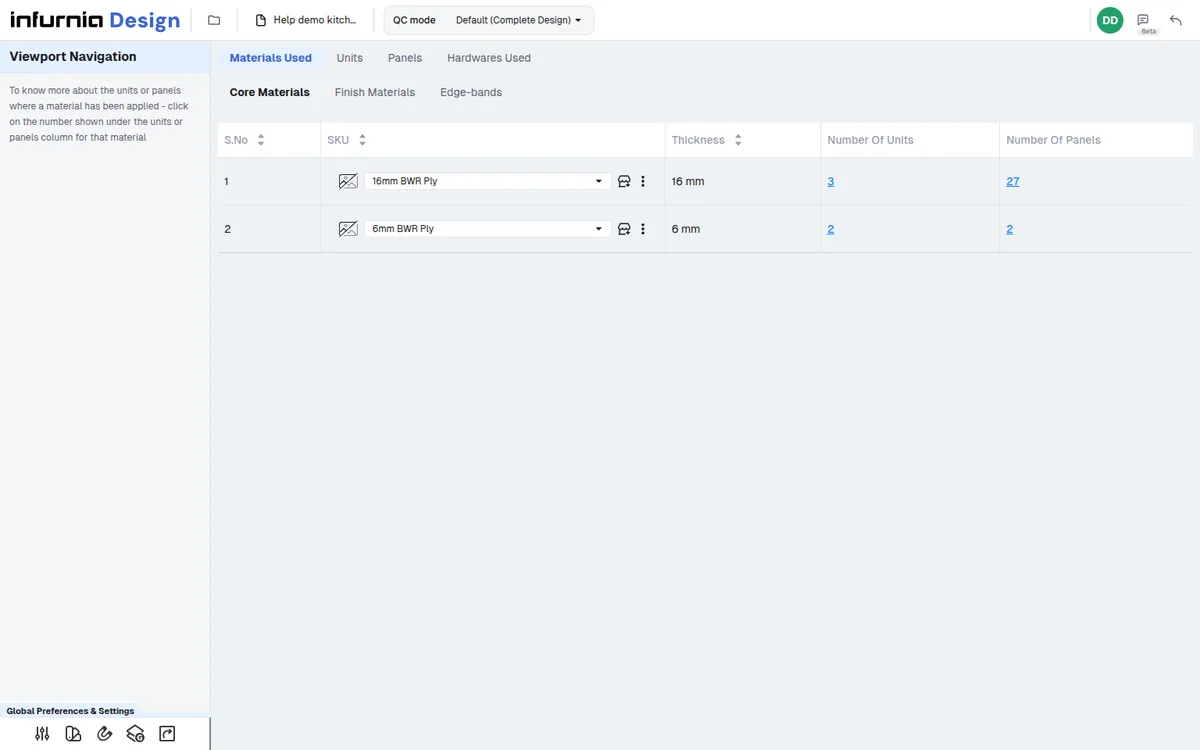
QC mode הוא גם המקום שבו מתכנן ייצור מאמת שכל החומרים, הגימורים ופסי הקצה נכונים לפני בדיקת המחברים והתרחישים.
✓ נבדק במוצר ב-21 באוקטובר 2026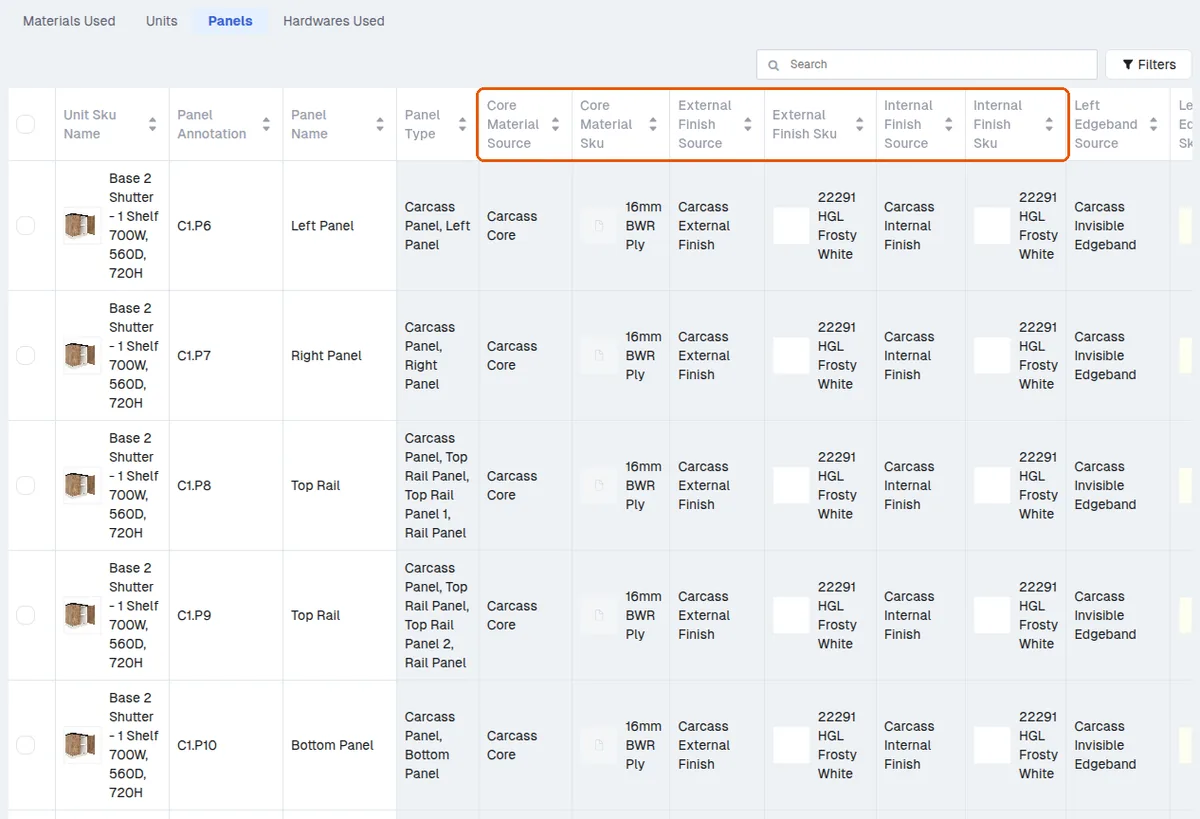
לאחר אישור החומרים, הגימורים ופסי הקצה ב-QC mode, השלב הבא הוא מחברים ותרחישים, שבו נבדקים הקידוח ומיקום המחברים.
QC mode נפתח על היקף העבודה הפעיל (לא נשאל היקף בכניסה); התפריט הנפתח של ההיקף בראש ('+ Create Work Scope') מאפשר לבחור חדר בודד, קומה שלמה או את כל הבניין (כל הקומות בבת אחת).
✓ נבדק במוצר ב-19 באוקטובר 2026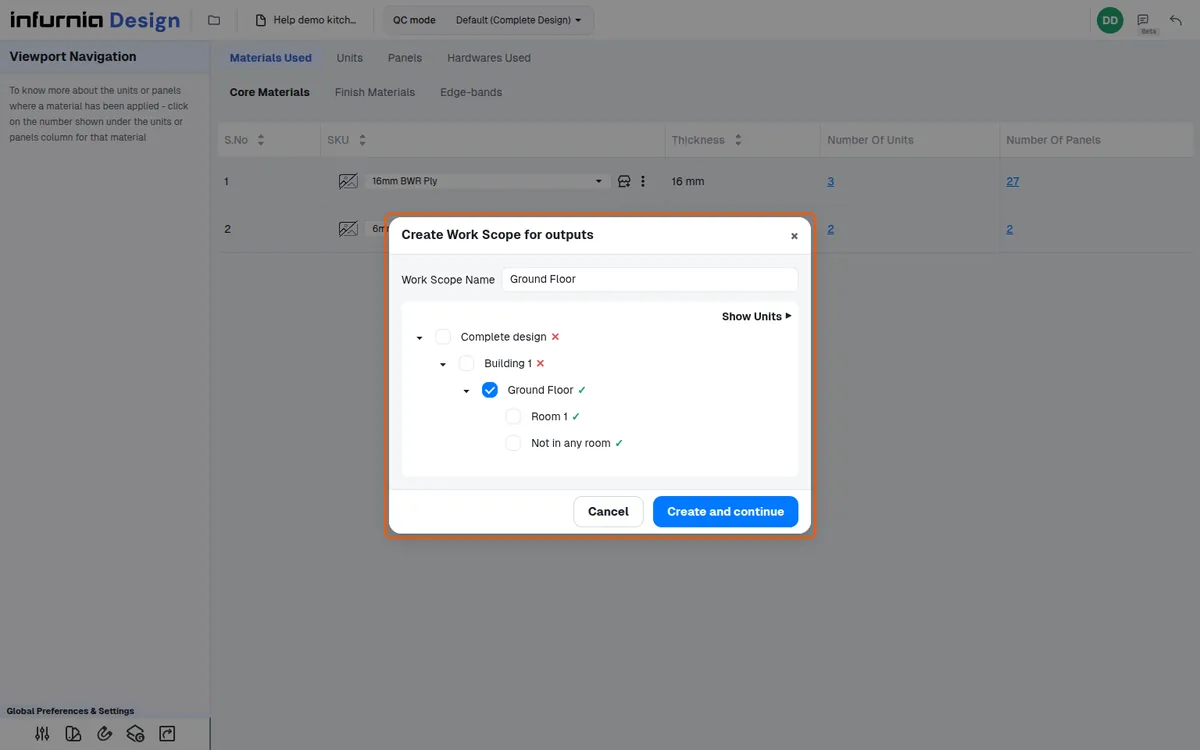
אותו QC mode זמין בייצור, כך שאם בדיקת ה-QC של המעצב לא בוצעה כראוי, מתכנן הייצור יכול לפתוח את הפרויקט שם ולבדוק שוב שהכול נכון; היקף העבודה מוגדר כברירת מחדל לאזור שהמעצב סימן כמוכן (למשל המטבח בלבד), והמחברים והתרחישים מטופלים בהמשך התהליך.