Correct wrong materials and push the change to production
Fix excess or wrong material types in the design and re-sync the work order so production picks it up.
Correct wrong or excess material types by selecting the units and using the change-material action.
✓ Vérifié dans le produit le 19 octobre 2026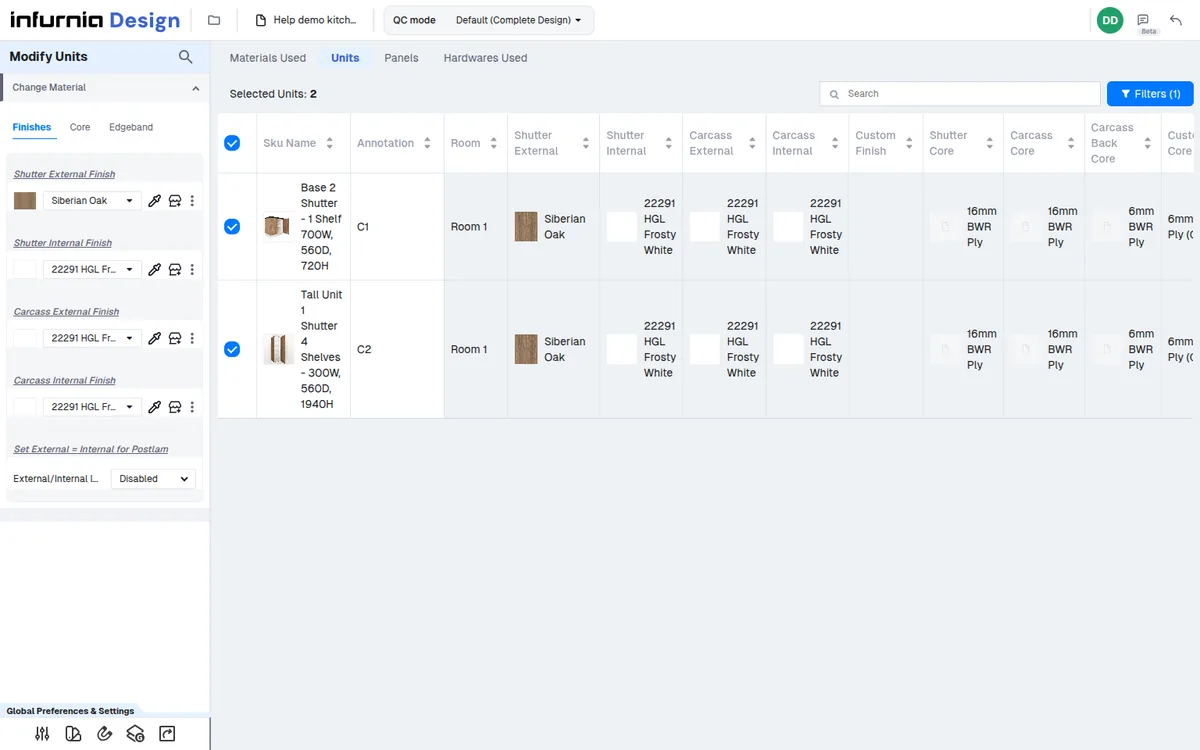
Material changes such as switching a panel core from BWP to HDHMR are made in the design (QC mode's Materials Used / Units / Panels views), not in the production output screen.
✓ Vérifié dans le produit le 19 octobre 2026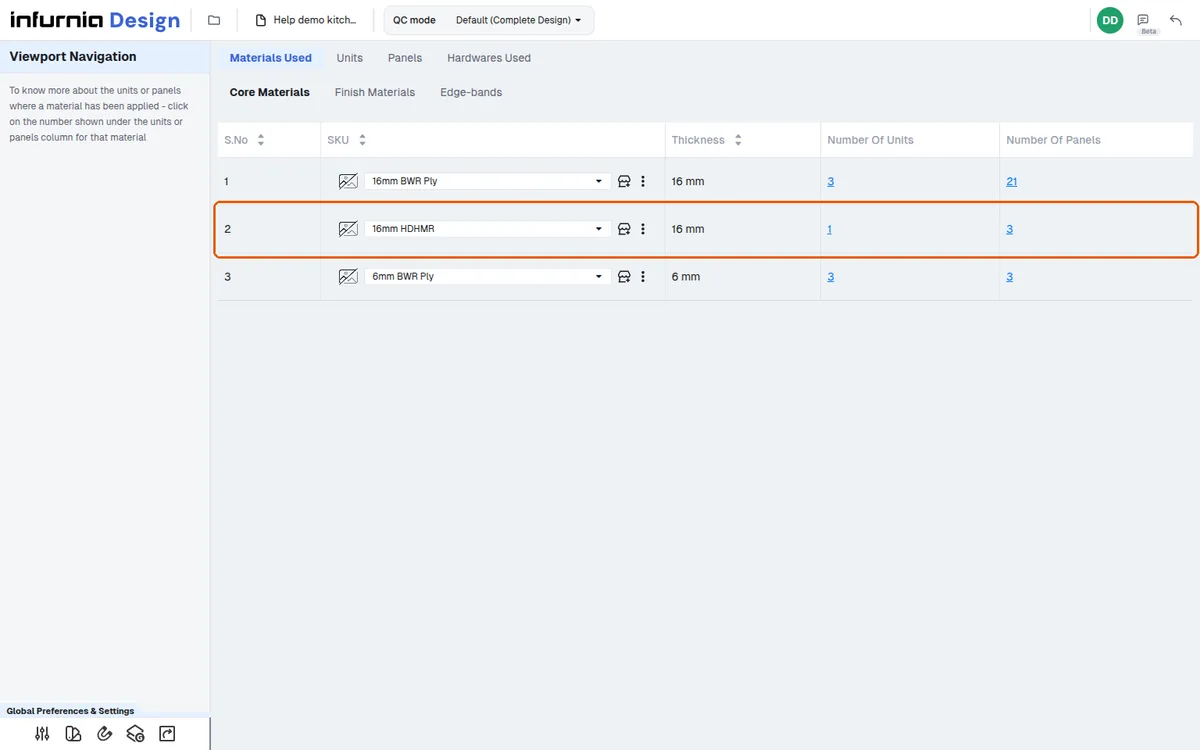
The production output picks the change up once the work order is re-synced with the design and published.