Add a CNC machine in settings to download drilling files
Add a CNC machine in Settings > Machine so you can download drilling files and DXFs.
To download drilling files, go to Settings > Machine and add a new machine, ensuring one is set to CNC.
✓ Checked in the product on 20 October 2026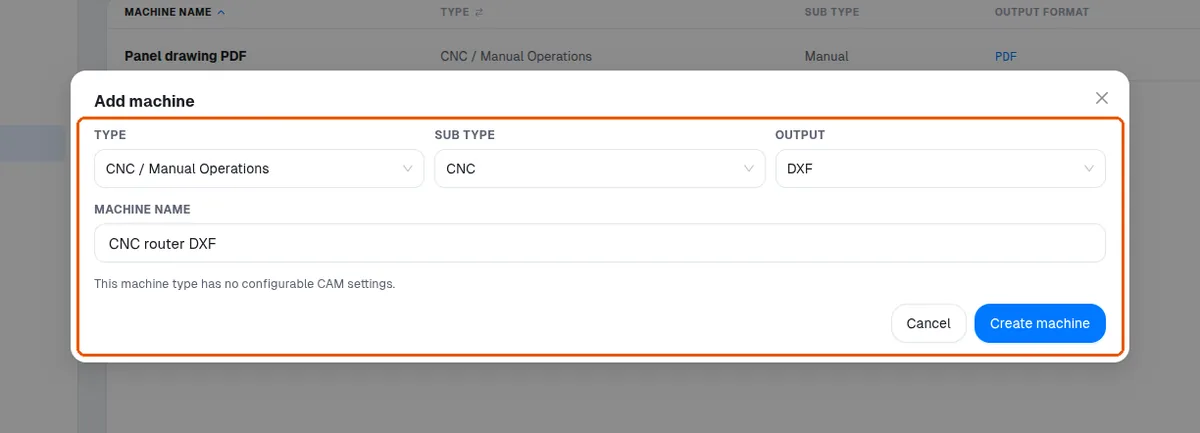
Choose the machine type (nesting, CNC, or manual PDF only) and the output format, such as DXF, then enter the machine name and create it.
✓ Checked in the product on 20 October 2026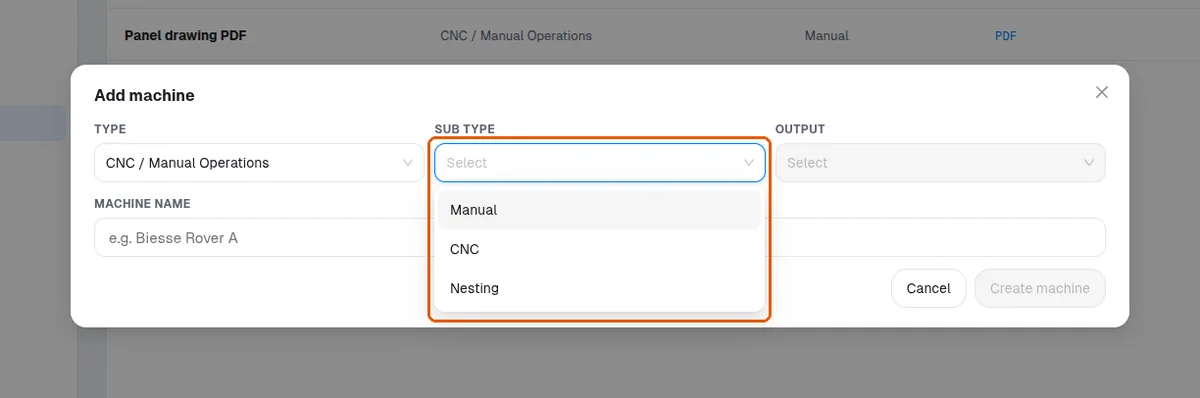
Refresh the machine list after adding.
✓ Checked in the product on 20 October 2026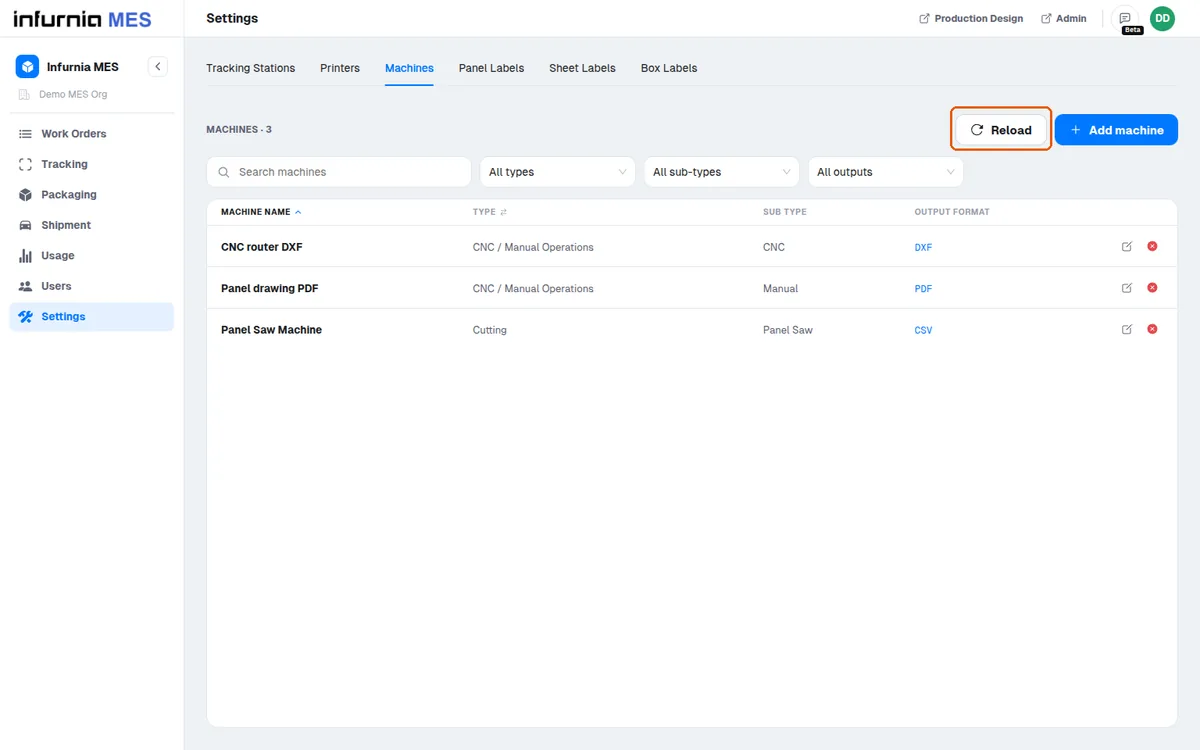
The manual PDF option shows drawings for each panel with drill positions.
Download machine files to get the DXF; the drawing download shows the same content as the DXF.