Add a CAM operation by marking include in CAM, type, depth and tool
Send a design feature to the machine by marking it include in CAM, then set its cut type, depth and preferred tool.
To send a design feature to the machine, the designer selects the geometry, clicks 'include in CAM', and specifies whether it is a trimming or pocketing operation.
✓ Checked in the product on 19 October 2026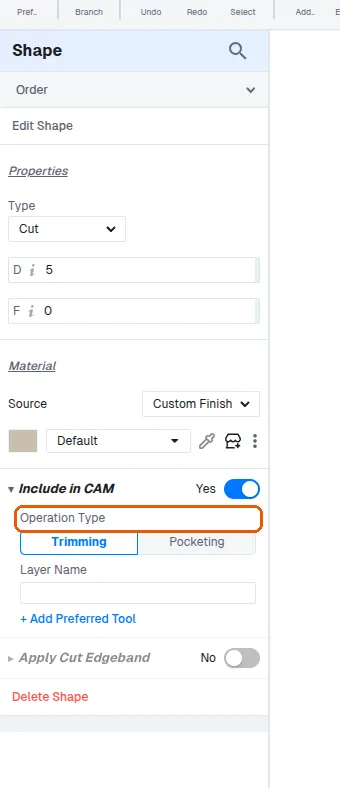
The cut type and depth must be mentioned; the machine uses that depth.
✓ Checked in the product on 19 October 2026The preferred tool (e.g. a 10 mm tool for a given CNC machine) is then selected.
✓ Checked in the product on 19 October 2026When performing sweep or cut operations such as grooving, there is an option to include the operation in CAM so it is carried through to manufacturing output.