Extend a cabinet end panel to the floor or ceiling
Extend an end panel added from a cabinet's End Panel section downward to the floor or upward from its own panel using the Width Extension values.
A cabinet's Construction > End Panel > 'Add Left end panel' puts a separate 18 mm end panel outside the left side panel (the side panel stays), and the menu item then reads 'Remove Left end panel', which takes it off again.
✓ Checked in the product on 21 October 2026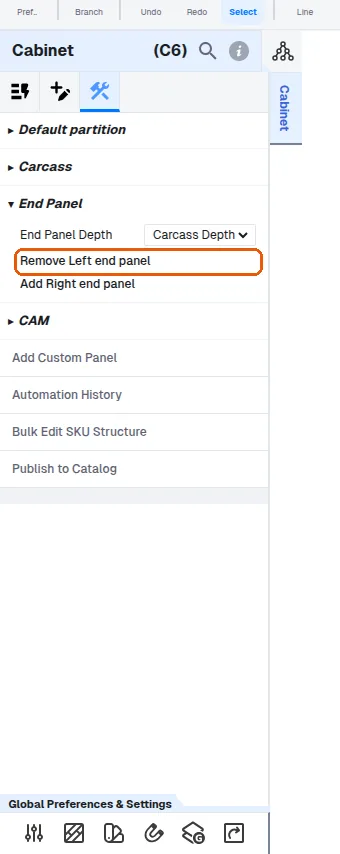
An end panel added from a cabinet's End Panel section is extended down to the floor or upward from the end panel's own panel: Construction tab > Extension parameters > Width Extension, Left / Right in mm.
✓ Checked in the product on 22 October 2026On a wall cabinet's left end panel, Left extends it downward (the cabinet's height above the floor takes it down to the floor) and Right extends it upward.
✓ Checked in the product on 22 October 2026An end panel's own panel (Construction tab) has 'Extend to Ceiling': it extends the end panel up to the ceiling by setting its upward Width Extension to the distance needed.
✓ Checked in the product on 21 October 2026An extension that would make the end panel taller than the End Panel Max Height in the cabinet's Sizing Rules (set in your catalogue) is refused with 'Extension parameters violate End Panel Max Height' and the value stays as it was.
✓ Checked in the product on 22 October 2026A cabinet's or wardrobe's Sizing Rules (Rules > Sizing Rules > Cabinet: Min / Max width) are enforced when the width is typed: a width above Max width is refused with the error toast 'New width is more than max width.' and one below Min width with 'New width is less than min width.'; the width stays as it was. -1 means no limit.
✓ Checked in the product on 21 October 2026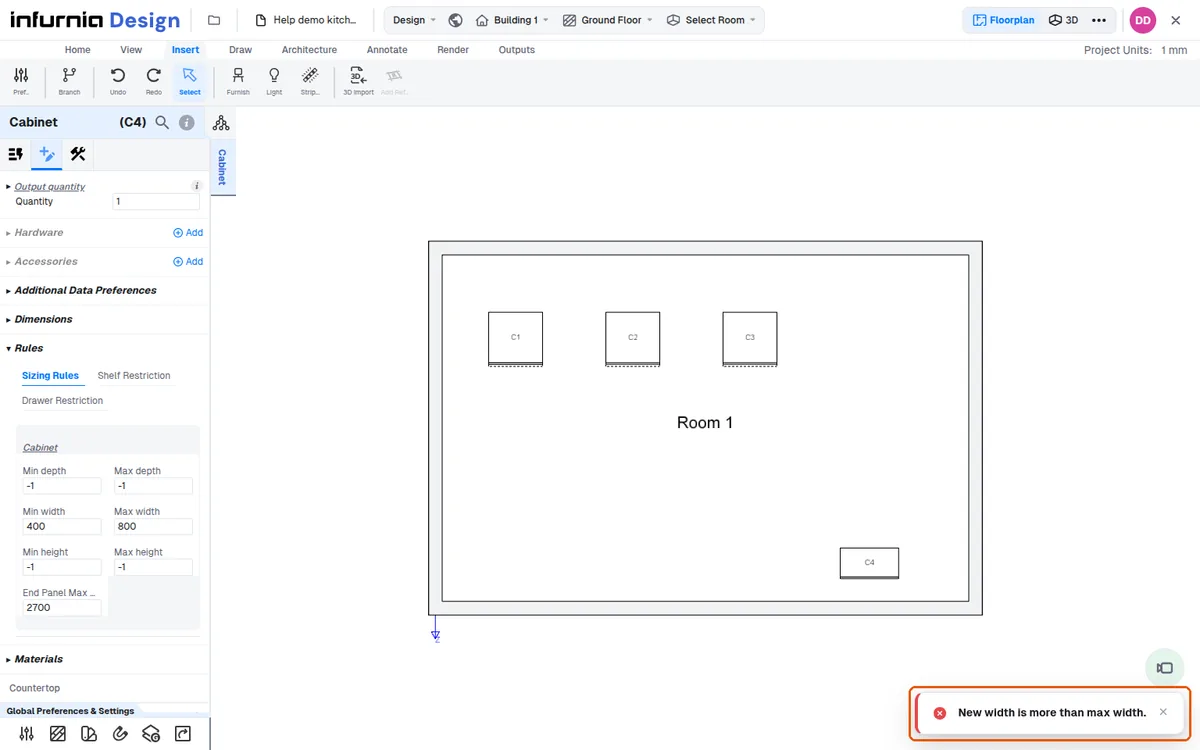
A cabinet's own sizing rule cannot be set below its current size ('Max width rule is less than the existing width. Please resize or change the width rules.'), and a width above the rule is refused ('New width is more than max width.').
✓ Checked in the product on 19 October 2026On a base cabinet, Construction > Skirting Options > Leveller Options > Leveller Height raises the carcass by that amount: 0 -> 50 moved the side panels from 100..820 to 150..870 mm (a toast 'Changed leveller height').
✓ Checked in the product on 19 October 2026A strip light added from a base unit bottom panel's Construction > Strip Lights lands on the panel's underside (outside the carcass) by default, with Reference Front and Position 50 mm; Switch Panel Side moves it to the top face inside the carcass and back.
✓ Checked in the product on 19 October 2026