Set cabinet-level shutter and carcass finishes
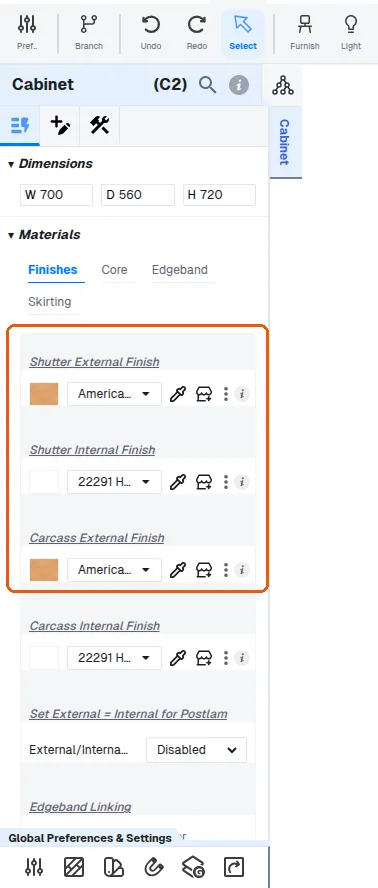
Edit the shutter and carcass finishes and core materials from the properties panel after selecting the unit.
The cabinet-level shutter and carcass material choices (shutter external finish, carcass external finish and core material) are edited from the properties panel after selecting the unit, and group-selection lets several units be changed together.
The shutter finish, carcass external finish, carcass internal finish and the core materials for carcass and shutter are all set from the properties panel after selecting the unit.
✓ Am 21. Oktober 2026 im Produkt geprüft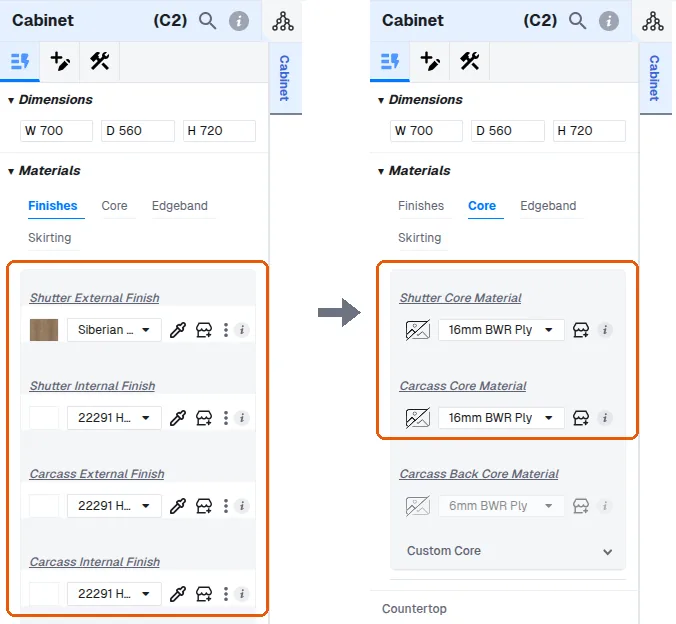
After placing a unit, its internal finish, shutter internal finish and core material appear in the properties panel on the left, so you can verify that the configured defaults were applied to the unit.
✓ Am 19. Oktober 2026 im Produkt geprüftAny shutter or drawer fascia panel whose finish source is set to 'Shutter External' (Materials > External Finish > Source) picks these up automatically, so changing the cabinet-level shutter finish updates all inheriting shutters in that unit at once.
✓ Am 21. Oktober 2026 im Produkt geprüft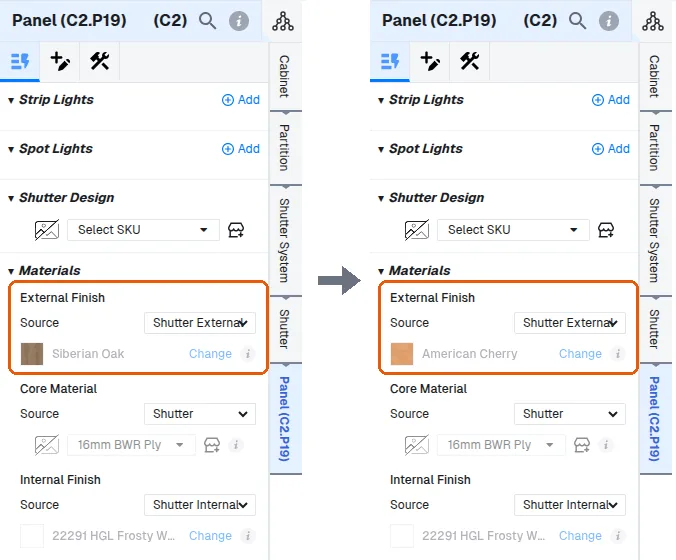
Panels that were individually overridden keep their own material and will not follow the cabinet-level change — that is the usual reason one shutter does not update with the rest.
✓ Am 21. Oktober 2026 im Produkt geprüft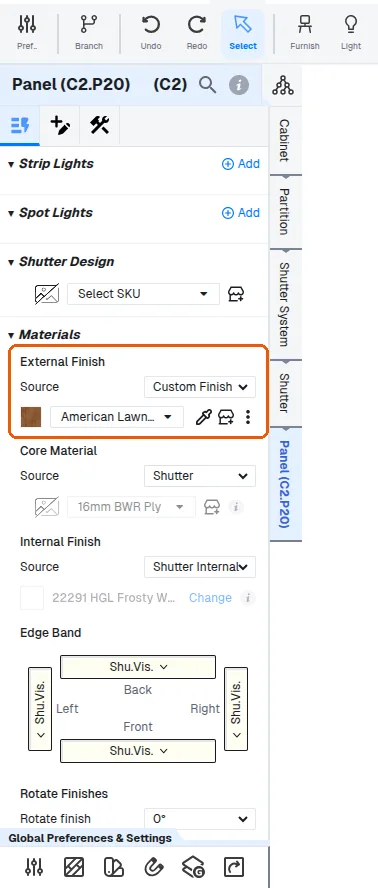
Similar unit-level inheritance exists for carcass materials and for the carcass back-panel core.
For shutters, the core material is set directly on the shutter's core material setting (the shutter inherits its core from the unit's shutter core material).
✓ Am 21. Oktober 2026 im Produkt geprüft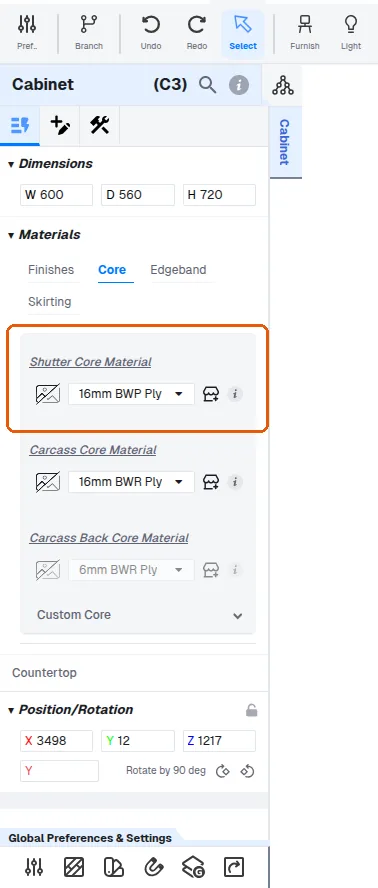
The shutter's core material can be changed to a custom material or a specific material such as plain glass.
The carcass external and internal finishes are set separately from the shutter finish.
✓ Am 21. Oktober 2026 im Produkt geprüft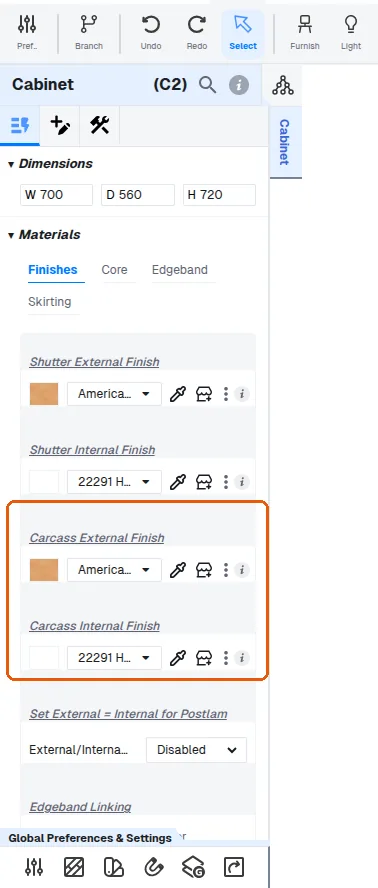
The carcass external finish can be set to the same colour as the shutter, or to a contrasting colour such as a wood tone, when the carcass border is visible.
Side panels can be set to follow that same shutter external finish.
✓ Am 21. Oktober 2026 im Produkt geprüft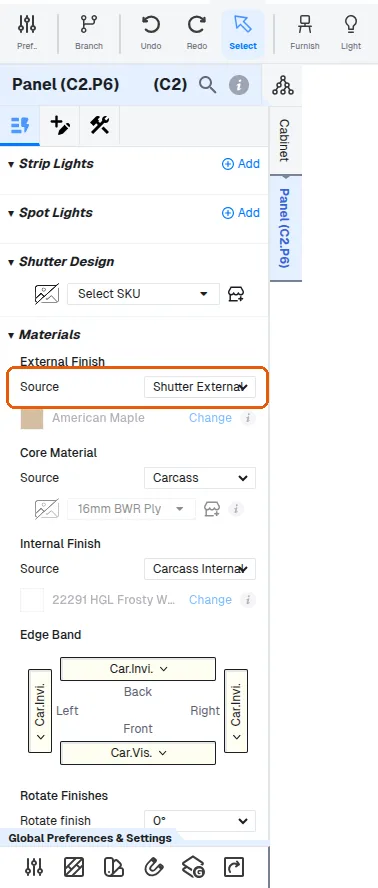
Use this for exposed panels such as the side panel of a tall unit or loft, or the side panel of a rolling shutter unit.