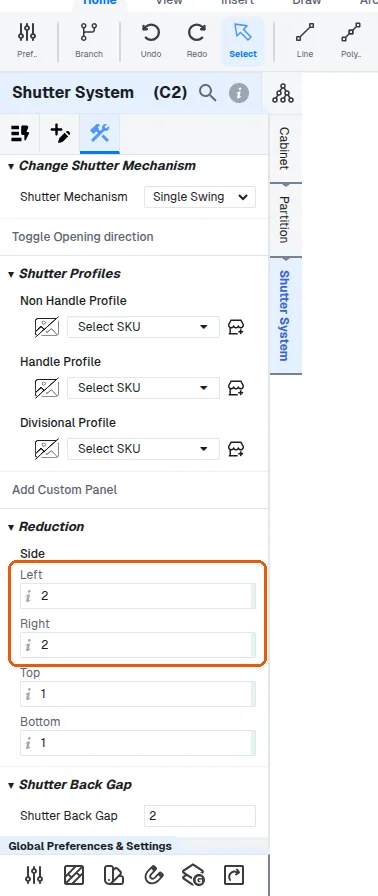
Edit the Shutter Gap value in the design
Change the Shutter Gap from the construction panel or through bulk edit, and find the reduction fields.
The Shutter Gap value can be edited both from the shutter system's construction panel in the design view and through bulk edit, where it is listed as a Shutter Gap parameter and the change is reported as applied or failed per unit.
✓ 已于 2026年10月10日 在产品中核实The left and right reduction fields are found under the shutter's panel-level construction, in Shutter Systems > Construction, in the Reductions section; the shutter size recalculates from the values entered there.
✓ 已于 2026年10月22日 在产品中核实