Understand cut edgeband on panels with cut or slanted edges
Learn when a panel carries a cut edgeband and why rectangular panels correctly show 'No Edgeband'.
Besides the four side edgebands (front/back/left/right), a panel can carry a fifth 'cut' edgeband for its slanted or cut side.
✓ 19 அக்டோபர், 2026 அன்று தயாரிப்பில் சரிபார்க்கப்பட்டது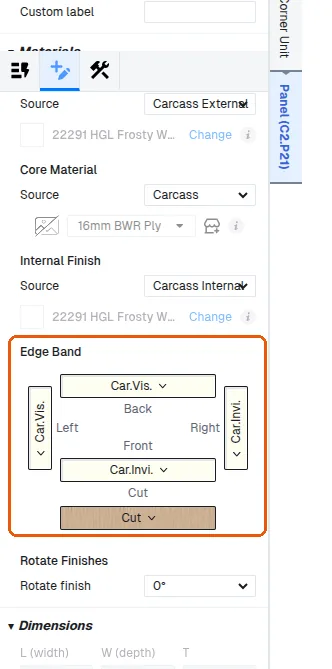
The cut edgeband is meaningful on non-rectangular panels: L-shaped, pentagonal, triangular, or sketch-shaped ones (for sketch-shaped panels it applies only when the sketch actually has a cut side).
✓ 19 அக்டோபர், 2026 அன்று தயாரிப்பில் சரிபார்க்கப்பட்டதுThe cut edgeband also applies to any panel, including a rectangular one, whose panel design has a cut operation with 'Apply Cut Edgeband' switched on (sweep-profile cuts are excluded, and the cut shape must be closed).
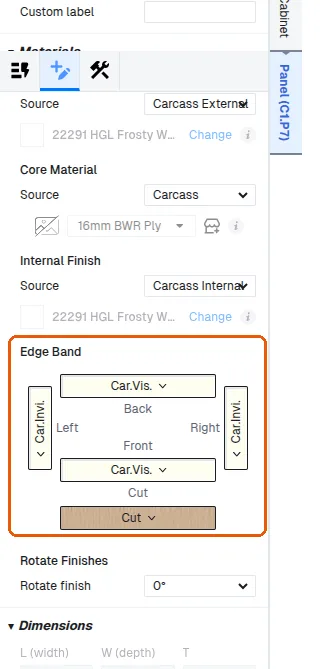
Every panel of a unit takes its cut edge band from the unit's Cut Edgeband setting (the panel's cut edge source reads 'Cut Edgeband'). Only the panels that have a cut side, such as the L-shaped top, bottom and shelf of an L-corner unit, carry the band; rectangular panels follow the same source but read 'No Edgeband'.
✓ 19 அக்டோபர், 2026 அன்று தயாரிப்பில் சரிபார்க்கப்பட்டது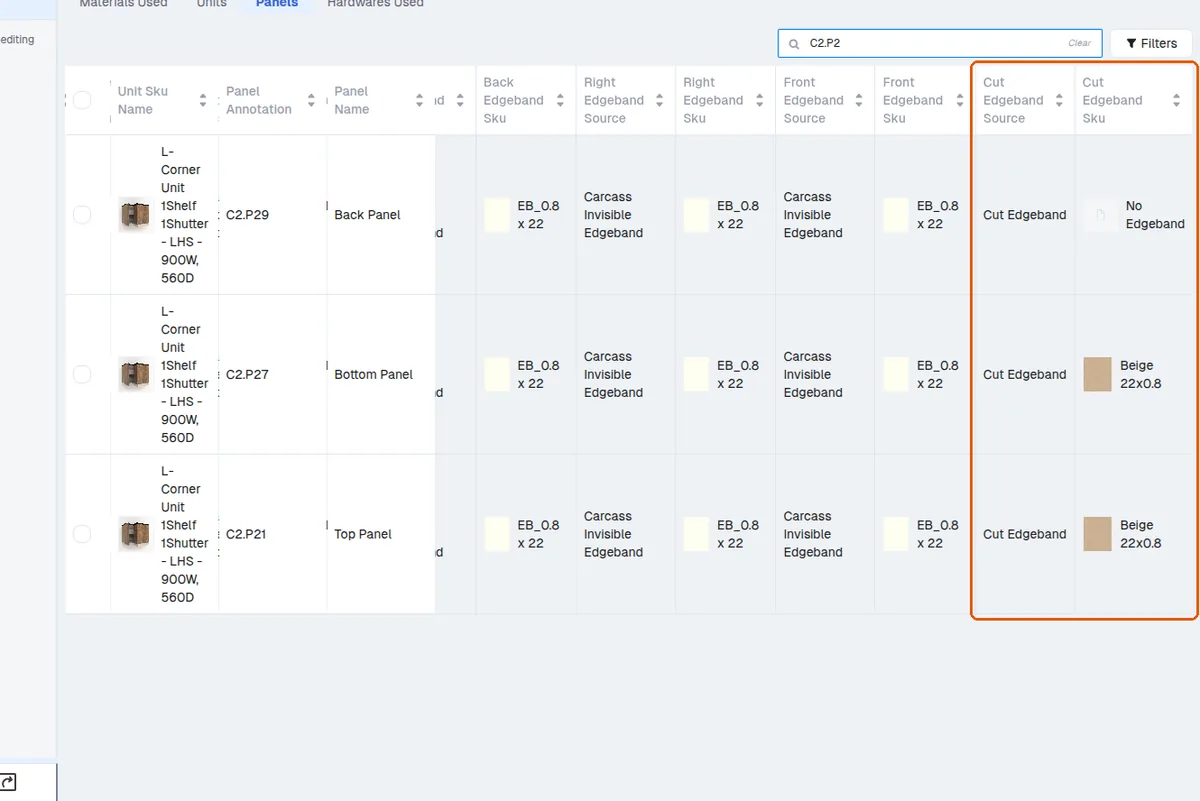
A rectangular panel with no such cut has no cut side, so it correctly reports 'No Edgeband' in QC Mode's Panels table even when the cabinet has a cut edgeband set — this is not missing data.
The Units table has a single 'Cut edgeband' column with the unit-level SKU (blank when none).
✓ 19 அக்டோபர், 2026 அன்று தயாரிப்பில் சரிபார்க்கப்பட்டது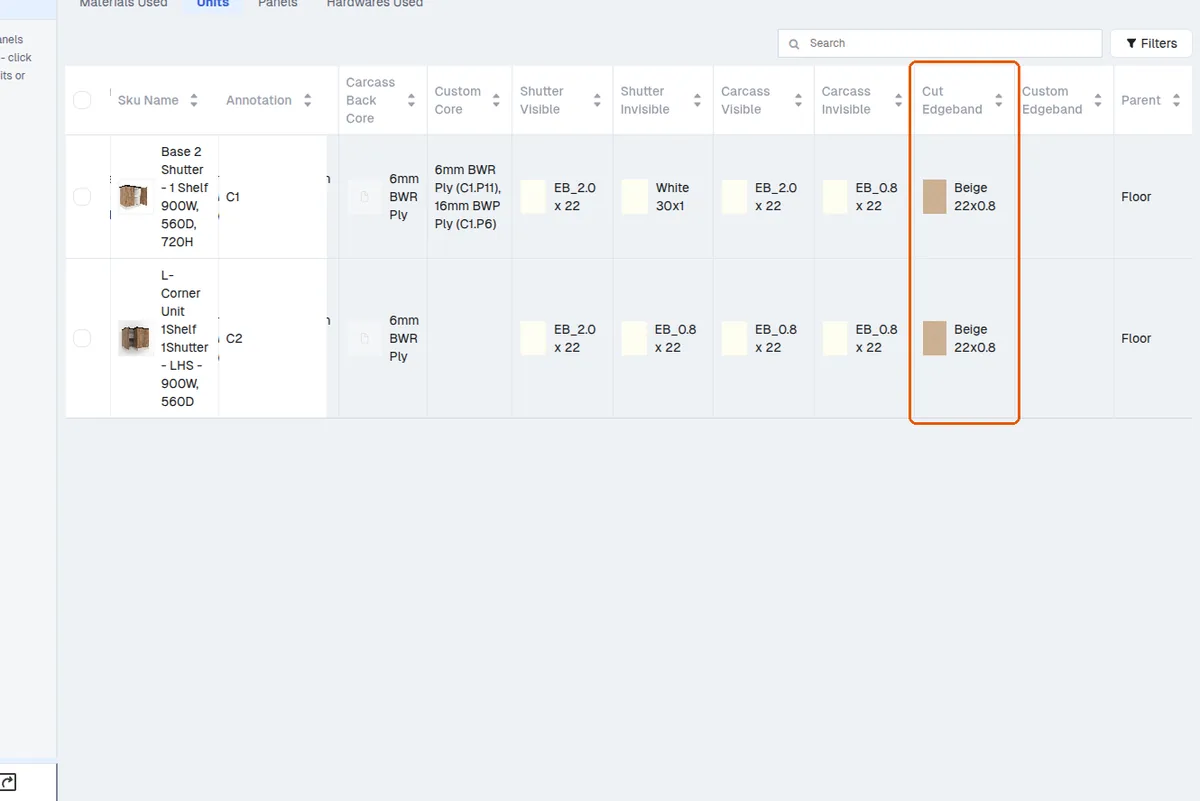
Materials Used → Edge-bands includes cut edgeband in per-SKU unit/panel counts.
✓ 19 அக்டோபர், 2026 அன்று தயாரிப்பில் சரிபார்க்கப்பட்டது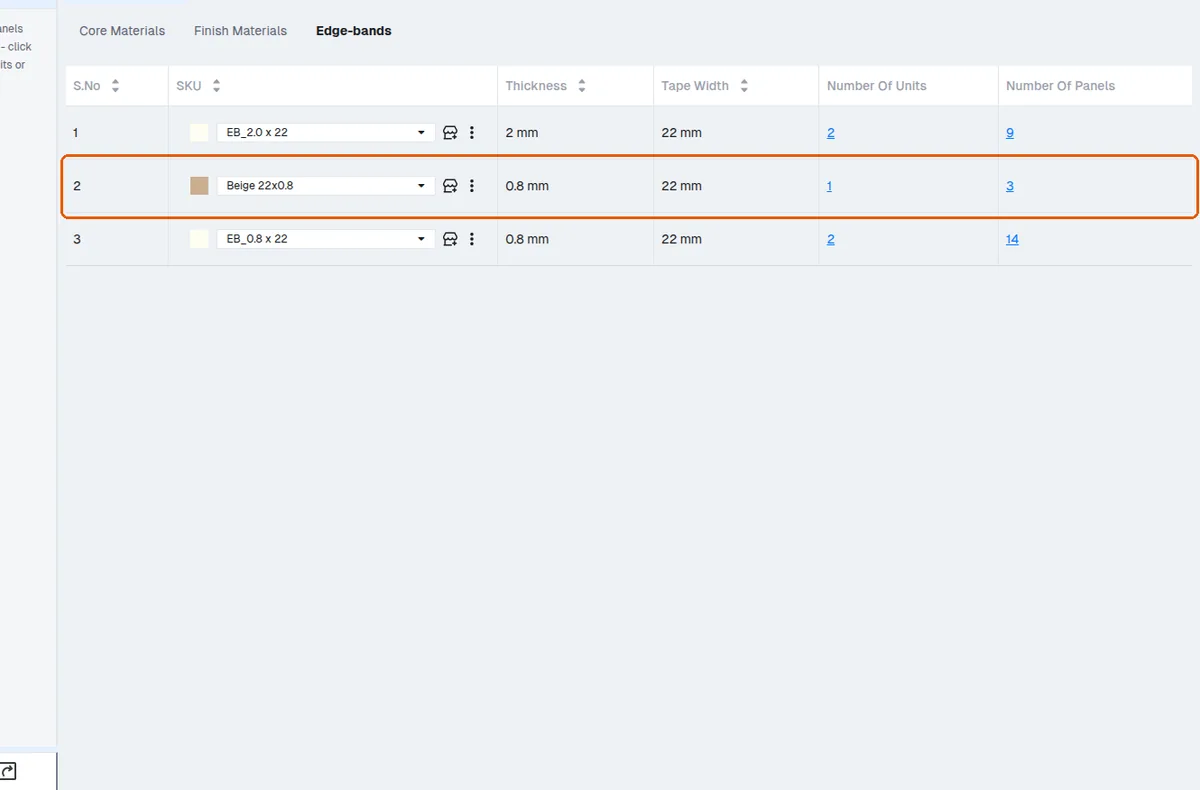
The raw-material/pricing outputs count the cut edgeband's length.
✓ 19 அக்டோபர், 2026 அன்று தயாரிப்பில் சரிபார்க்கப்பட்டது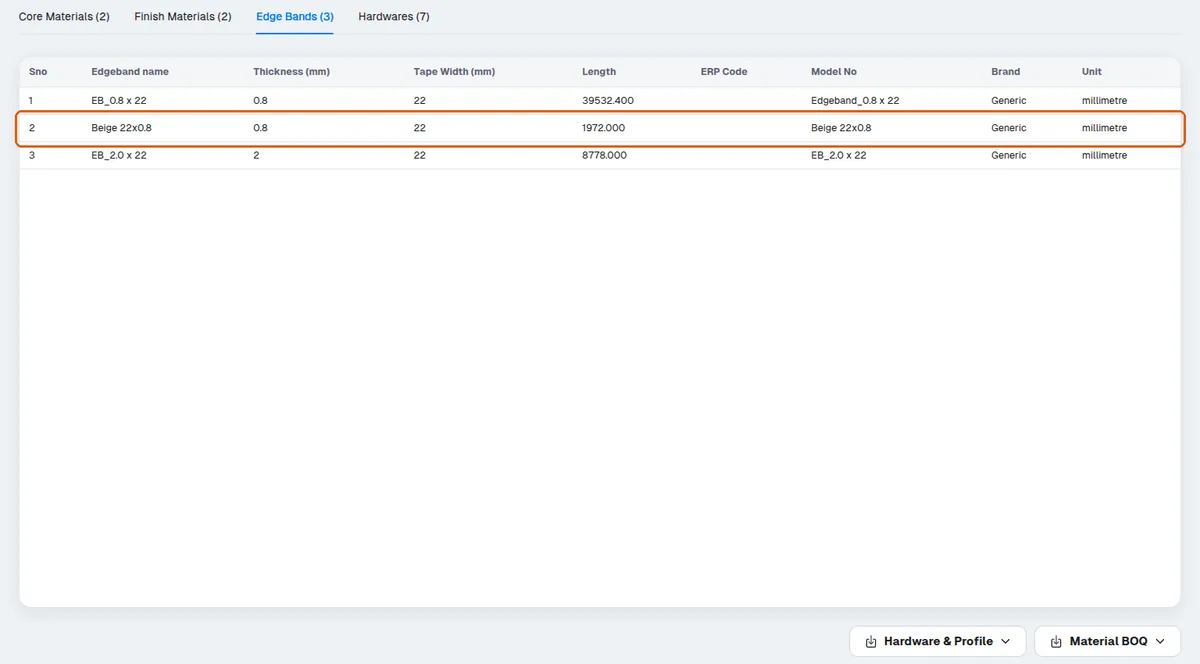
A typical place the cut edgeband appears: L-shaped corner-unit top panels, especially after switching to a profile handle.
✓ 19 அக்டோபர், 2026 அன்று தயாரிப்பில் சரிபார்க்கப்பட்டதுIn the production cut list, an edge-banding cell displays the placeholder NO_EDGE_APPLICATION when no edge-band material has been assigned to that edge of the part. It is not an error by itself; it indicates the edge is left unbanded in the design, and the part is produced without edge banding on that side.
✓ 10 அக்டோபர், 2026 அன்று தயாரிப்பில் சரிபார்க்கப்பட்டதுIn the production design's Preferences panel, under the "Other" preference group, there is a toggle "Favour Linked Edgeband Over Edgeband So...". Set it to True to make linked edgeband take priority over the panel's own edgeband setting. This preference is controlled from the admin portal, so it must be turned on there for the option to be available.