Download saw files, nesting files and panel labels
Use the footer menus to download machine-formatted files and numbered labels for the current scope.
With cut type Straight Cuts, a 'Saw Files' menu lists beam-saw machines and downloads machine-formatted saw files for that scope.
✓ 2026 ഒക്ടോബർ 20-ന് പ്രോഡക്റ്റിൽ പരിശോധിച്ചു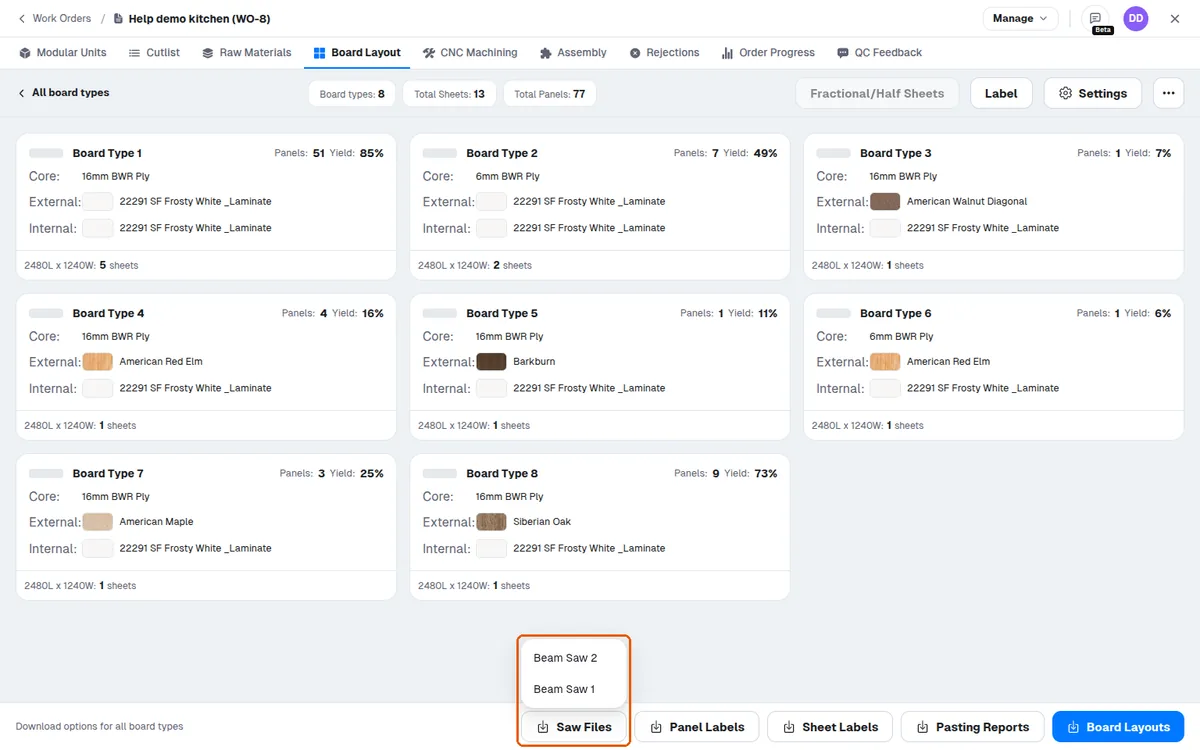
With cut type Nesting, the menu becomes 'Nesting Files' listing nesting CNC machines.
✓ 2026 ഒക്ടോബർ 20-ന് പ്രോഡക്റ്റിൽ പരിശോധിച്ചു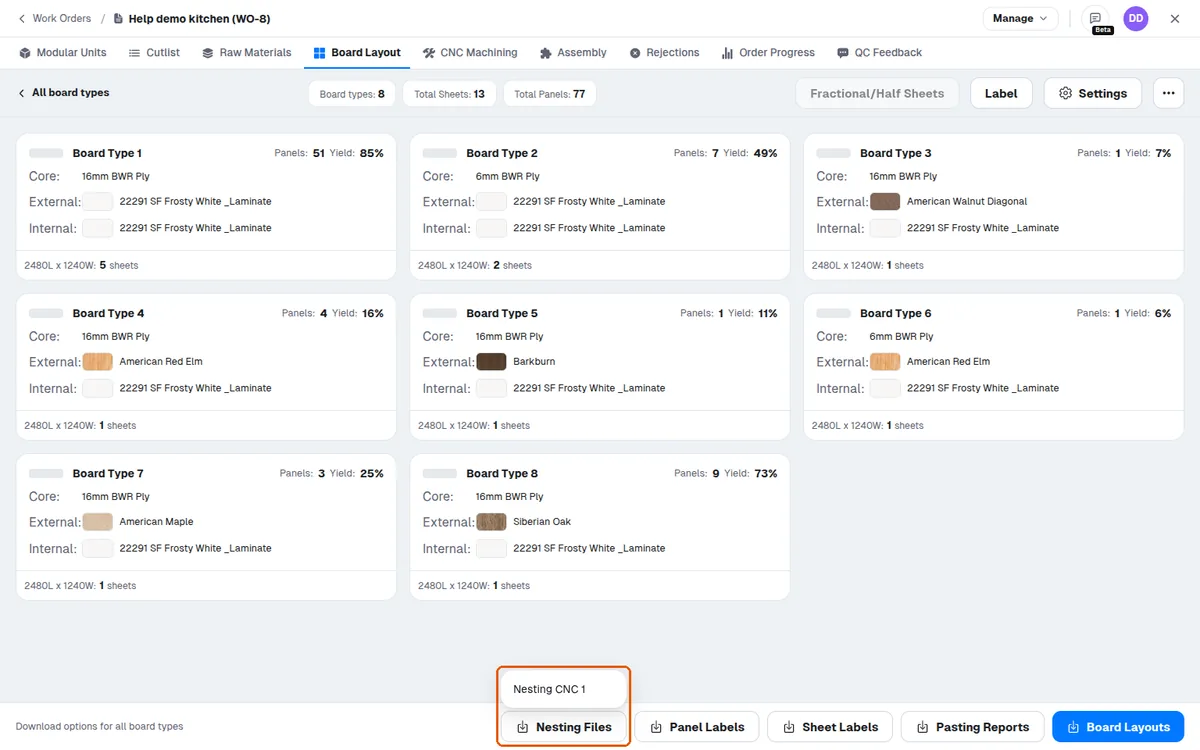
'Panel Labels' downloads labels for the same scope.
✓ 2026 ഒക്ടോബർ 20-ന് പ്രോഡക്റ്റിൽ പരിശോധിച്ചു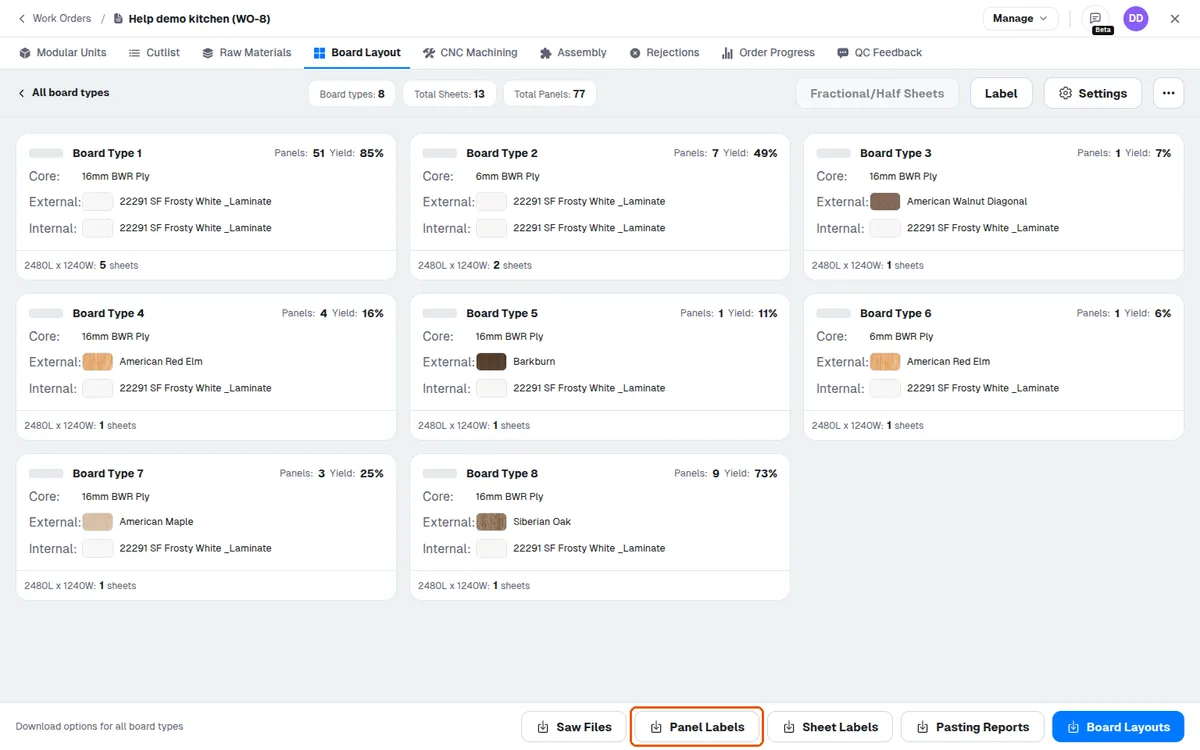
Panel labels are downloaded from the board layout footer via the 'Panel Labels' button.
✓ 2026 ഒക്ടോബർ 20-ന് പ്രോഡക്റ്റിൽ പരിശോധിച്ചുThe download covers the current screen's scope (all board types, the active board type, or the single open sheet).
✓ 2026 ഒക്ടോബർ 20-ന് പ്രോഡക്റ്റിൽ പരിശോധിച്ചു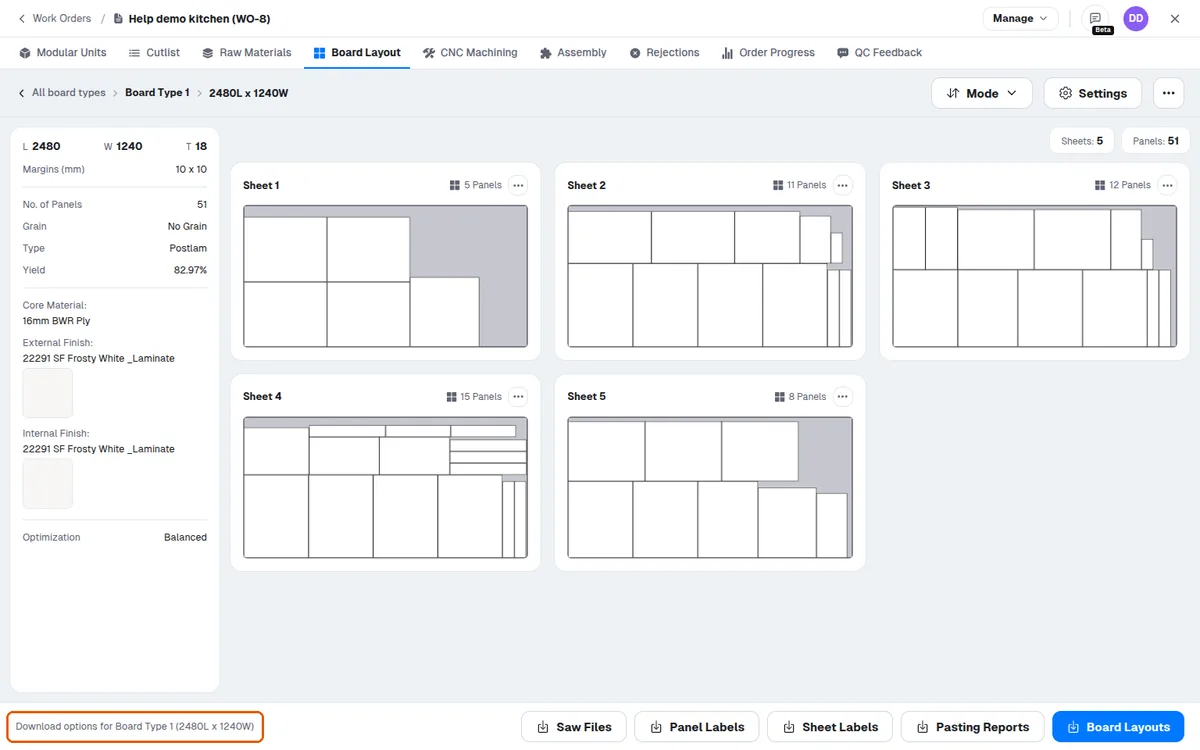
Panel labels are numbered sequentially (L1, L2, L3 and so on).
✓ 2026 ഒക്ടോബർ 20-ന് പ്രോഡക്റ്റിൽ പരിശോധിച്ചു