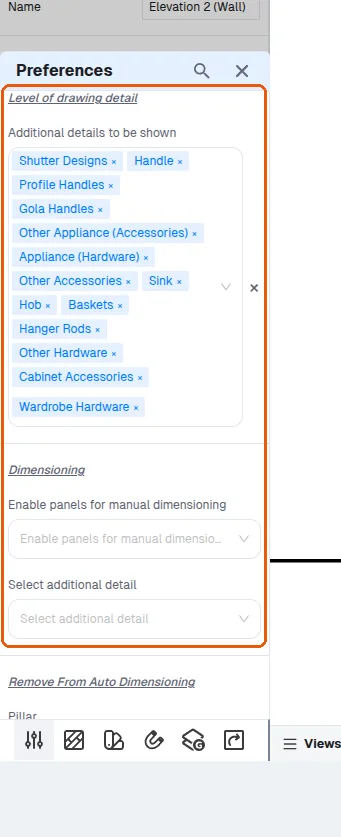
Fix incorrect or missing auto dimensions
Check the dimensioning settings and pick points carefully when auto dimensions come out wrong or absent.
If a wrong point or line is picked the dimension comes out incorrect, so choose points carefully.
The level of drawing detail and the dimensioning settings (Enable panels for manual dimensioning, Select additional detail) are set in the design's preferences, separately for elevations and for floor plans. The dimensioning settings decide which panels and details (for example a shutter or the countertop) the dimension tool can pick by hand; Add Auto Dimensioning does not follow them (in an elevation its exclusions are set in 'Remove From Auto Dimensioning').
✓ 2026 ഒക്ടോബർ 20-ന് പ്രോഡക്റ്റിൽ പരിശോധിച്ചു