Download and check CNC machine files before production
Download the CNC output from the published work order, load it into the machine and verify it against the machine type.
Download the saw file, CNC files, board layouts and panel labels from the published work order.
✓ 2026년 10월 20일에 제품에서 확인됨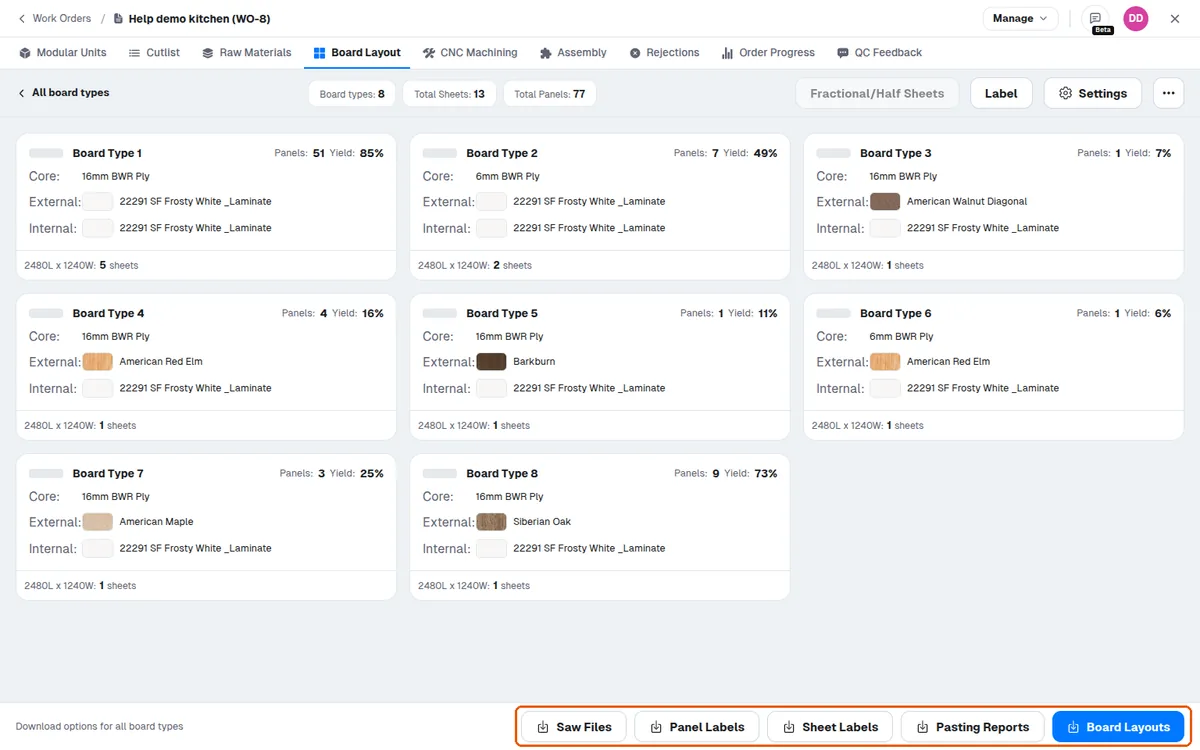
A CNC machine with DXF output offers 'Machine Files', and in the menu beside that button 'Machine Files Without Side View' and 'Download Cutlist'. A nesting machine with DXF output offers 'Machine Files' only.
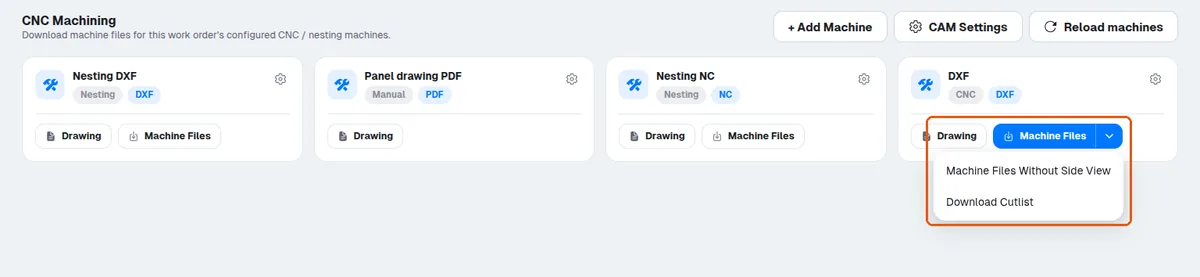
The output is geometry-only .dxf.
Screws are not included by default and must be added separately.
The downloaded CNC file reflects the latest design changes, such as added connectors, mini-fixes and dowels.
The downloaded CNC file should be verified against the machine type being used before running production.
The machine operator can download the output file at their own terminal from the published work order, without asking the designer to send it.
The machine operator can then load the output file into the machine.
The MPR is then loaded into the machine for checking.