production से पहले CNC machine files डाउनलोड करें और जाँचें
published work order से CNC output डाउनलोड करें, उसे machine में लोड करें और machine type के अनुसार उसकी पुष्टि करें।
published work order से saw file, CNC file, board layout और panel label डाउनलोड करें।
✓ 20 अक्टूबर 2026 को प्रोडक्ट में जाँचा गया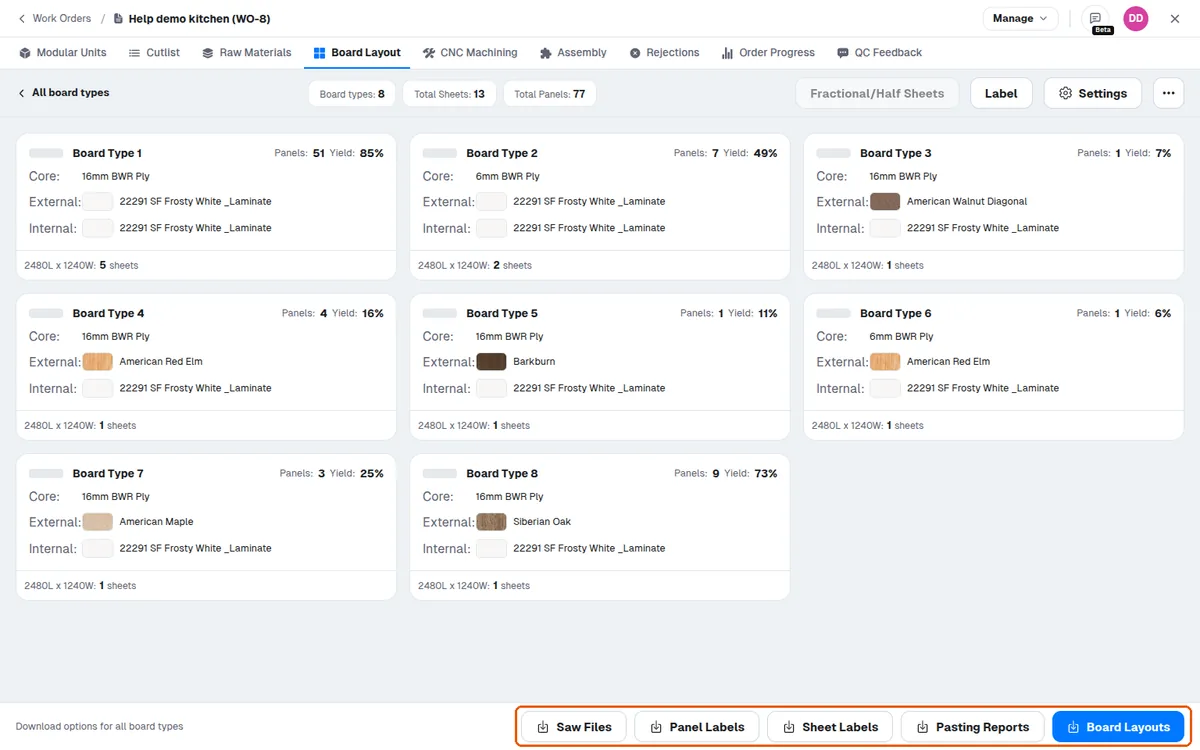
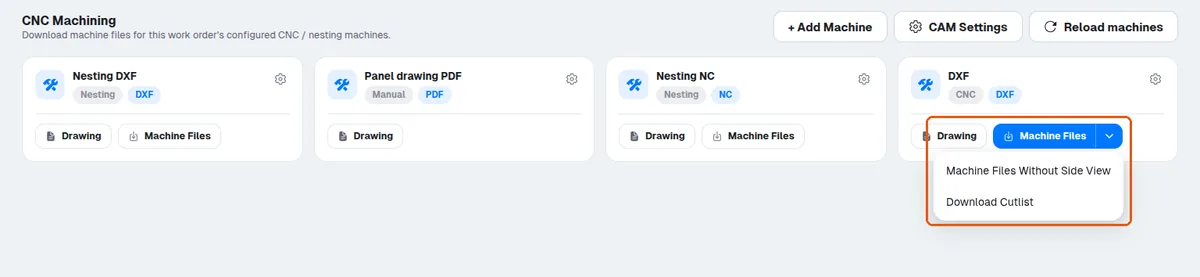
DXF output वाली CNC machine में 'Machine Files' मिलता है, और उस बटन के बगल के मेन्यू में 'Machine Files Without Side View' और 'Download Cutlist' मिलते हैं। DXF output वाली nesting machine में केवल 'Machine Files' मिलता है।
output केवल geometry वाला .dxf है।
screw डिफ़ॉल्ट रूप से शामिल नहीं हैं और उन्हें अलग से जोड़ना होगा।
डाउनलोड की गई CNC file में डिज़ाइन के नवीनतम बदलाव दिखते हैं, जैसे जोड़े गए connector, mini-fixes और dowel।
production चलाने से पहले डाउनलोड की गई CNC file को उपयोग हो रहे machine type के अनुसार जाँचना चाहिए।
machine operator designer से भेजने के लिए कहे बिना published work order से output file अपने ही terminal पर डाउनलोड कर सकता है।
इसके बाद machine operator output file को machine में लोड कर सकता है।
इसके बाद MPR को जाँच के लिए machine में लोड किया जाता है।