Set end panel depth to carcass level for open units
Stop the end panel at carcass level on a top unit that has no shutter so it aligns with the carcass.
When a top unit has no shutter and the end panel should stop at carcass level instead of extending to shutter level, select the unit, open Construction > End Panel, and change End Panel Depth from 'Carcass Depth with Shutter' to 'Carcass Depth'.
✓ 2026년 10월 21일에 제품에서 확인됨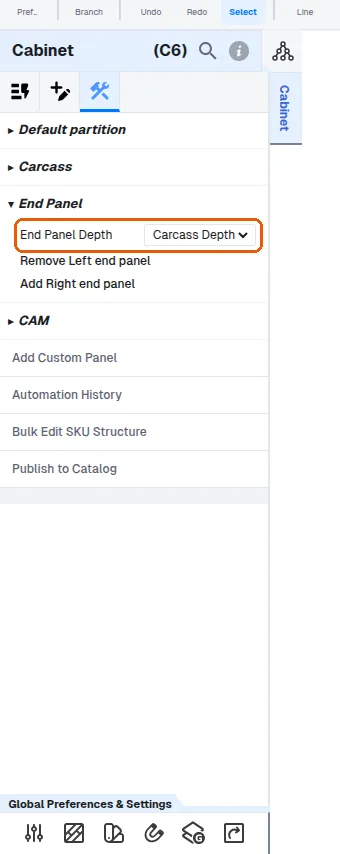
The end panel then aligns with the carcass; viewing from the top makes the difference clear.
✓ 2026년 10월 10일에 제품에서 확인됨