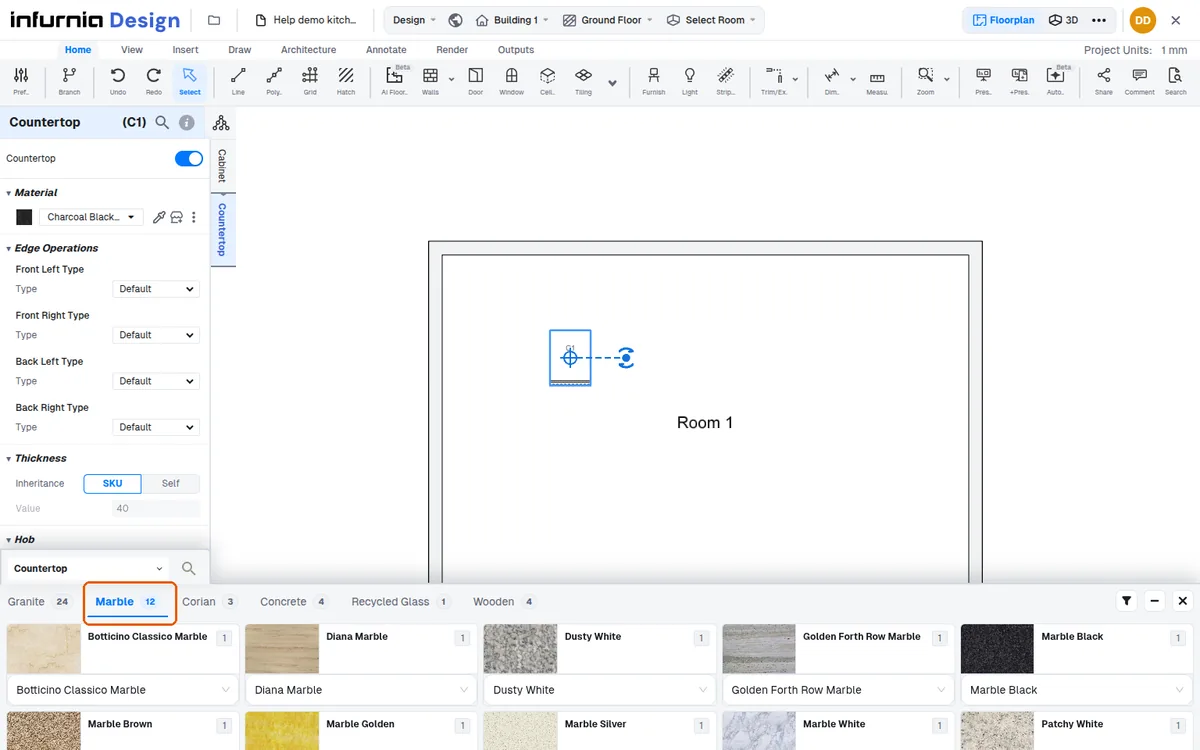
Change countertop material via selection tree or unit
Change a countertop's material by selecting the unit or using the selection tree, then choosing a subcategory and a specific material or colour.
To change a countertop, select the unit and scroll to countertop.
✓ 2026년 10월 22일에 제품에서 확인됨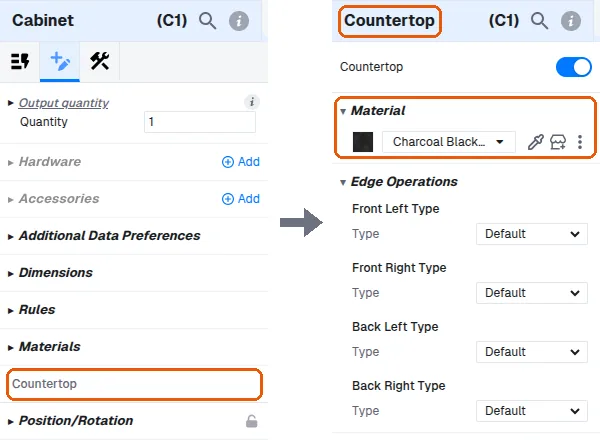
Click the unit, then click 'Countertop' in the tabs beside its properties panel (Cabinet / Countertop) to open the countertop's properties.
Open the material house button to see subcategories such as quartz, granite, marble, corian and terrazzo.
Pick the subcategory first, then choose the specific material/colour from the list.
✓ 2026년 10월 22일에 제품에서 확인됨