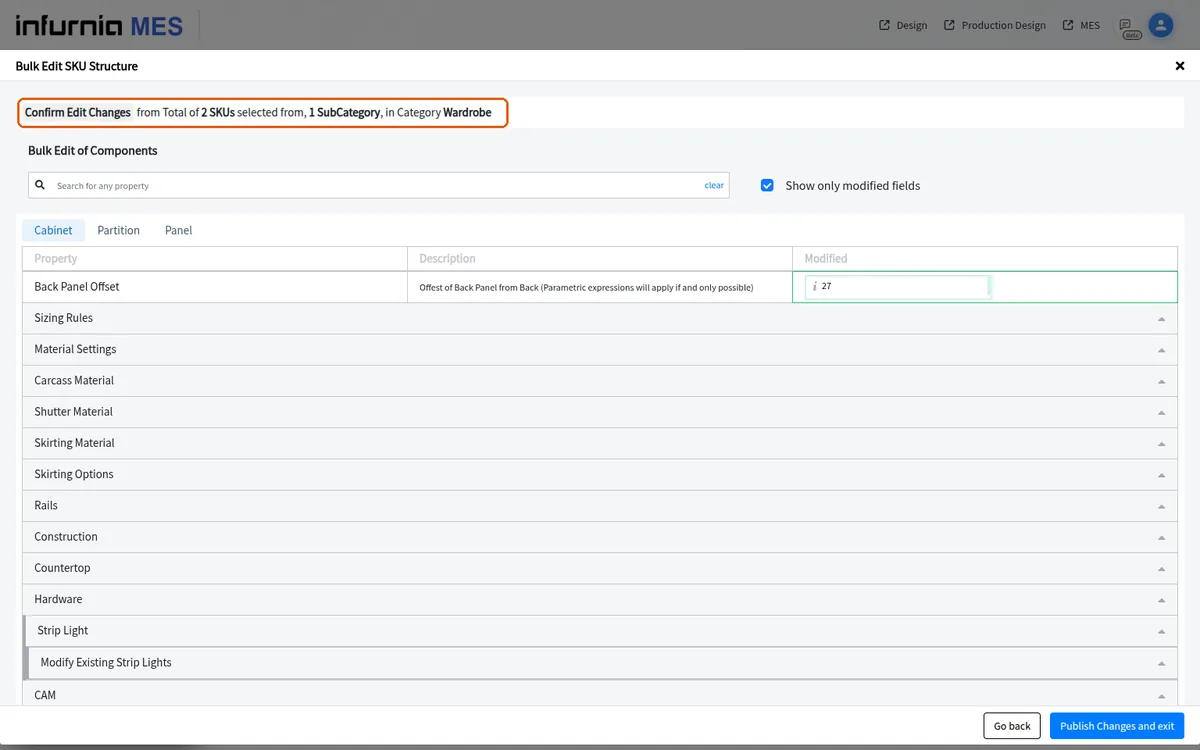
Review edited fields and publish bulk SKU structure changes
Filter to modified fields, review your edits, and confirm and publish them to every selected SKU.
The structure editor has a 'Show only modified fields' checkbox that filters the list down to the fields you changed.
✓ 2026년 10월 19일에 제품에서 확인됨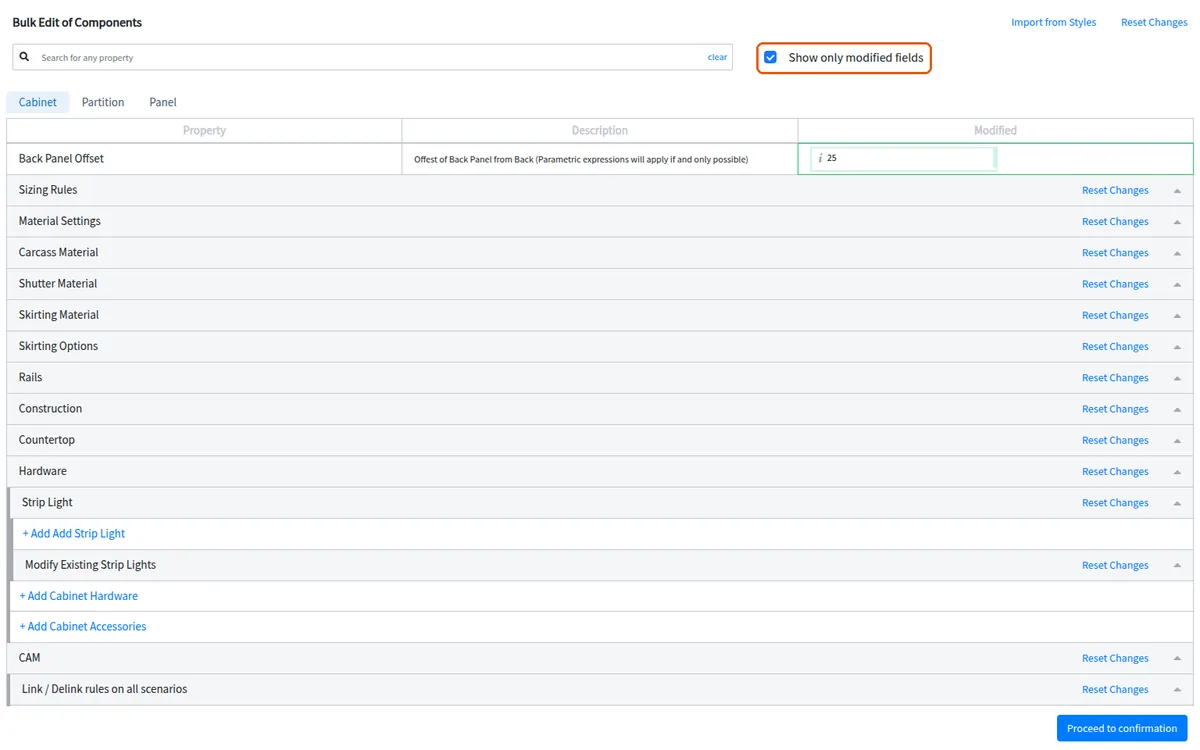
You can review your edits before confirming and publishing.
The confirmation step is reached by clicking 'Proceed to confirmation'.
✓ 2026년 10월 19일에 제품에서 확인됨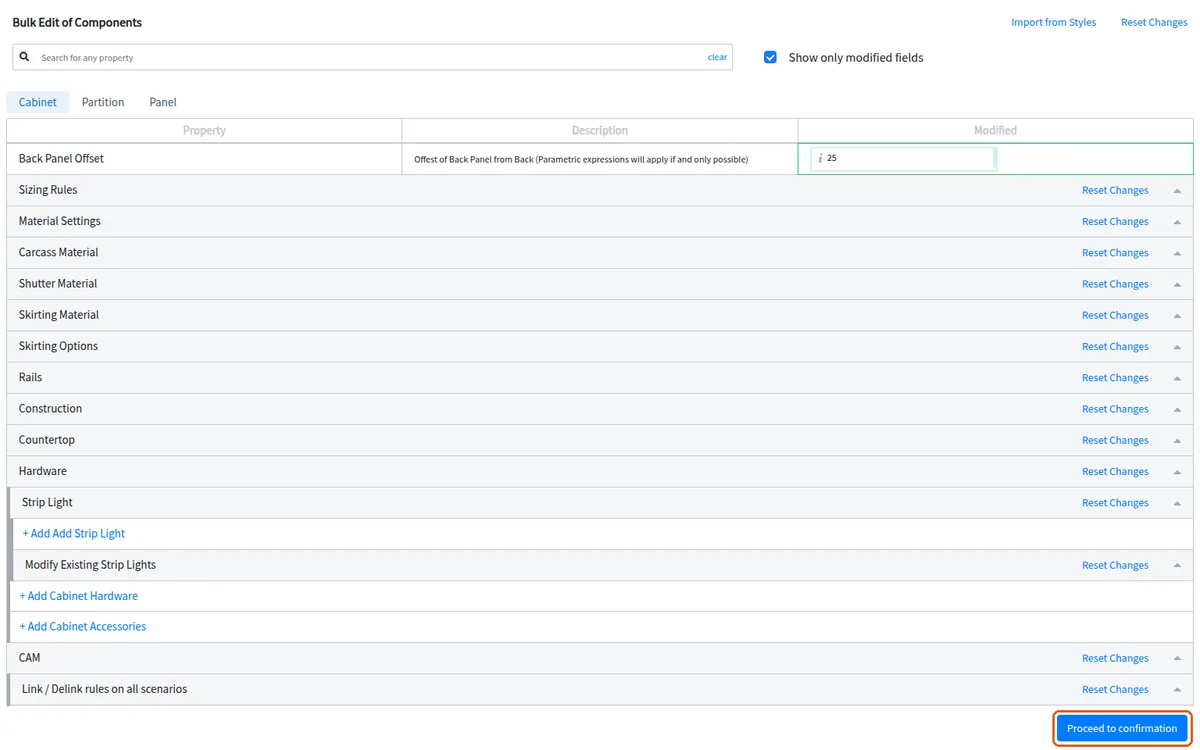
The publish button stays disabled until at least one effective change has been made.
✓ 2026년 10월 19일에 제품에서 확인됨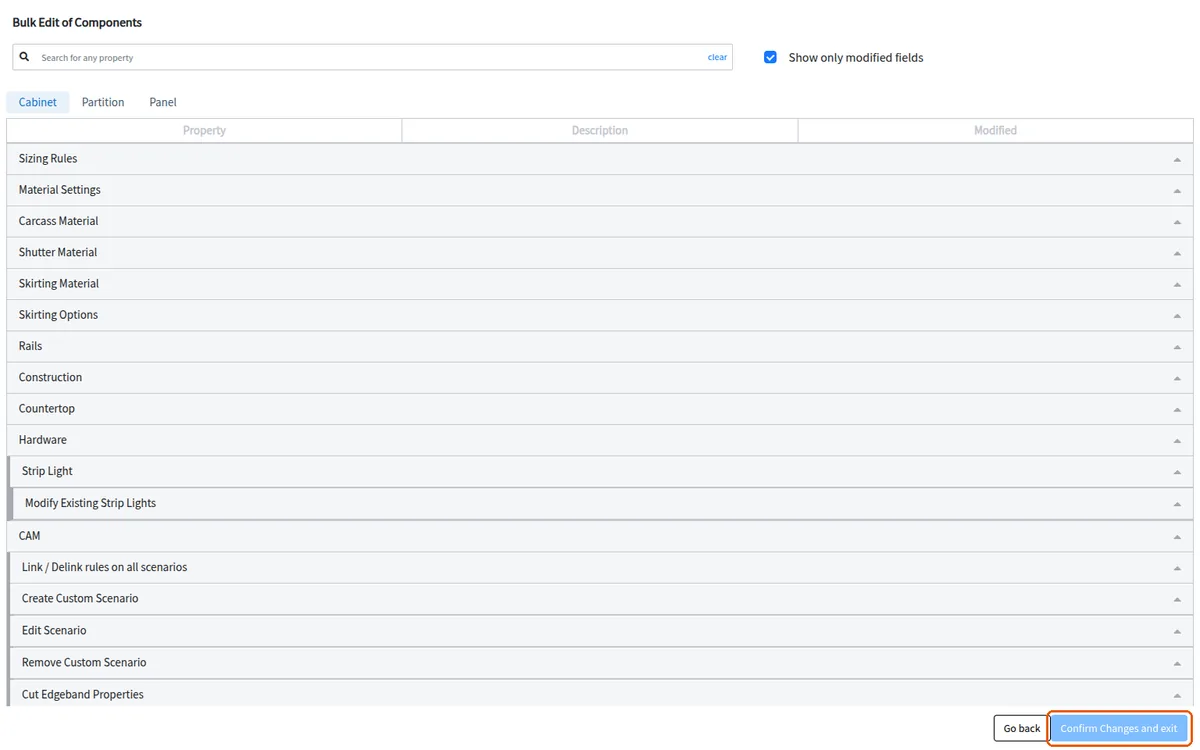
The publish step is labelled 'Publish Changes and exit'.
✓ 2026년 10월 19일에 제품에서 확인됨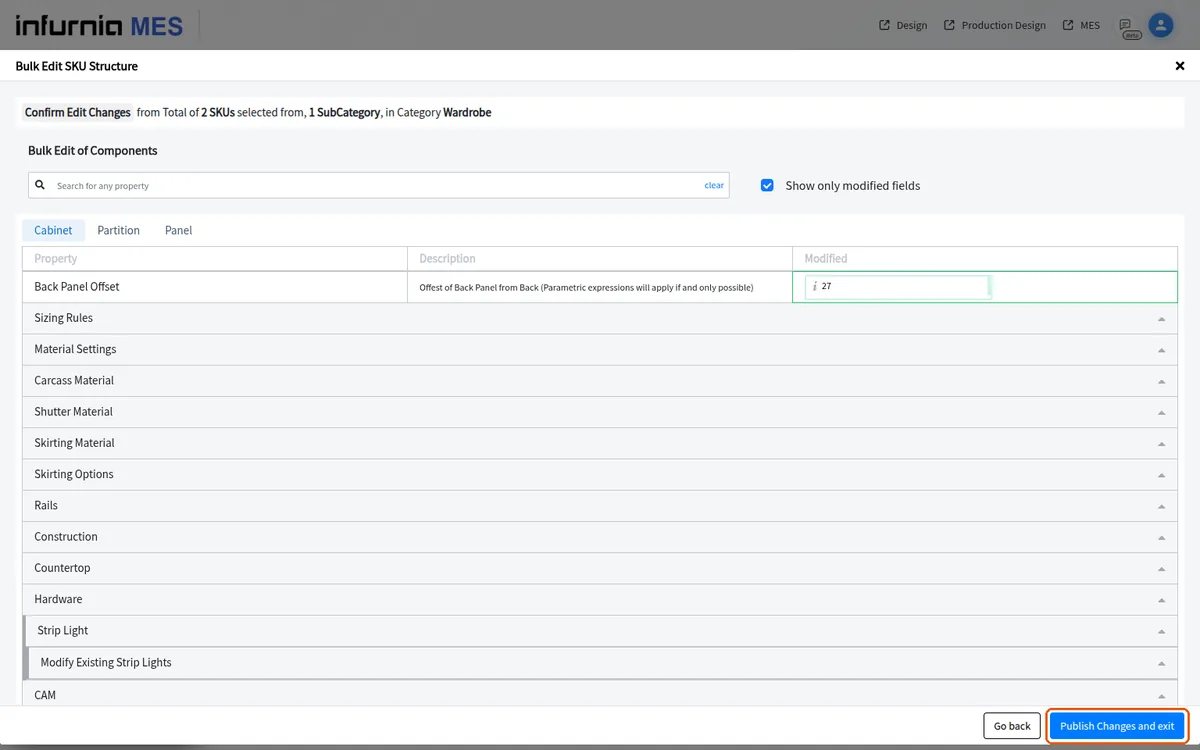
The final publish button is labelled 'Confirm Changes and exit'.
✓ 2026년 10월 19일에 제품에서 확인됨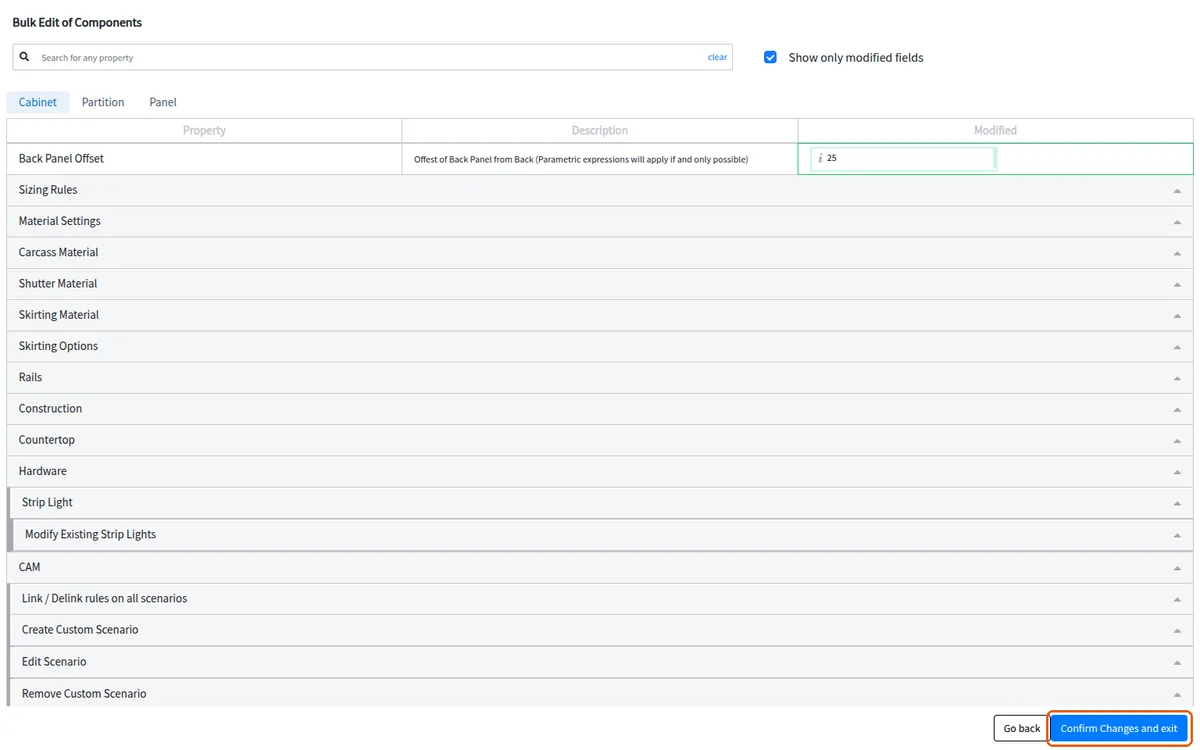
The change is applied to all selected SKUs of the chosen type when you confirm and publish.
✓ 2026년 10월 19일에 제품에서 확인됨