Generate multi-cabinet elevations and change finishes in bulk
Open a cabinet's 2D Drawings to generate elevations covering several cabinets, then group-select cabinets to change their materials and finishes in one action.
Select a cabinet and open its '2D Drawings' option (Sectional Elevations / Multi Cabinet Elevation) to generate elevations covering multiple cabinets.
✓ 2026年10月20日に製品で確認済み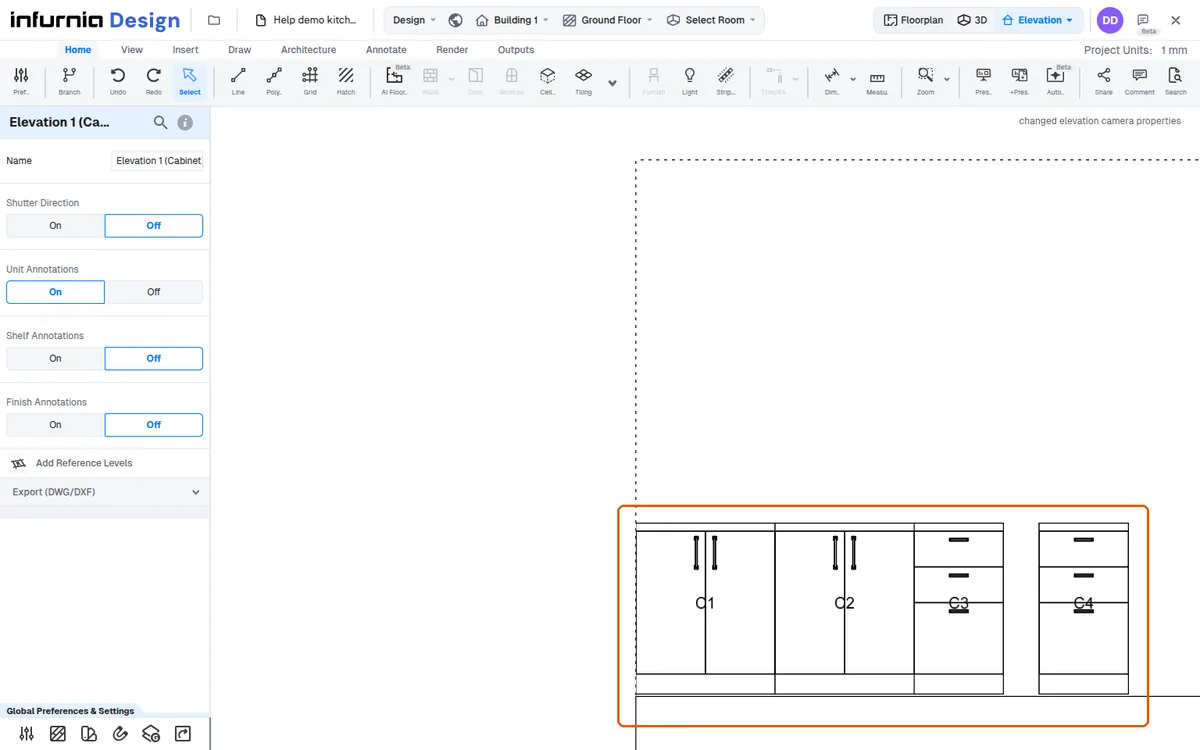
To change the finish of multiple cabinets or wardrobes at once, select them together; the left-hand panel then shows a 'Cabinets/Wardrobes (n)' section whose Change Material > Finishes (shutter / carcass, external / internal) applies the chosen finish to every selected cabinet or wardrobe in one action instead of editing each unit individually.
Group-select cabinets to change materials and finishes across all of them at once.
✓ 2026年10月20日に製品で確認済み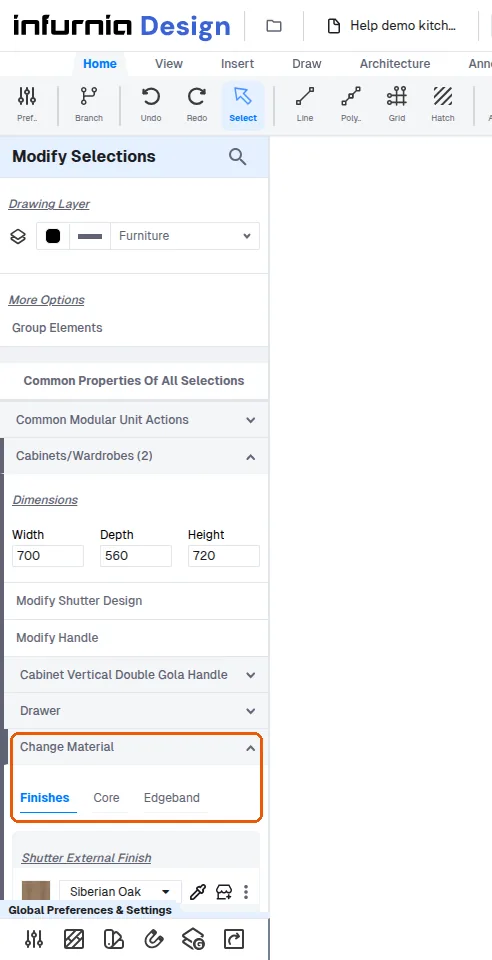
The group selection capability has been available since the beginning of the software.
The group selection capability makes colour or finish changes take only seconds.