Understand the wall location line and how typed dimensions are measured
Learn how the location line places wall thickness and which face your typed dimensions are measured from.
The wall's location line can be set to Center, Left or Right, and this determines how the wall thickness is placed relative to the drawn line.
✓ 2026年10月20日に製品で確認済みThe location line is shown as a blue dotted line while drawing walls.
✓ 2026年10月19日に製品で確認済み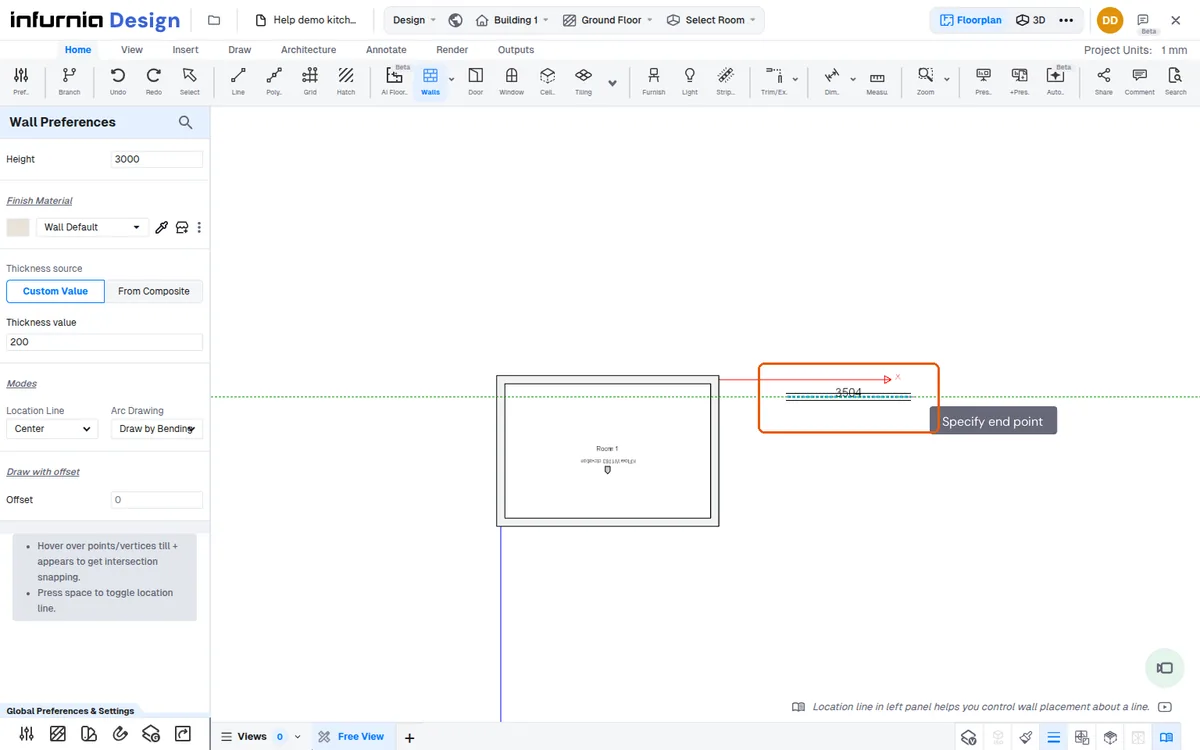
The blue dotted line shown while drawing a wall marks the wall's location line.
✓ 2026年10月19日に製品で確認済みWhile drawing a wall, the reference line shown on screen indicates which face the dimension you type is measured from.
✓ 2026年10月19日に製品で確認済みPressing Space shifts the reference line, so dimensions switch from the wall centre line to the inner face.
The dimension you type is measured from the location line: a centre-to-centre dimension places the line at the wall centre, while an internal-to-internal dimension places it on the inside face of the wall.
✓ 2026年10月19日に製品で確認済みThe wall location line defaults to the wall centre, so dimensions are taken centre-to-centre until you switch it to the inside face for interior measurements.
✓ 2026年10月20日に製品で確認済み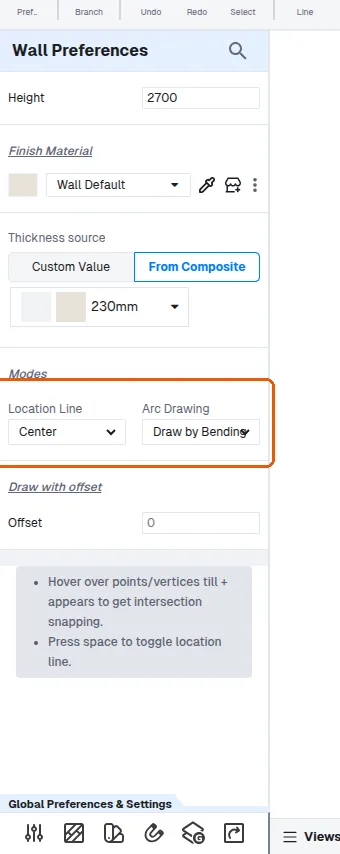
For interior work, keep the wall location line on the inside face of the wall so dimensions are taken from inside to inside.
If the line sits on the outside face, dimensions are taken outside to outside.
✓ 2026年10月19日に製品で確認済みWhen the blue dotted line sits on the inner face, the dimension you enter is measured inner-to-inner.
✓ 2026年10月19日に製品で確認済みFor a room that must be a specific inner-to-inner size, keep the blue line on the inner edge and type that size.
When a wall is drawn by typing a centre-to-centre length, the inside face measurement is shorter and the outside face longer by half the wall thickness on each side — for example a 3000 centre-to-centre wall of 150 thickness measures 2925 on the inside face and 3075 on the outside face.