Add laminates and edge bands from the warehouse
Bring branded finishes into your catalogue with the brand filter and subcategory ticks.
Laminates and edge bands are among the items that can be pulled in this way.
✓ 2026年10月19日に製品で確認済み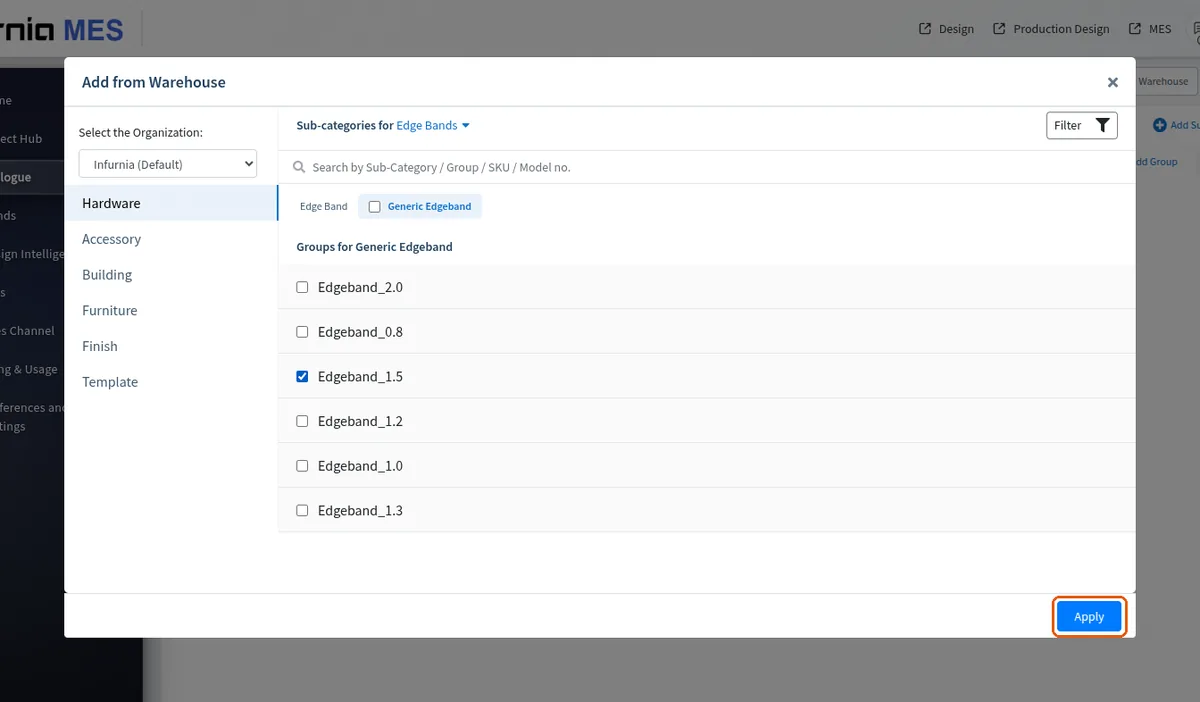
Open the warehouse from the catalogue section, filter by brand, and add the laminate or edge band from there.
✓ 2026年10月19日に製品で確認済み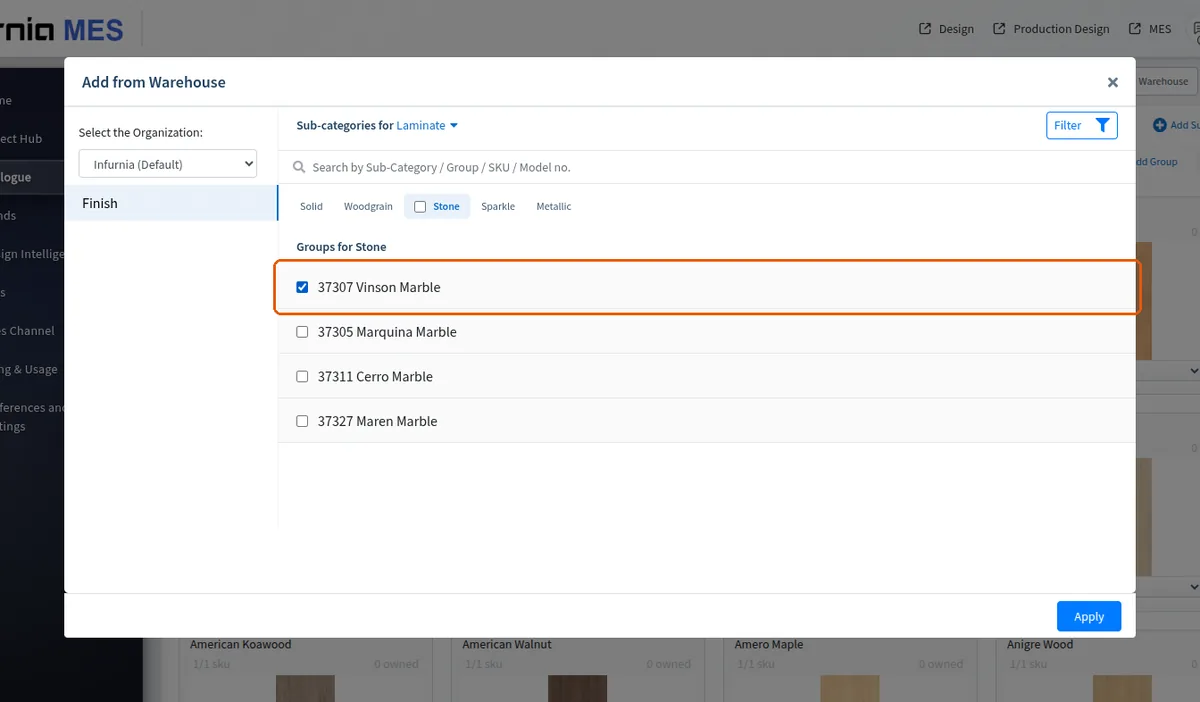
In the finishes screen, whole subcategories (for example solid, fabric, wood grain, pattern) can be selected at once in Add From Warehouse instead of ticking items one by one.
✓ 2026年10月19日に製品で確認済み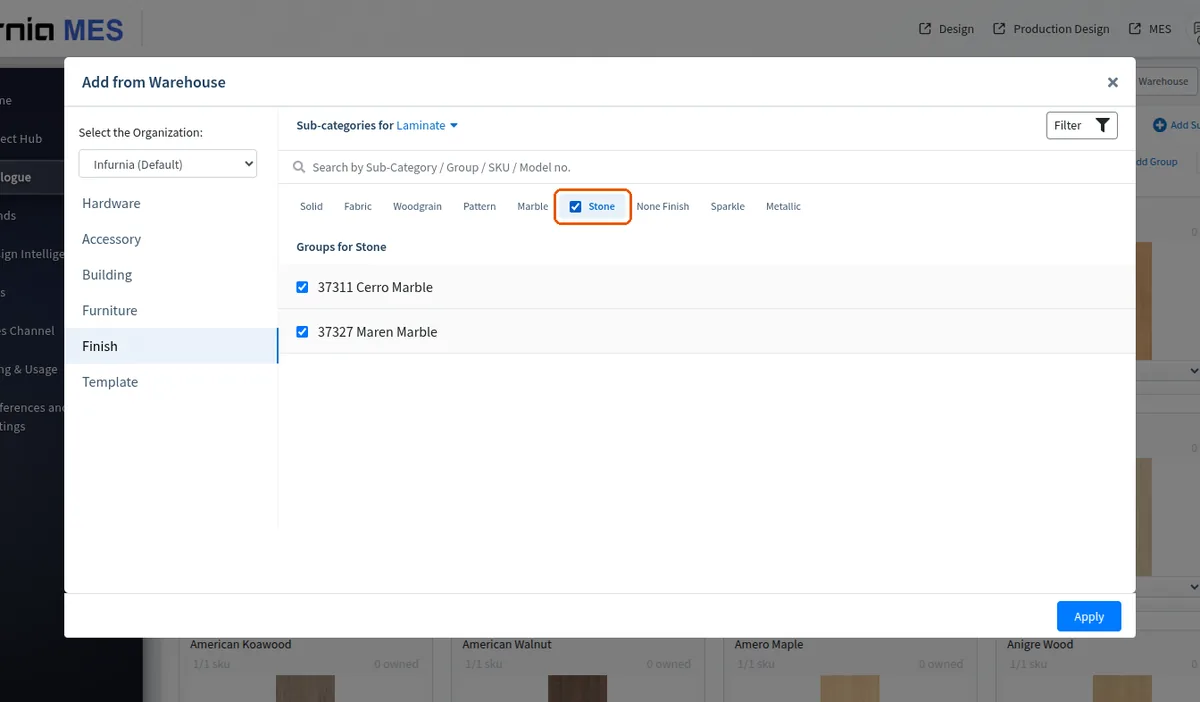
The selection is applied to bring those brand items into the active catalog.
✓ 2026年10月19日に製品で確認済み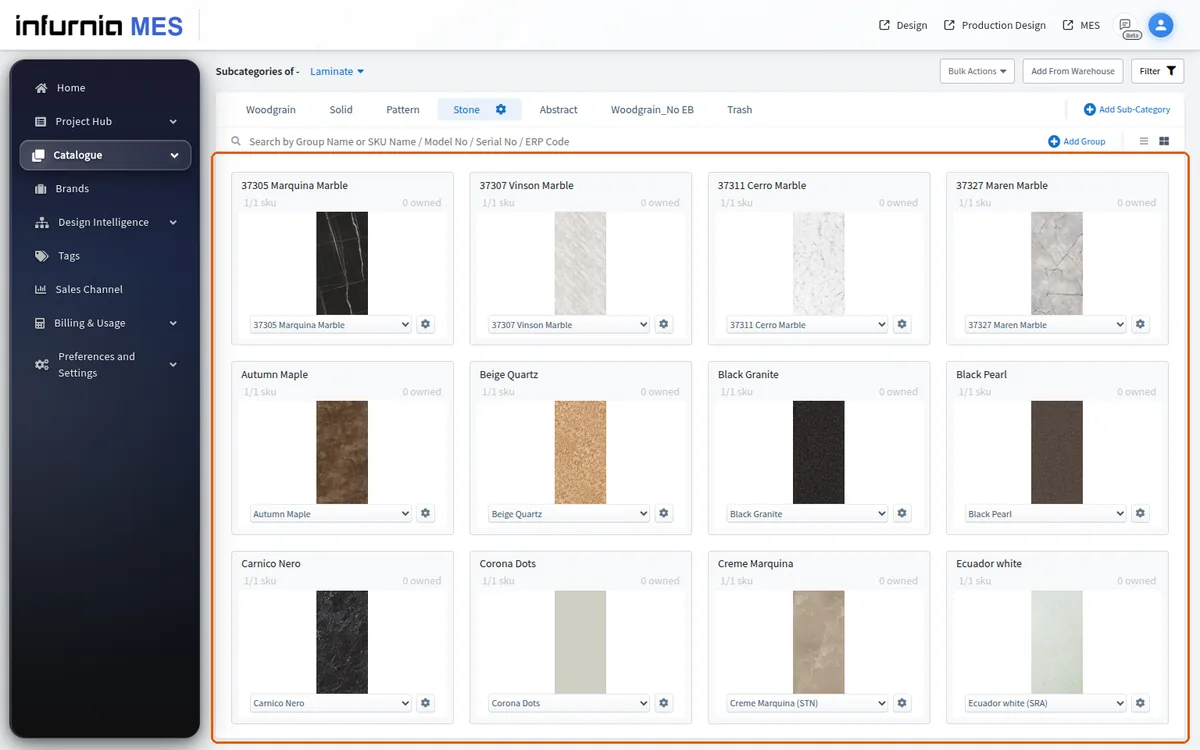
In the laminate section, use Add from Warehouse and apply a brand filter (for example a specific laminate brand): the warehouse then lists only that brand's laminates; tick their groups (or a whole sub-category with its tick) and Apply to bring them into the organisation's catalogue together with their thicknesses and codes.
In the finishes/laminates section, the 'Add from warehouse' option sits at the top-right.
✓ 2026年10月19日に製品で確認済み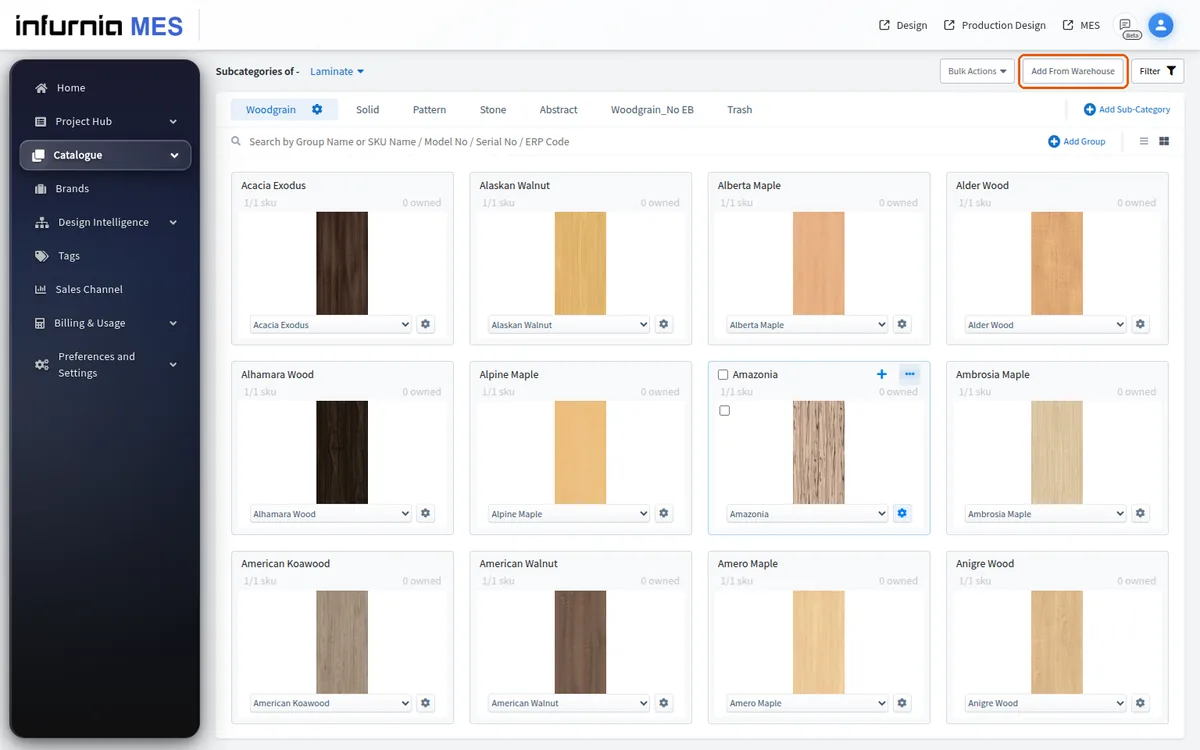
For materials, the flow is: open Add from Warehouse, go to the Finish division, let it load, pick the category in 'Sub-categories for' (for example Laminate), search the required material by name, tick the items and click Apply to add them to the catalogue.
Edge bands are added the same way as laminates: open the warehouse from the catalogue section, filter by brand, and apply the edge-band items to bring them into your catalogue.
✓ 2026年10月19日に製品で確認済みIn the Add From Warehouse filter, search the laminate brands you use and apply, then select the relevant subcategories and apply again to bring those finishes into the catalogue.