Add Combined Label and room name columns
Turn on the Combined Label and room name columns and move room name to the top of the cutlist.
One of the columns available in Cutlist Settings is Combined Label, which identifies panels at a combined level in the exported cutlist data.
✓ Vérifié dans le produit le 19 octobre 2026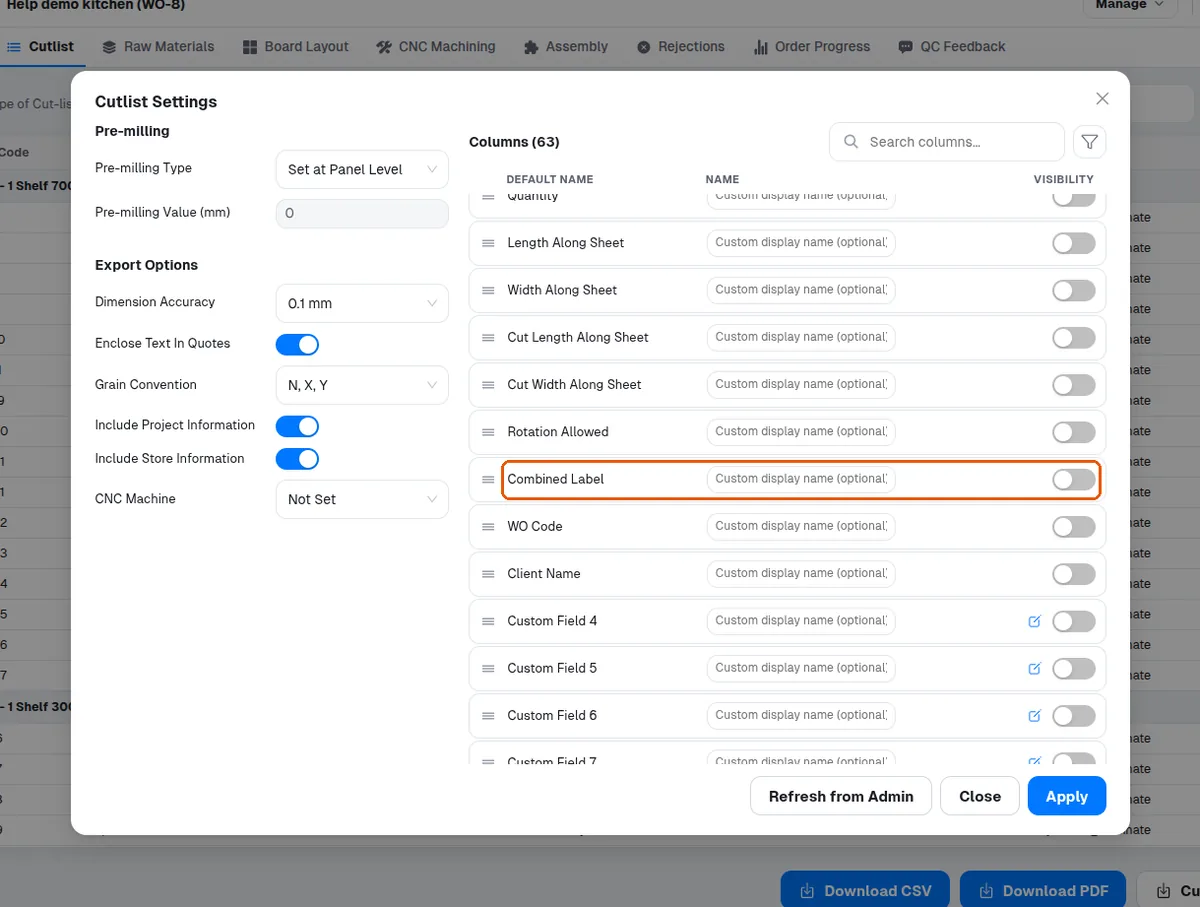
The room name column is one of the fields available in the cutlist field settings.
✓ Vérifié dans le produit le 19 octobre 2026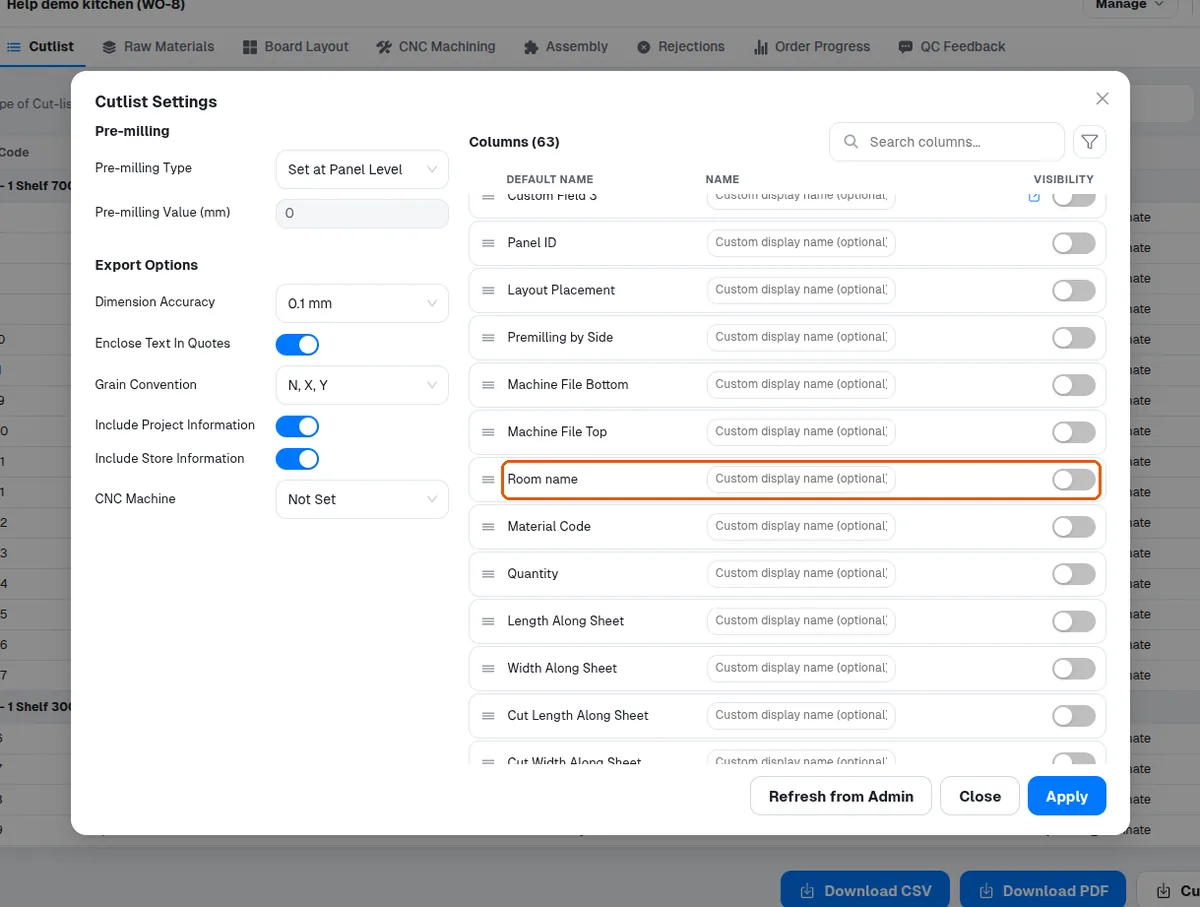
Turn the room name column on in the cutlist field settings and submit to show each unit's room name on the cut list.
✓ Vérifié dans le produit le 19 octobre 2026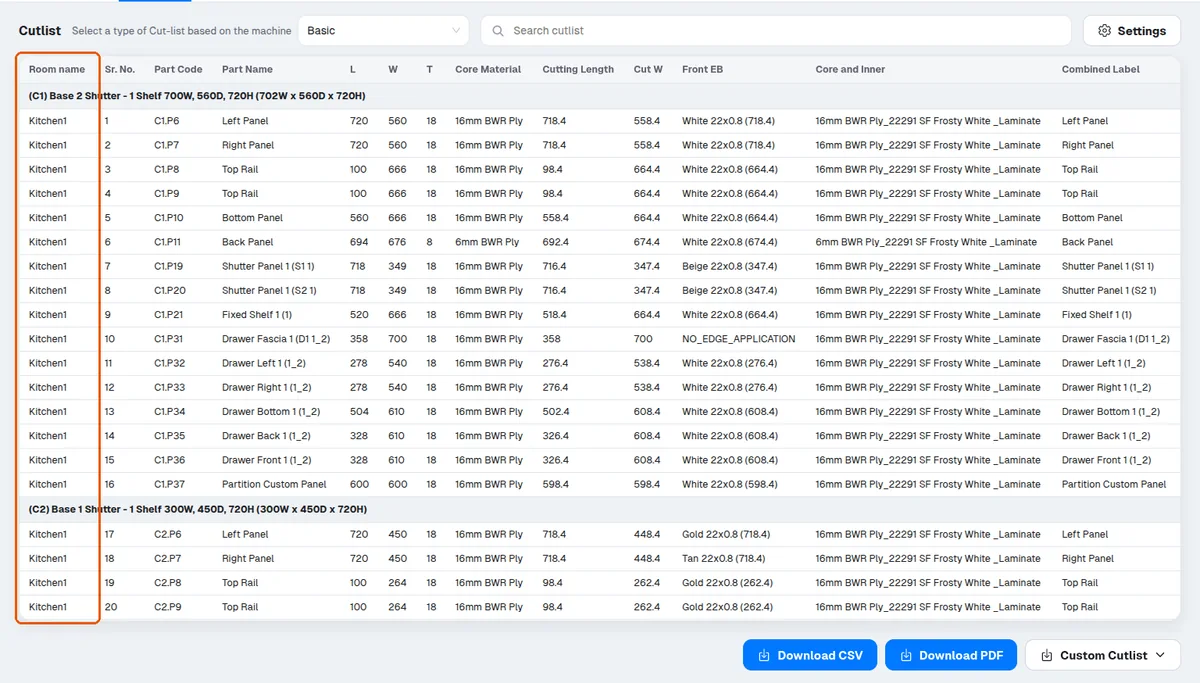
Drag the handle beside a field to move it (for example, room name to the top).
✓ Vérifié dans le produit le 19 octobre 2026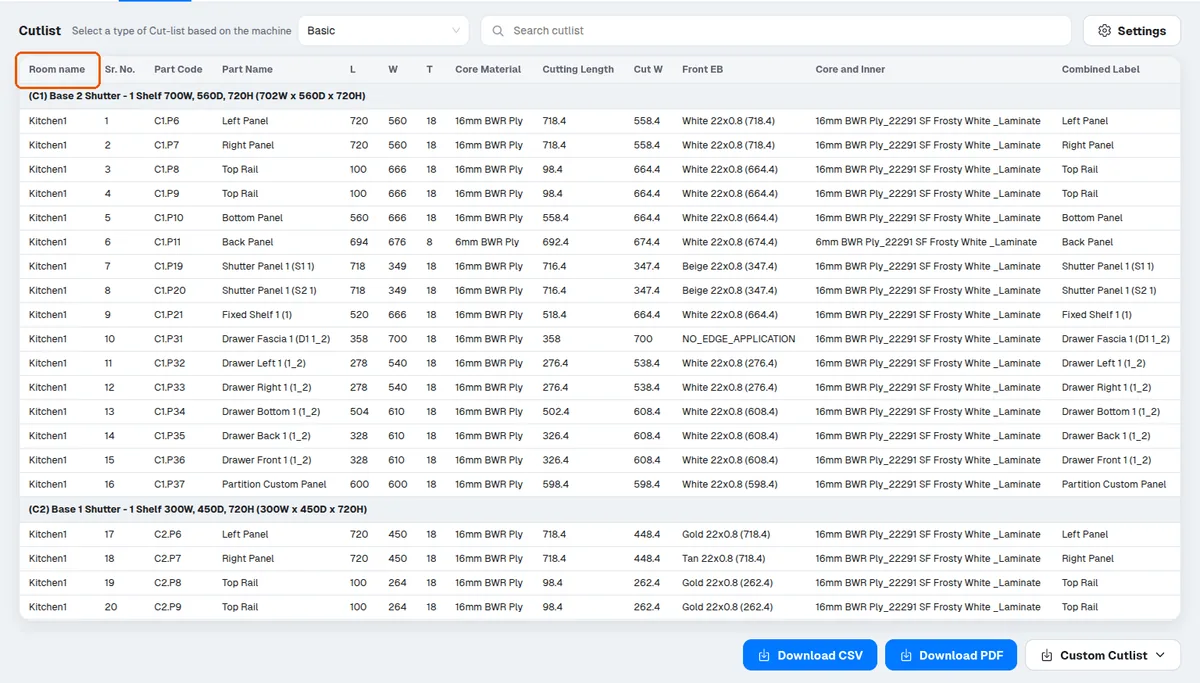
When the Biesse cutlist type is selected, the Biesse tab of the Cutlist Settings dialog shows 'Apply Recommended'. It resets the Biesse cutlist to Infurnia's 16-column standard - Panel_Label, Panel_ID, Qty, Material_Code, L, W, T, Grain, EB_L, EB_R, EB_T, EB_B, Premilling, CNC_Top, Work_Order, Client - and sets dimension accuracy to 1 mm with quotes and project/store info off. This is exactly the layout the Biesse setup bundle's import rules are built around, so it is the recommended first step for any bNest customer. It is destructive: the client's current Biesse column configuration (names, order, extra columns) is replaced, which is why it sits behind a danger confirmation. Columns like Cabinet Code, Panel Name or a second-side CNC column are intentionally omitted from the standard as redundant; a client can re-enable extra columns afterwards and re-download the setup bundle so the import rule adapts. If the button is missing entirely, the loaded application version does not include the feature yet - ask the client to reload/update before retrying.
On split cabinets whose construction has the top/bottom sitting ON the side panels (outset), the leftmost and rightmost split pieces must extend by the side-panel thickness to keep covering the sides. Historically they did not (they were sized as if inset), and designers worked around it by manually adding a left/right panel extension exactly equal to the side-panel thickness. This is now fixed: the outermost split pieces extend automatically. For old designs there is deliberate backward compatibility on load: if an outermost split panel carries a manual extension exactly equal to the adjacent side-panel thickness on an outset side, that extension is silently reset to zero so the cutlist is not double-extended. Support implications: a client noticing their manually-set 18mm extension 'disappeared' from a split top/bottom panel after reopening an older design is seeing intended workaround-removal, not data loss — the final cut width is unchanged. Extensions with any other value (not exactly the side thickness) are preserved untouched. To verify, compare the split panel's cutlist width against its section width plus side-panel thickness; it should match without the manual extension.
Columns such as grain direction, external finish and internal finish can be toggled off when not needed.
✓ Vérifié dans le produit le 19 octobre 2026