Choose panel and sheet label templates in a published work order
Publish a work order to make stickers and label settings available, then pick the default panel and sheet label templates for its board layout.
Stickers are available only in the published version of a work order.
Publishing marks the version as final and downloadable by the factory.
In the published version, board layout includes label settings where you can choose which label to use.
✓ Checked in the product on 20 October 2026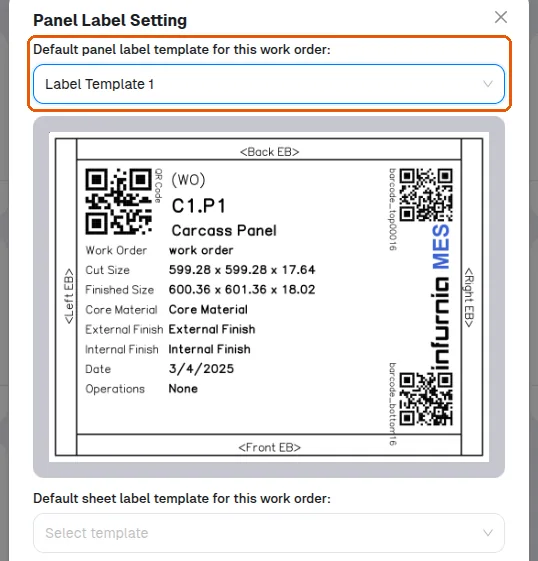
Label settings are useful when different panels are cut on different machines (for example beam saw versus panel saw).
In a published work order's Board Layout, the Label button opens 'Panel Label Setting', where the work order's default panel label template and default sheet label template are each picked from a list (with a preview of the chosen template) and saved with Update.
✓ Checked in the product on 20 October 2026