Fix a panel label where the org logo and duplicate QR clash
Learn why the org logo and the duplicate panel QR cannot both print on a panel label, and what to expect from the label layout and exports.
The panel (fulfillment tag) label's layers (MES > Settings > Panel Labels > Layers) include both 'Org logo' and 'Duplicate QR'.
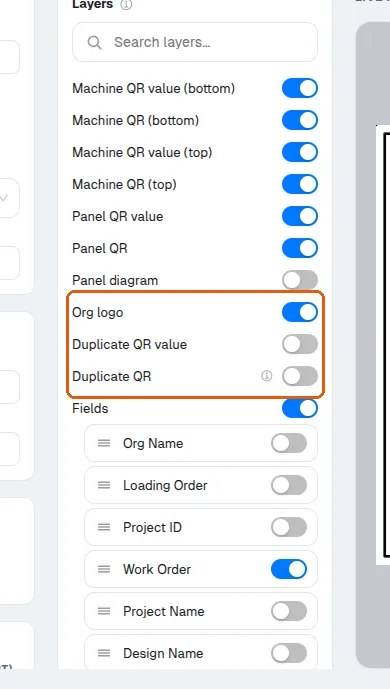
The Duplicate QR layer prints a second copy of the panel's QR code at the position where the org logo would otherwise go — useful when the label edge carrying the first QR gets machined off or hidden during handling.
Duplicate QR and the org logo use the same slot on the panel label. Switching the Duplicate QR layer on (MES > Settings > Panel Labels > Layers) draws the panel's QR in the logo's slot, but the live preview keeps drawing the org logo there as well, although the row's note says the org logo won't show; only switching the Org logo layer off removes the logo.
Cutplanning exports now take their geometry from the label's own element list, so the duplicate QR and logo positions follow the template's layout rather than a fixed template.
Also worth knowing: on panel labels the logo / duplicate-QR block is drawn rotated vertically along the label's right side, so a 'sideways' logo on panel labels is expected behaviour, not a bug.
✓ Checked in the product on 19 October 2026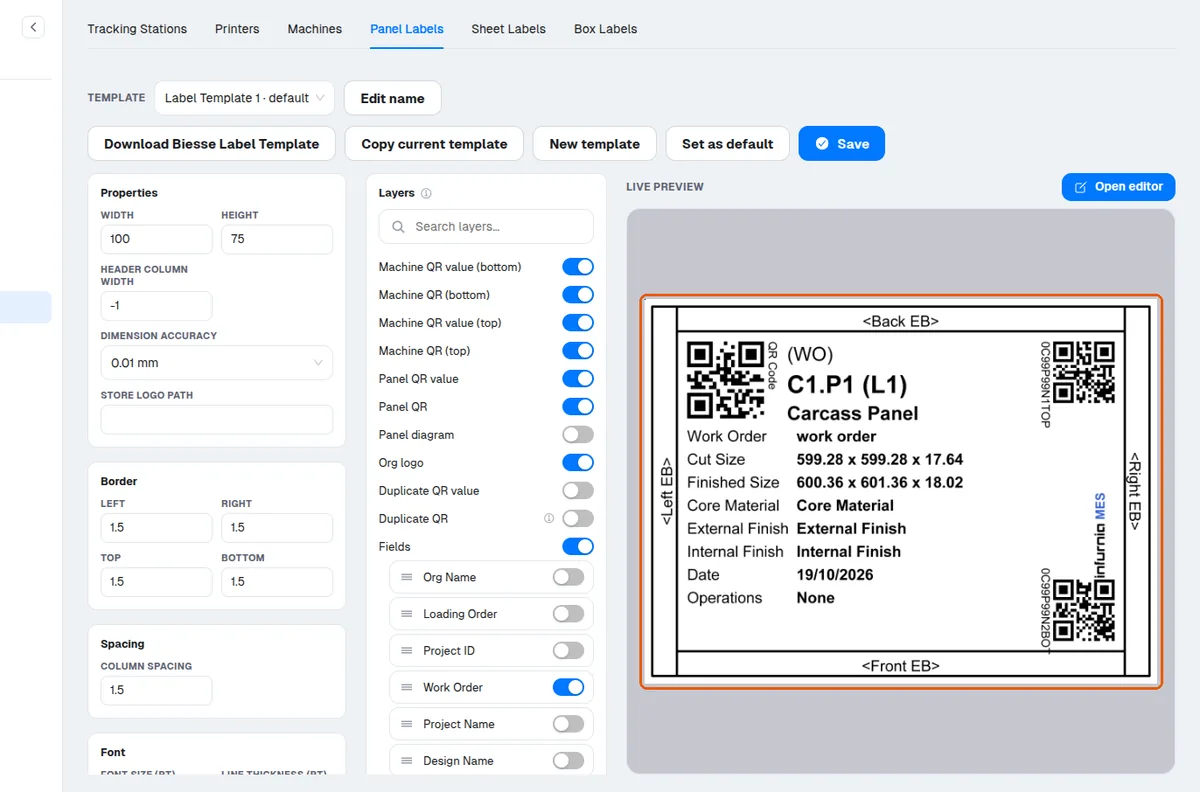
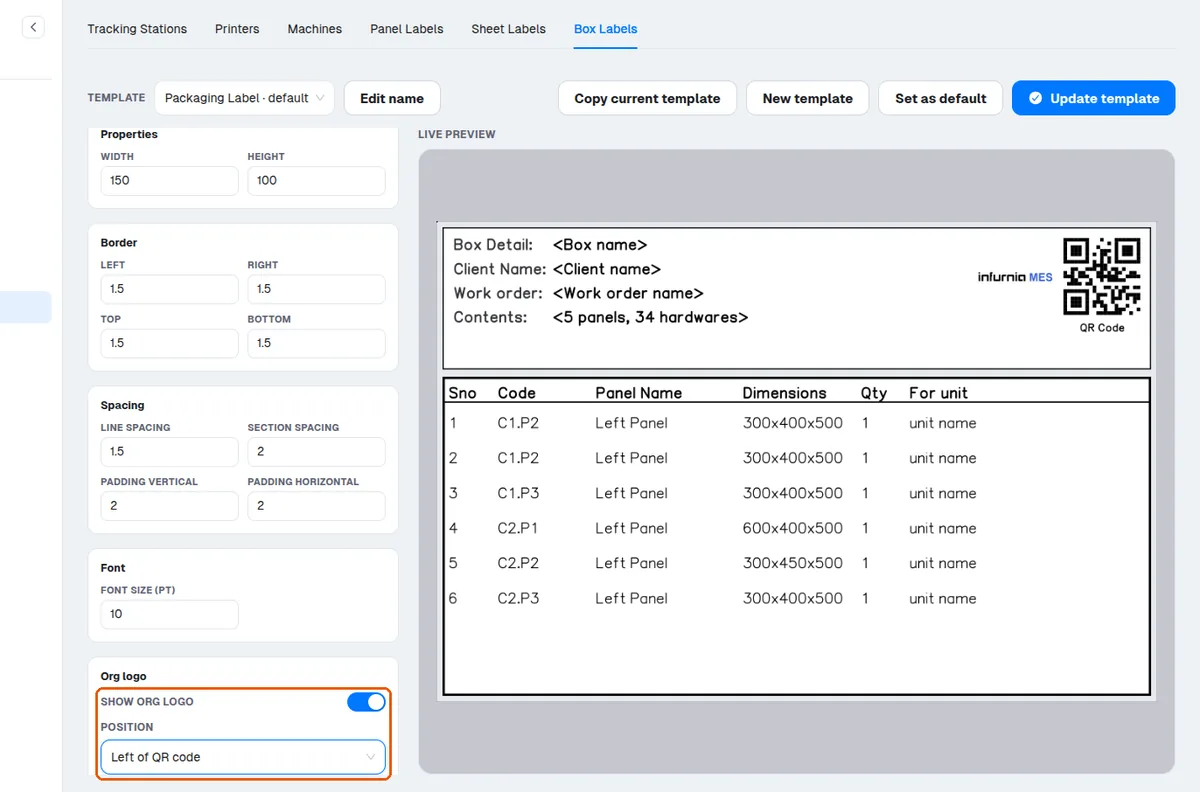
Box/packaging labels are unaffected — their logo has its own placement options.
✓ Checked in the product on 19 October 2026