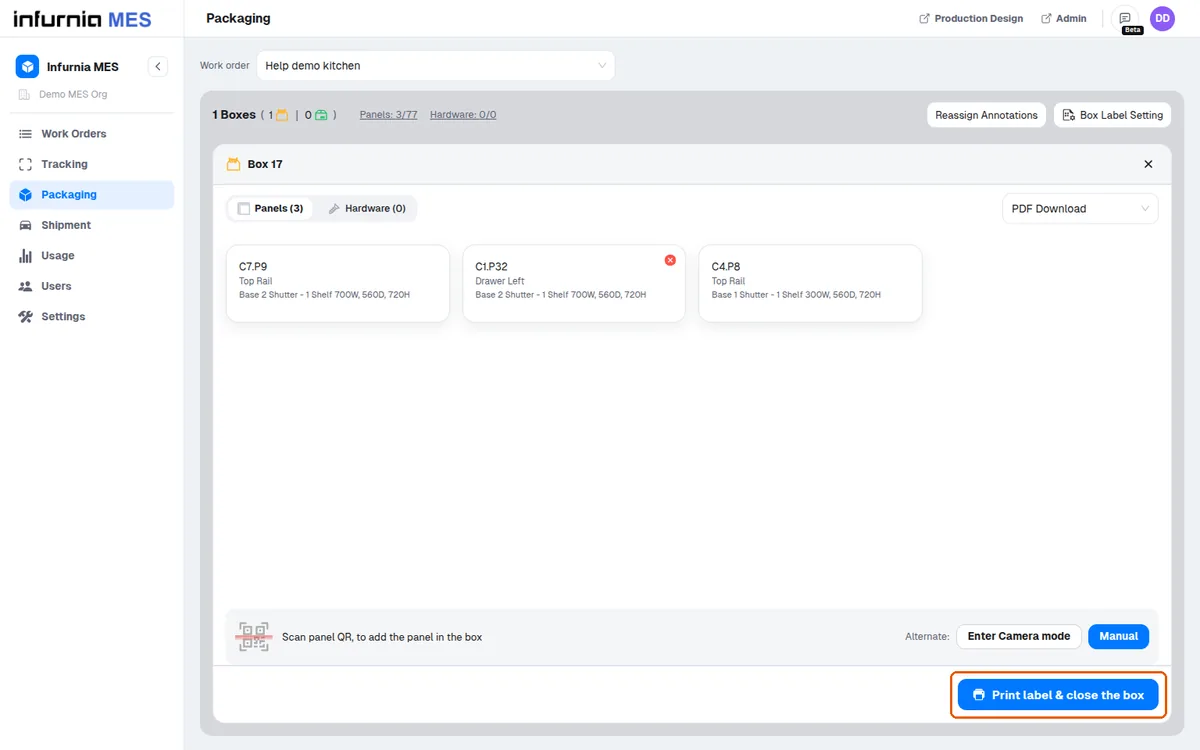
Create a box, print its label and close it for packing
Pack cut panels by creating a box in the production interface, adding panels, then printing the label and closing it.
To pack cut panels, create a new box in the production interface.
✓ Checked in the product on 21 October 2026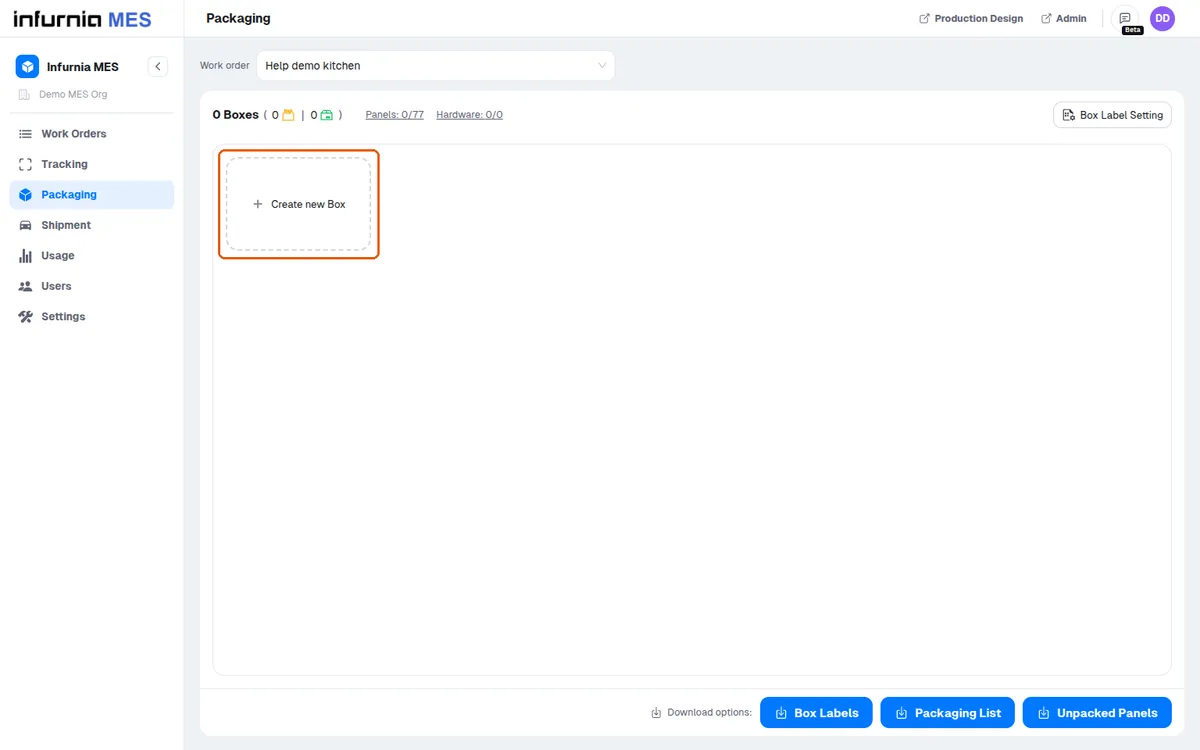
New panels are added by scanning their label, or picked without any scan in the Manual panel selector ('Select Panels Manually').
✓ Checked in the product on 21 October 2026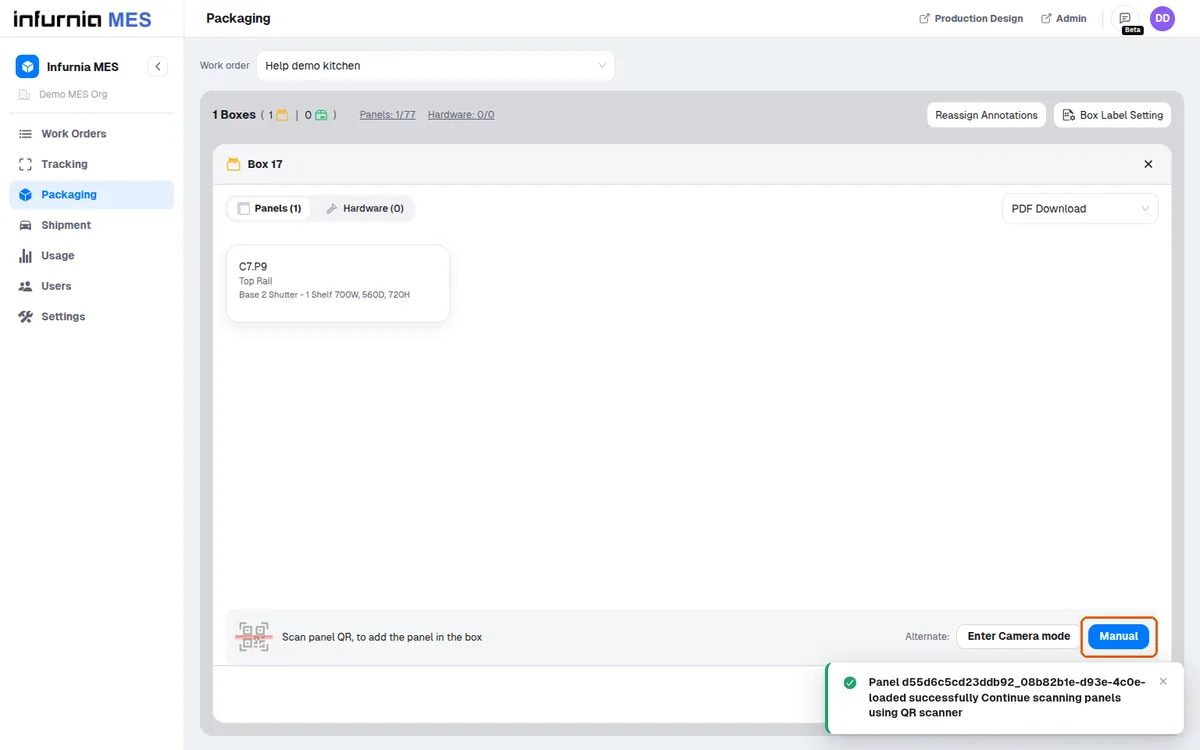
Organize items by location (e.g. master bedroom wardrobe, kitchen, living room, dining room) and segregate cabinets into categories such as C1, C2, C3 and C5.
Then use the option to print the label and close the box.
✓ Checked in the product on 21 October 2026