Configure cut list columns and dimension accuracy in production settings
Turn on the cut list fields you need and set dimension accuracy so the production output rounds dimensions the way you want.
To configure the cut list output, open the cut list (for example a work order's Cutlist tab in MES) and click Settings at the top right of the cut list: the Cutlist Settings window lists the columns of the cut list type chosen beside the search box (for example Basic) under 'Columns', each with an on / off switch.
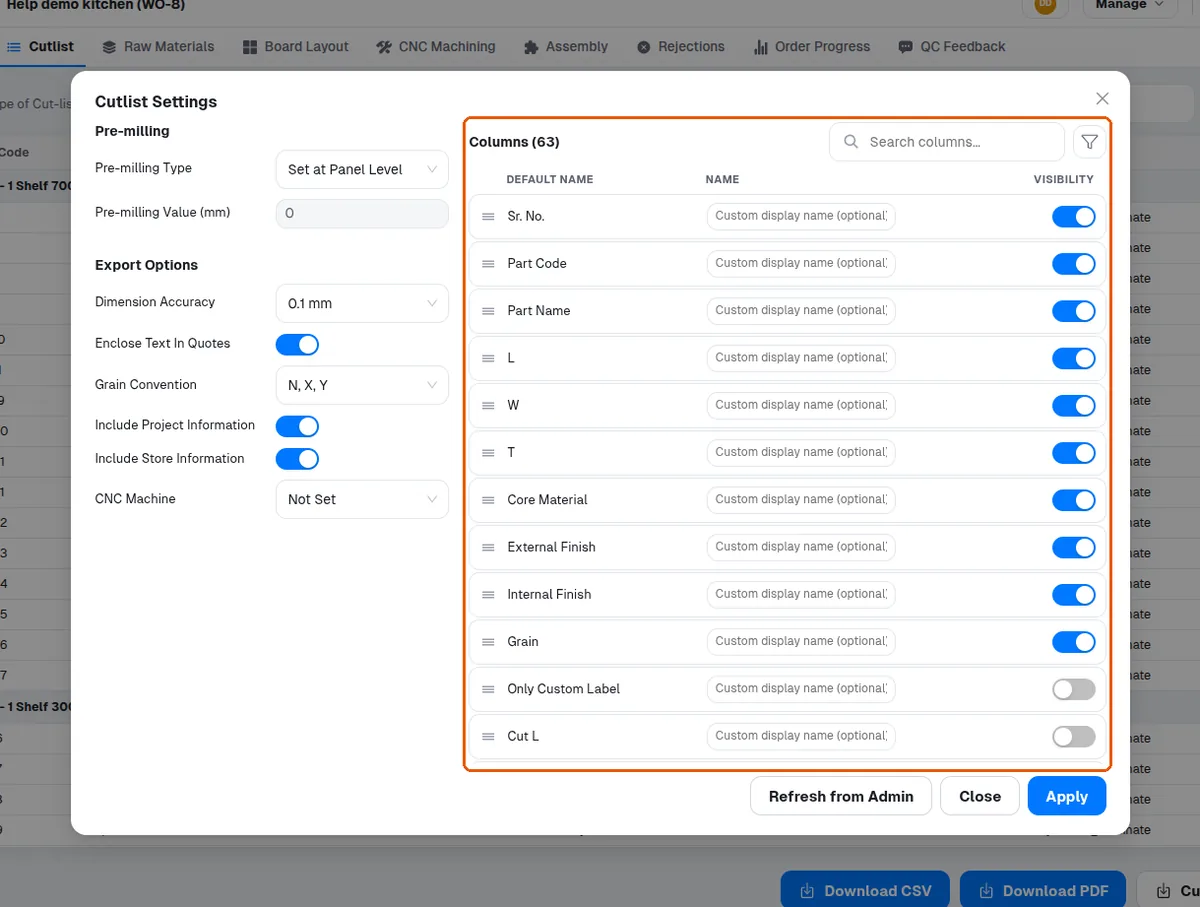
Enable the fields you need: part code, part name, finish length/width/thickness, core material, external and internal finish, cutting length/width, front/back/left/right edge bands, pre-milling, and operations (cutting, drilling, sawing).
Room name and material code can also be turned on.
Set dimension accuracy to control rounding (e.g. 1 mm).