Show cut size alongside finished size in the production cut list
Turn on the optional cut columns so the cut list shows the size to cut before edge banding next to the finished panel size.
The production cut list's L and W columns are the finished panel size, not the size to cut.
✓ Checked in the product on 20 October 2026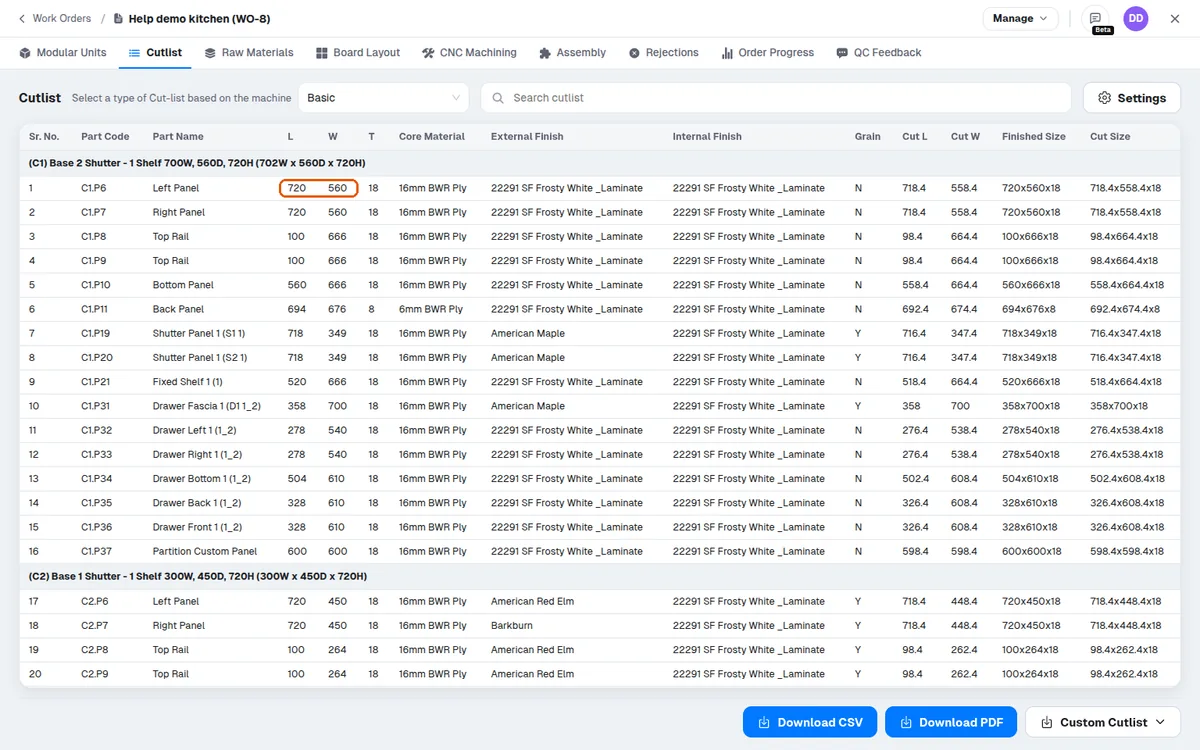
On a work order whose 18 mm side panel is 720 x 560 with a 0.8 mm edge band on all four edges, the cutlist lists L 720, W 560 ('Finished Size' 720x560x18).
✓ Checked in the product on 20 October 2026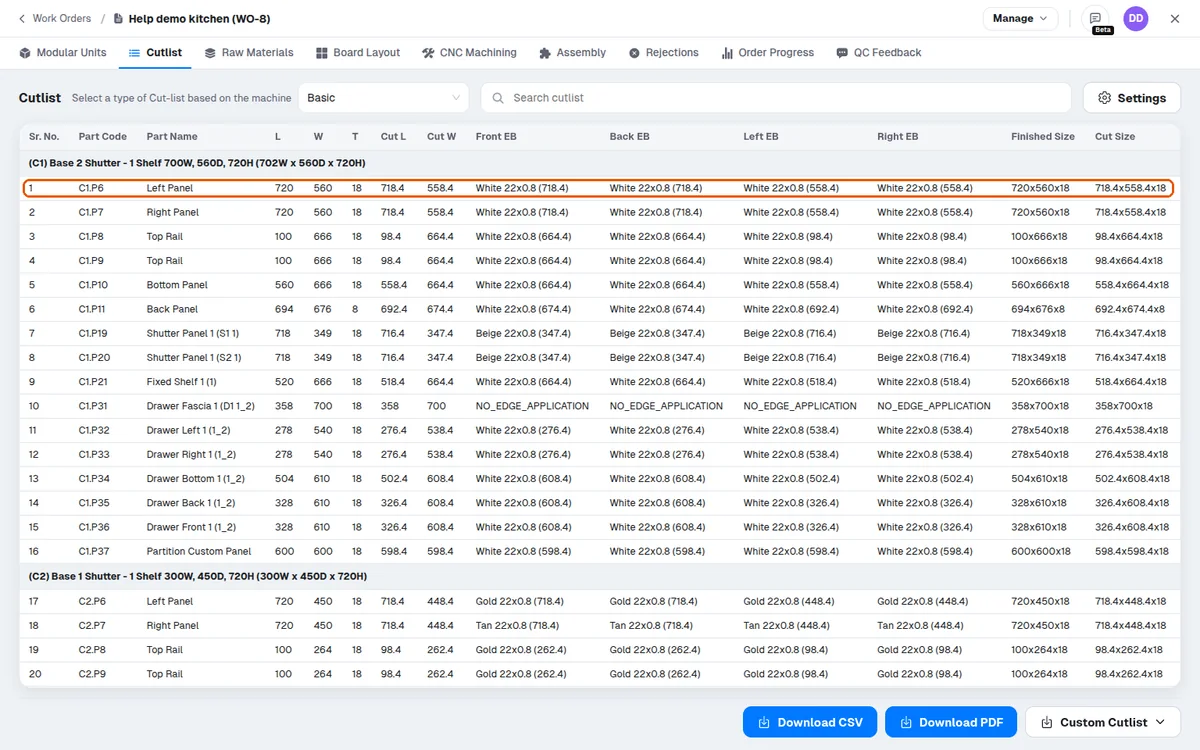
The size to cut before edge banding is in the optional 'Cut L', 'Cut W' and 'Cut Size' columns (Cutlist > Settings > Columns, switched off by default): there the same panel reads 718.4 x 558.4, the finished size minus the band thickness of the two edges along each dimension.
✓ Checked in the product on 20 October 2026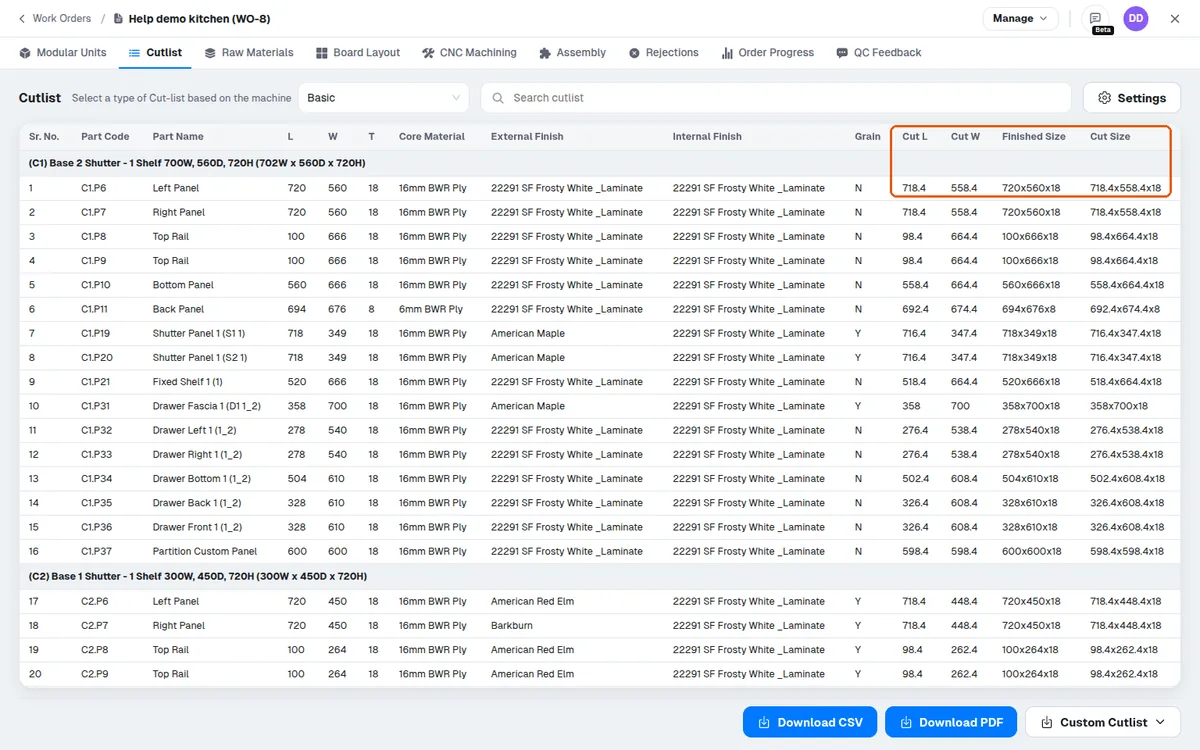
A panel without edge band has the same cut and finished size.
✓ Checked in the product on 20 October 2026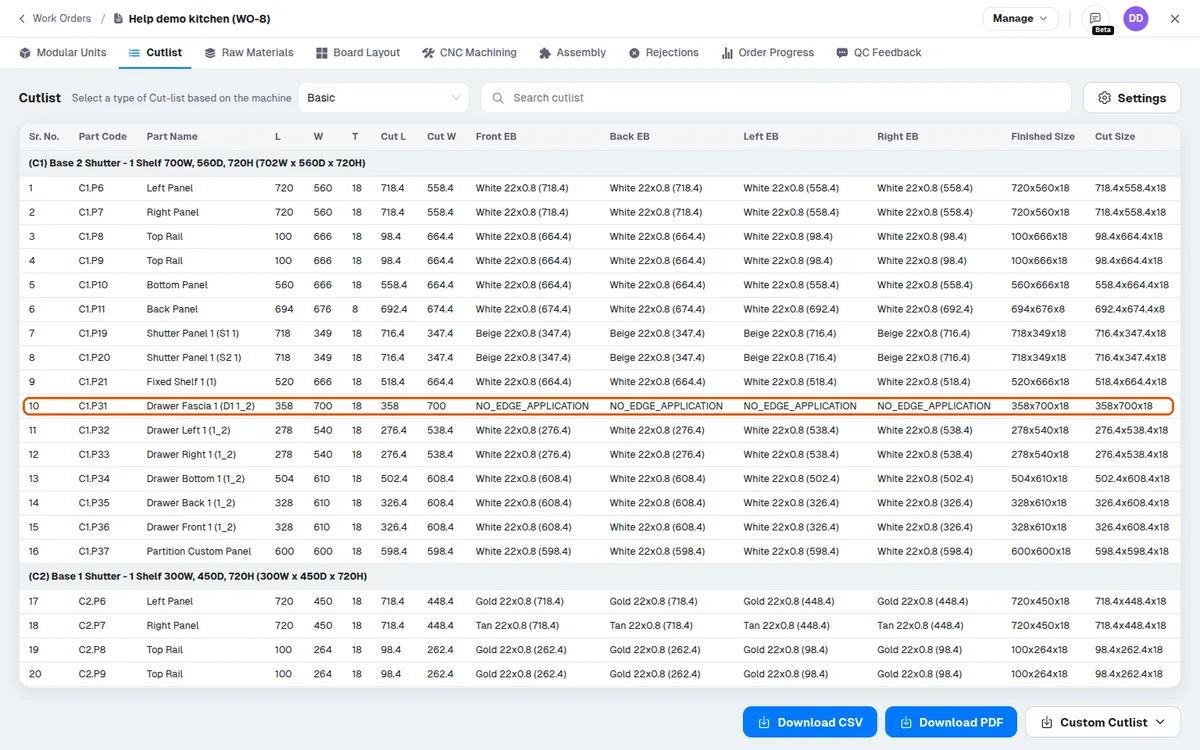
Switch the cut columns on (they are then also in the CSV export) when the operator needs the size to cut.