Make a panel follow the shutter finish
Point a panel's external finish source at Shutter External so it updates with the shutter colour.
A panel's external finish source can be set to 'Shutter External' so that panel follows the cabinet's shutter finish.
✓ 已于 2026年10月21日 在产品中核实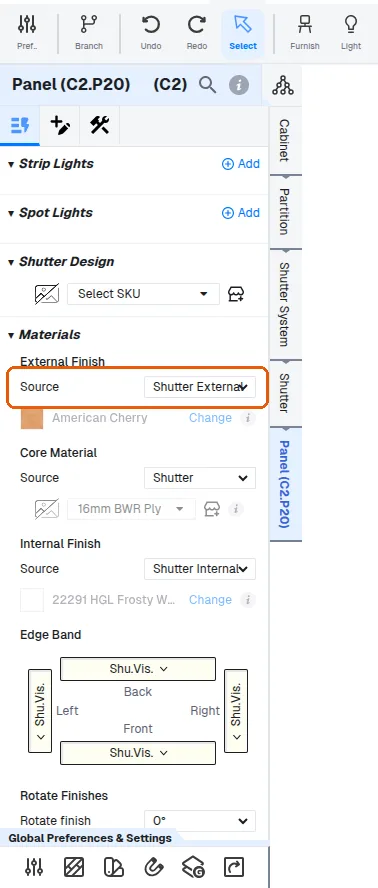
Changing the shutter colour then updates that panel automatically.
✓ 已于 2026年10月21日 在产品中核实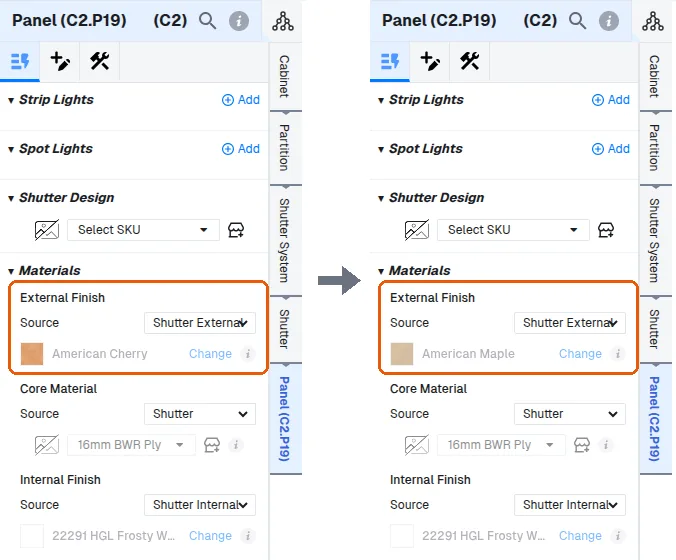
Panels set to custom keep their own material.
✓ 已于 2026年10月21日 在产品中核实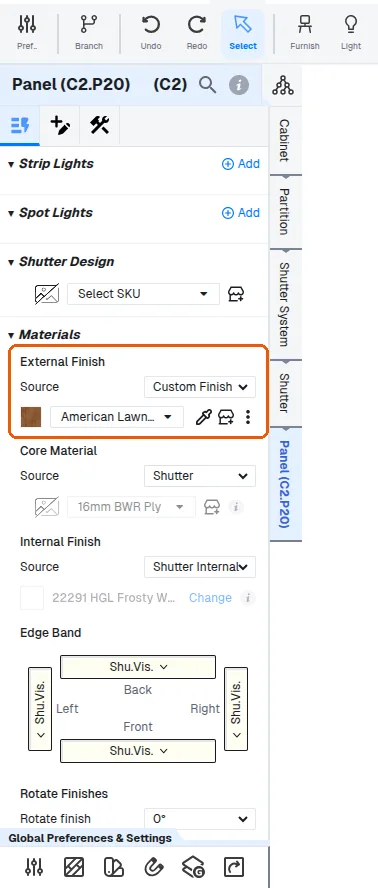
When a wood-grain finish has been applied to an external carcass but the shutter is white, change the panel's external finish to the shutter colour so the two match.
When the external=internal automation is enabled, changing a shutter's external finish also changes its internal finish to the same material, with an info message confirming the internal finish was changed as well.