How edge bands are automatically linked to finishes
Learn how a cabinet's finish drives its edge bands and where to check the links when an edge band is missing.
Edge bands follow the finish: when a cabinet's finish has linked edge bands, the cabinet's Carcass Visible / Invisible edge bands are set to them automatically and locked. With a finish that has no linked edge bands, the cabinet's own edge band selectors set them per cabinet.
Changing a cabinet's material or finish therefore drives the edge band.
✓ 已于 2026年10月21日 在产品中核实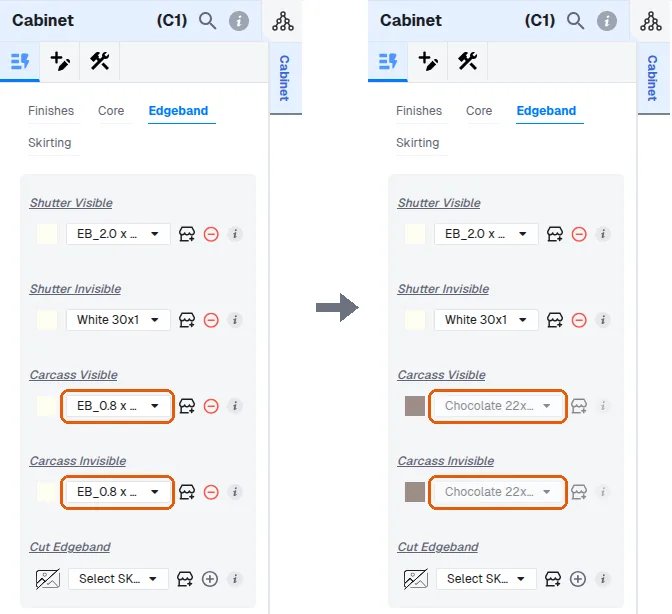
If the finish has multiple edge bands linked, the applied edge band depends on that finish's configuration.
✓ 已于 2026年10月16日 在产品中核实To diagnose a missing edge band, check the finish's edge band links on the admin portal.
In a cabinet's panel, the edge bands of the shutter and the carcass are configured separately with visible and invisible options (Materials > Edgeband: Shutter Visible, Shutter Invisible, Carcass Visible, Carcass Invisible). To change one, open its drop-down and pick the required material. The same drop-down process applies wherever a finish change is needed.