Turn sheet entries on or off in the presentation template
Switch the key plan, ceiling plan, room schedule, 3D view, plans and elevations on or off to match the project.
The auto-generate wizard's settings (cover page, key plan, ceiling plan, room schedule, loft detection) live in the presentation template.
✓ 20 اکتوبر، 2026 کو پروڈکٹ میں جانچا گیا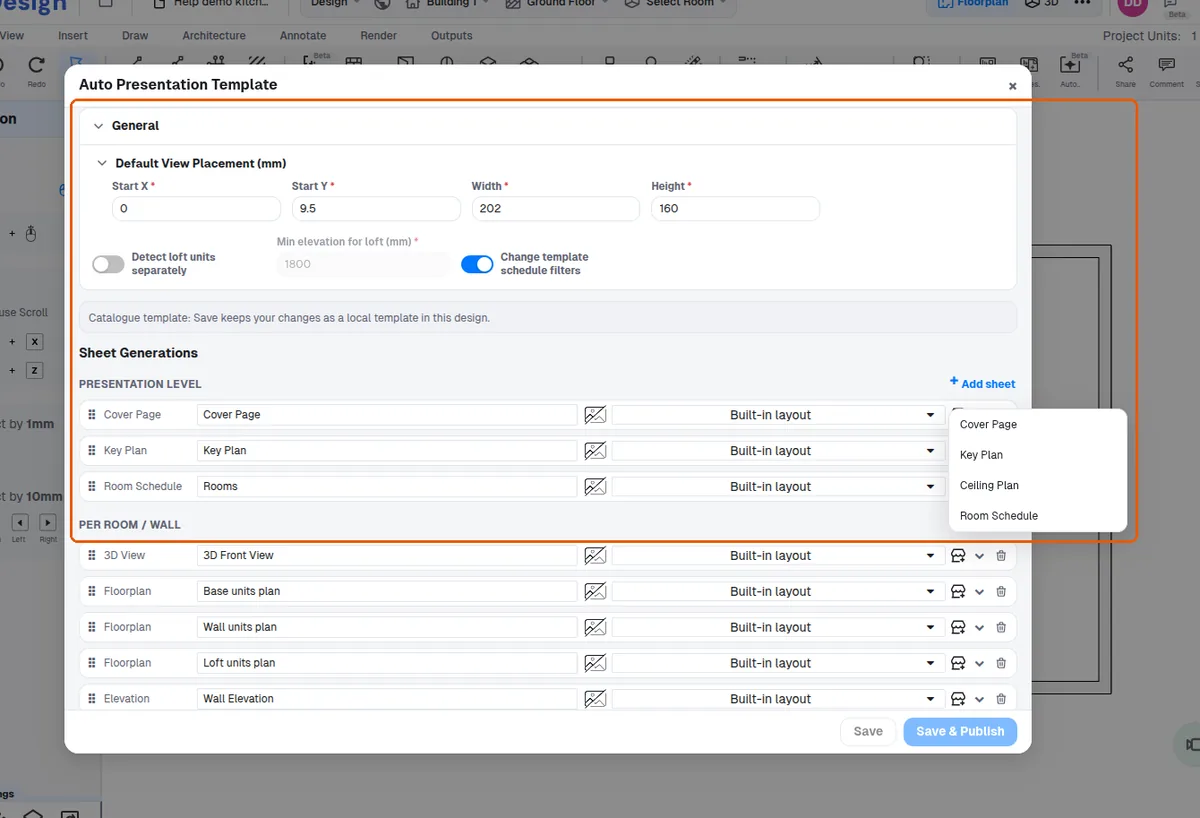
The sheet entries that can be switched on or off include the key plan, ceiling plan, room schedule, 3D view, base wall loft plan, wall elevation and wall elevation skeleton.
✓ 20 اکتوبر، 2026 کو پروڈکٹ میں جانچا گیا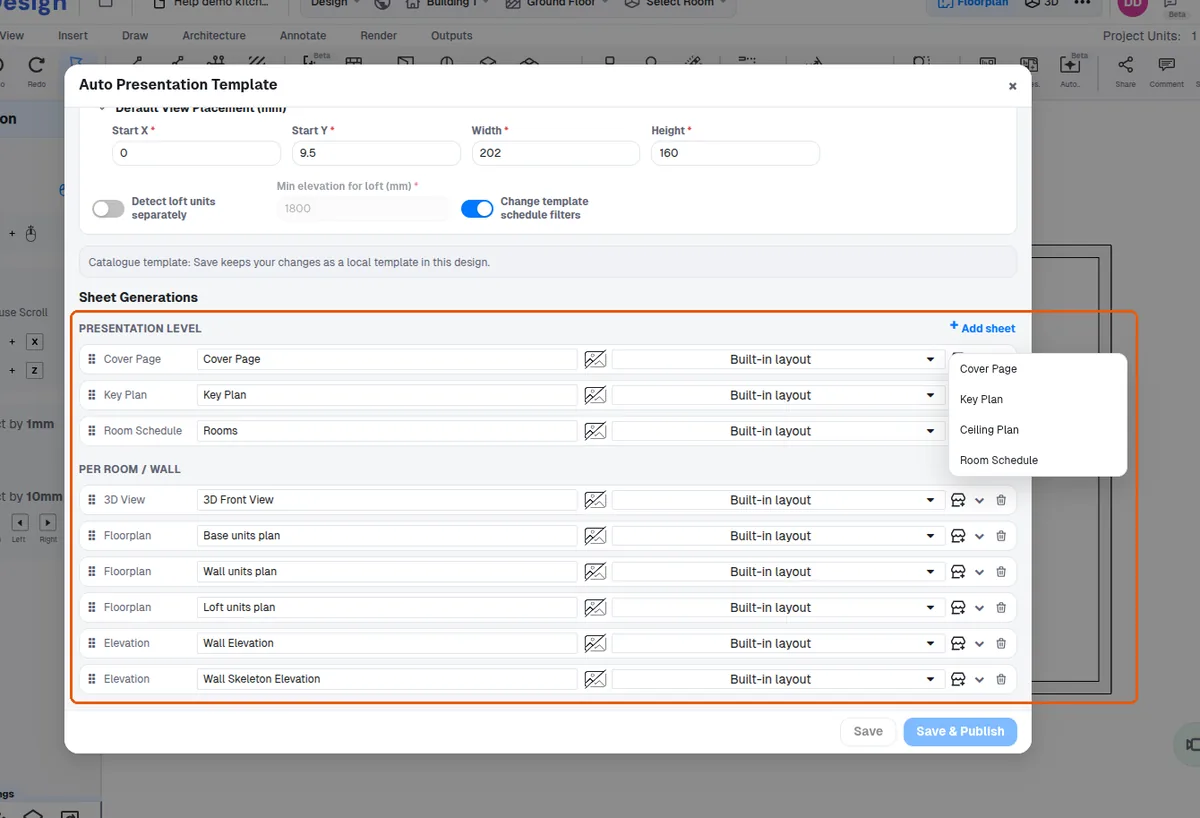
A ceiling plan can be disabled when there is no false ceiling.
✓ 20 اکتوبر، 2026 کو پروڈکٹ میں جانچا گیا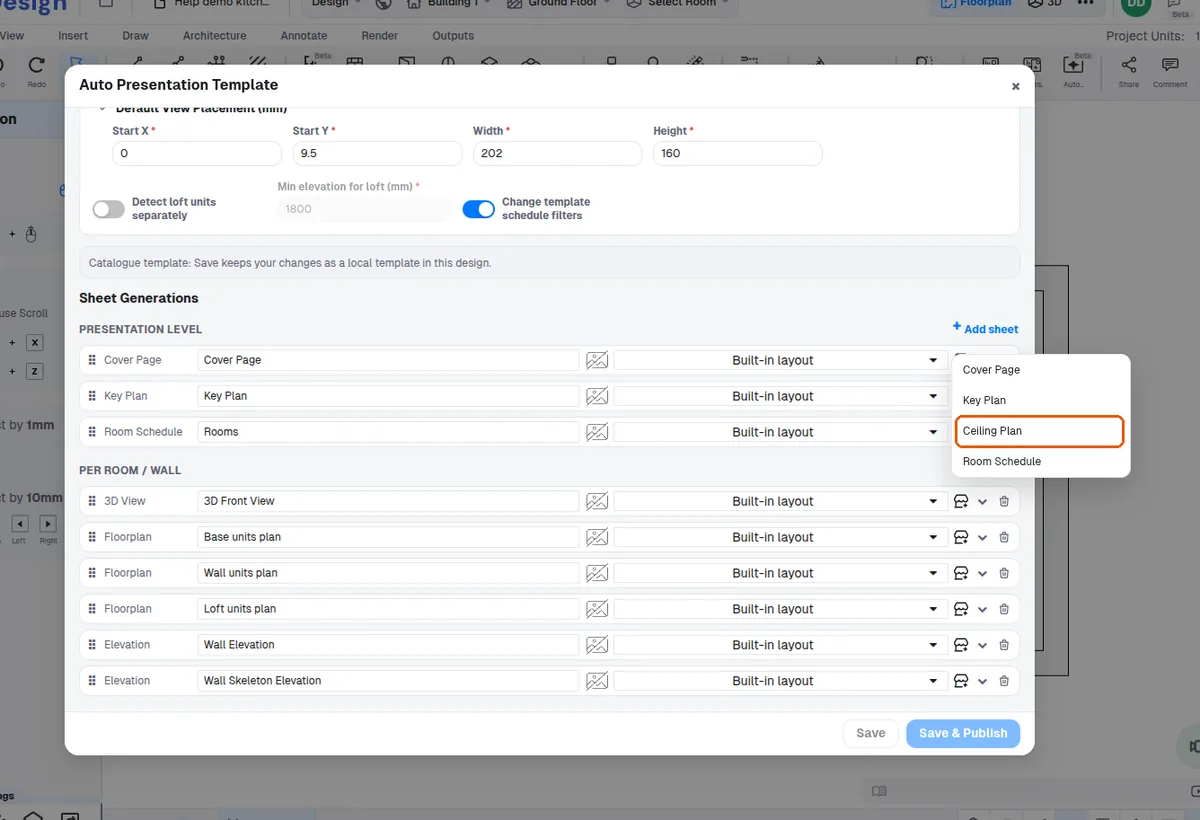
Loft plans additionally require the template's 'detect loft separately' setting (also off by default).
✓ 20 اکتوبر، 2026 کو پروڈکٹ میں جانچا گیا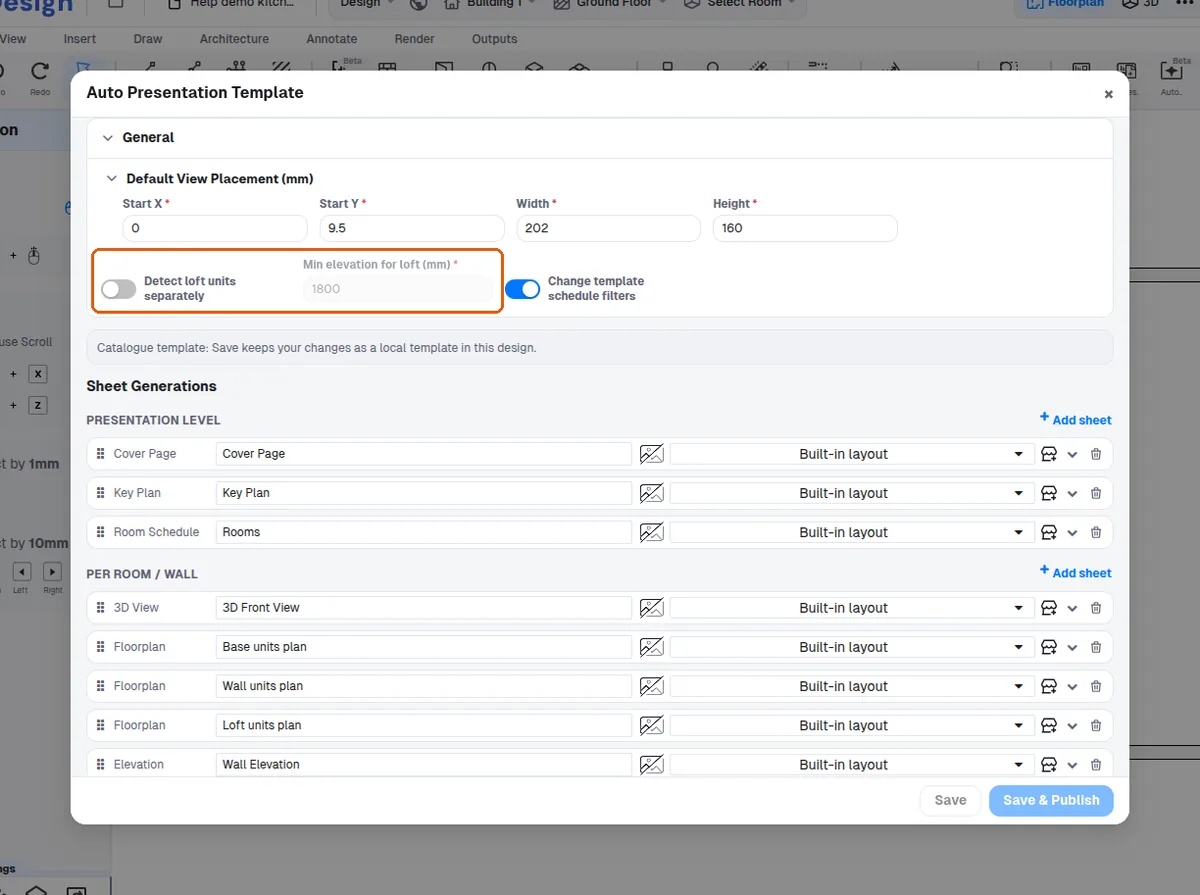
The 'Detect loft units separately' option is turned on in the presentation template editor, opened from Design → Preferences → Presentation → Auto Presentation → Manage Templates (or the auto-presentation wizard's Manage Templates button).