Check hardware and materials in QC Mode
Use QC Mode to verify each unit's hardware and materials against the design-wide raw materials list before production.
The Hardwares Used list is computed once at entry and is NOT refreshed by clicking around other tabs — exit and re-enter QC Mode to refresh it after design changes.
✓ 19 اکتوبر، 2026 کو پروڈکٹ میں جانچا گیاThe per-unit Hardware tab (Modular Elements view) and QC's hardware list group hardware by product, dimension and Source. Hardware sold in sets is now counted in sets rather than pieces, matching Raw Materials: the QC hardware list shows whole sets per row, while the per-unit Hardware tab keeps fractional set counts so unit totals add up.
Source explains where each hardware came from: Connectors (with the applicator or connector name), Panel/Drawer/Shutter/Partition (with that container's label), Skirting, Hardware Rule (a rule applied at the unit, with the rule name), Cabinet level (manually added on the unit), Floor level (rule-placed floor hardware, design-wide list only), or Tiling cutting (sweep profiles used for tiling cuts).
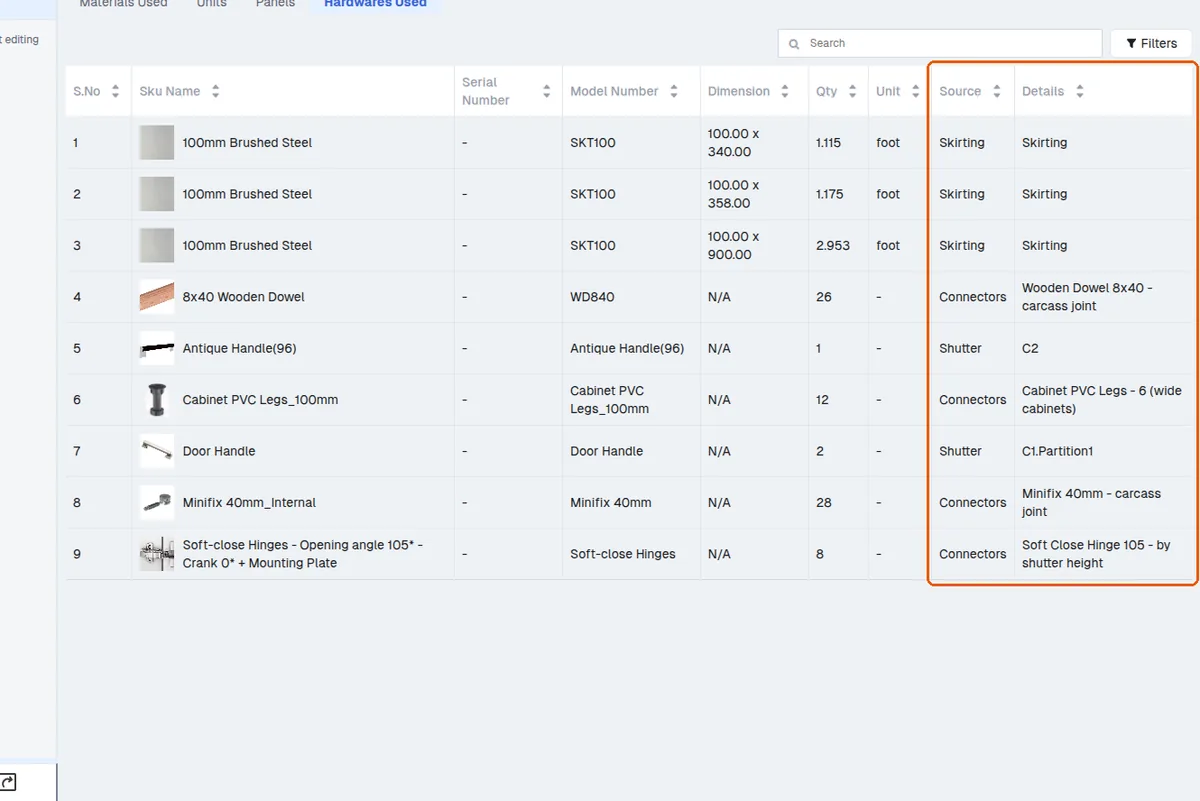
Length-based hardware (skirting, profiles) shows total length rather than piece count so it matches the Raw Materials list.
✓ 19 اکتوبر، 2026 کو پروڈکٹ میں جانچا گیا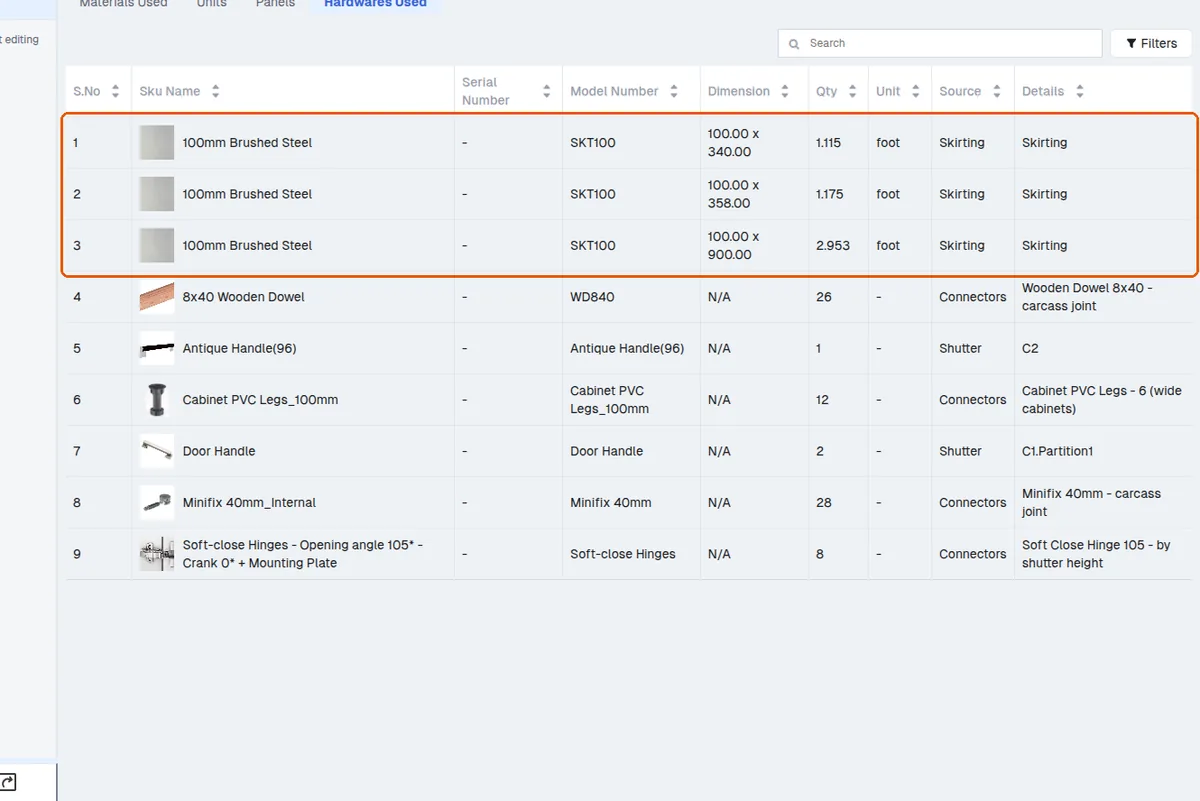
Reconciliation rule: per-unit hardware sums match the design-wide raw materials except for floor-level hardware (only in the design-wide list) and per-set rounding (applied only on design totals). Hardware sold in sets is counted in sets in both lists, so a set-based item no longer shows its piece count; the per-unit list keeps fractional sets so units add up, while the design-wide list rounds each row up to whole sets.
Hardware rules and the positions defined in them determine which hardware appears on a cabinet.
✓ 19 اکتوبر، 2026 کو پروڈکٹ میں جانچا گیاSome small hardware such as skirting clips is not visible on the model but still appears in the raw material list together with plastic legs, hinge screws and handle items.
Drilling details are not generated for skirting clips or skirting panels; they appear only as positioned hardware and in pricing/raw-material outputs, not in the drilling pattern.
In QC Mode's Materials Used tab, each material row shows the number of units and panels it is applied to.
✓ 21 اکتوبر، 2026 کو پروڈکٹ میں جانچا گیا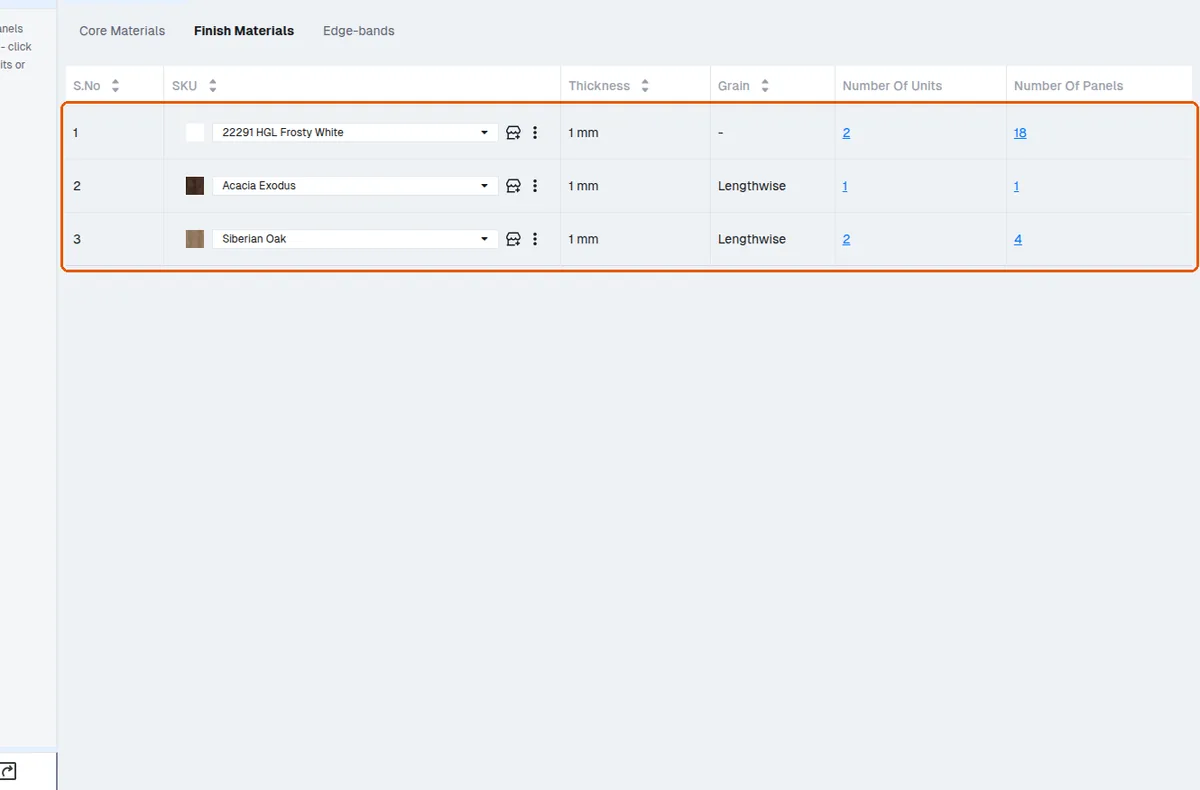
Clicking the panel count lists the exact panels using that material so they can be changed directly.
✓ 19 اکتوبر، 2026 کو پروڈکٹ میں جانچا گیا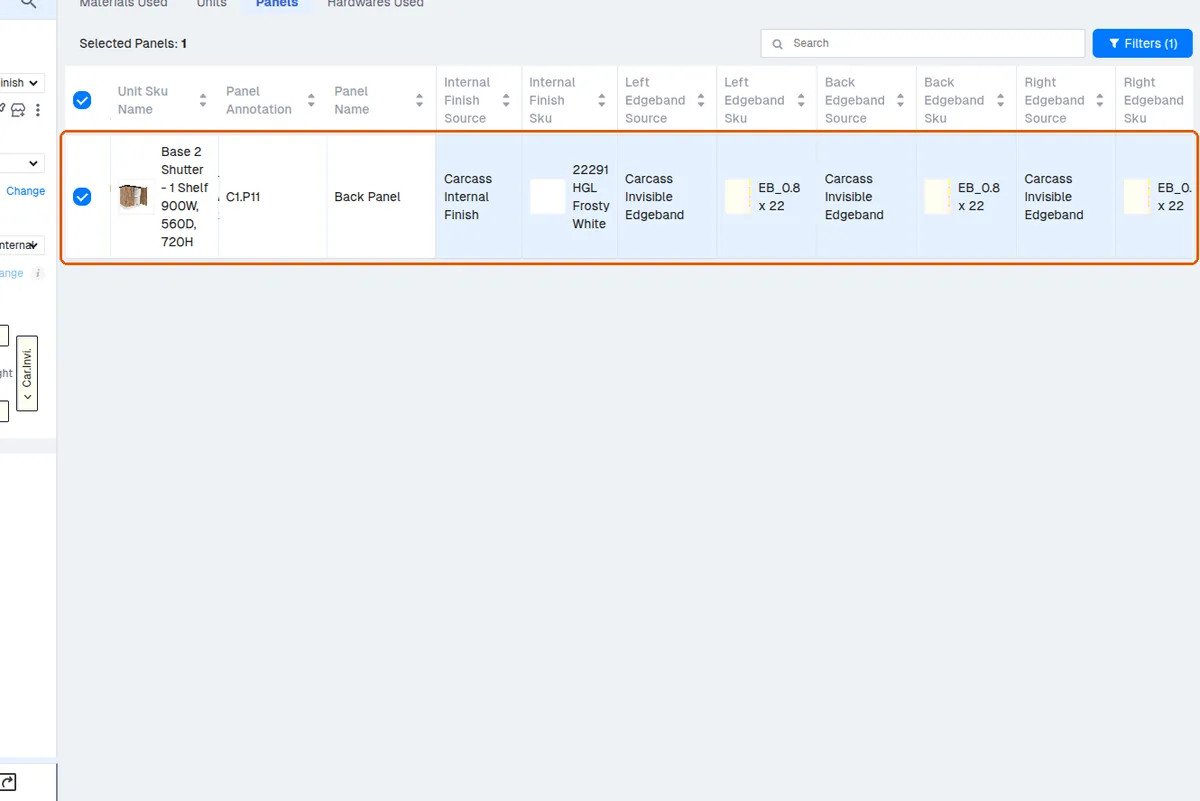
The QC view's Materials Used tab lists core materials and panel types (for example 6 mm MDF, 6 mm BWR, 25 mm MDF, 18 mm MDF, 16 mm BWR) with the number of units and panels each is used on, so an incorrect core material can be spotted and corrected.
In QC mode's Materials Used → Edge-bands table, each edge band's thickness and tape width are shown as columns, so a designer can compare the actual SKU values against what was intended.