Verify edge bands and cutlist before production
Check edge bands, back panels and cutlist output in QC Mode before releasing the design.
You can open a cabinet's panel listing to check whether edge bands are present or removed on panels such as back panels.
✓ 21 அக்டோபர், 2026 அன்று தயாரிப்பில் சரிபார்க்கப்பட்டது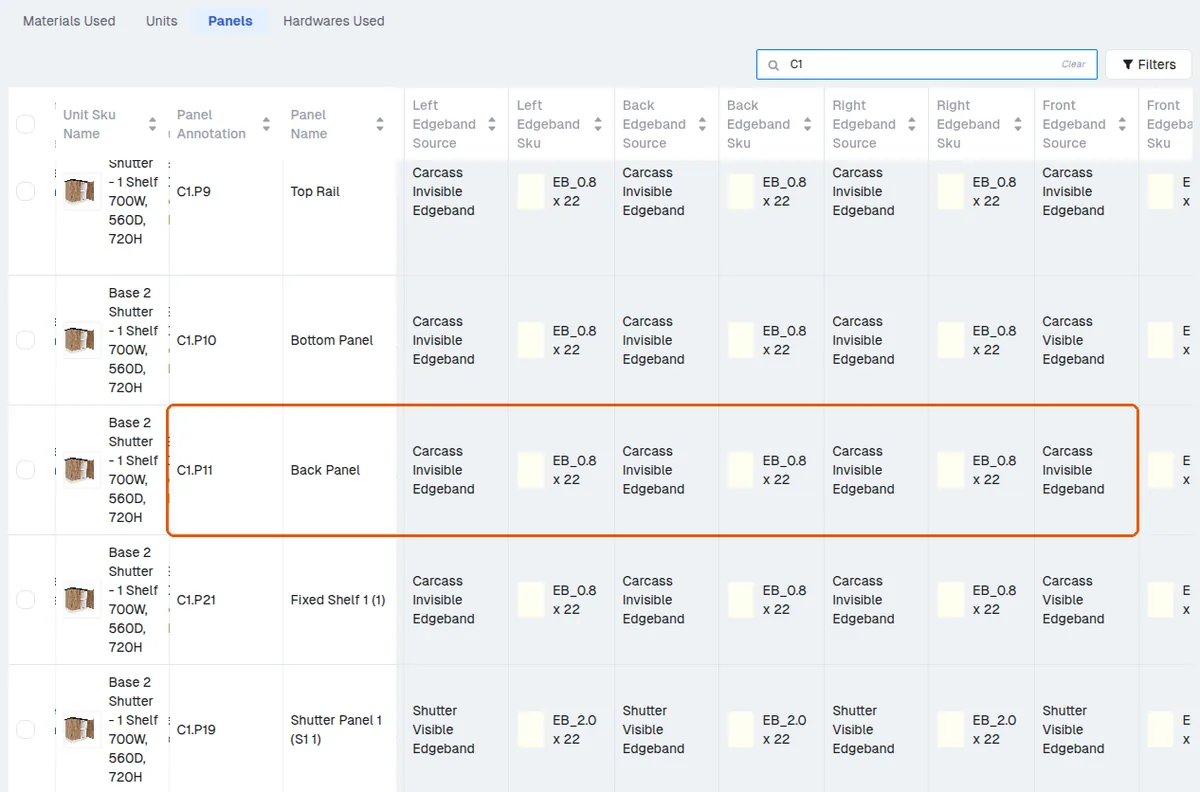
For cutting sizes and to spot duplicate back panels, use the cut list, which lists each back panel (Part Name 'Back Panel') with its cutting size and core material.
✓ 19 அக்டோபர், 2026 அன்று தயாரிப்பில் சரிபார்க்கப்பட்டது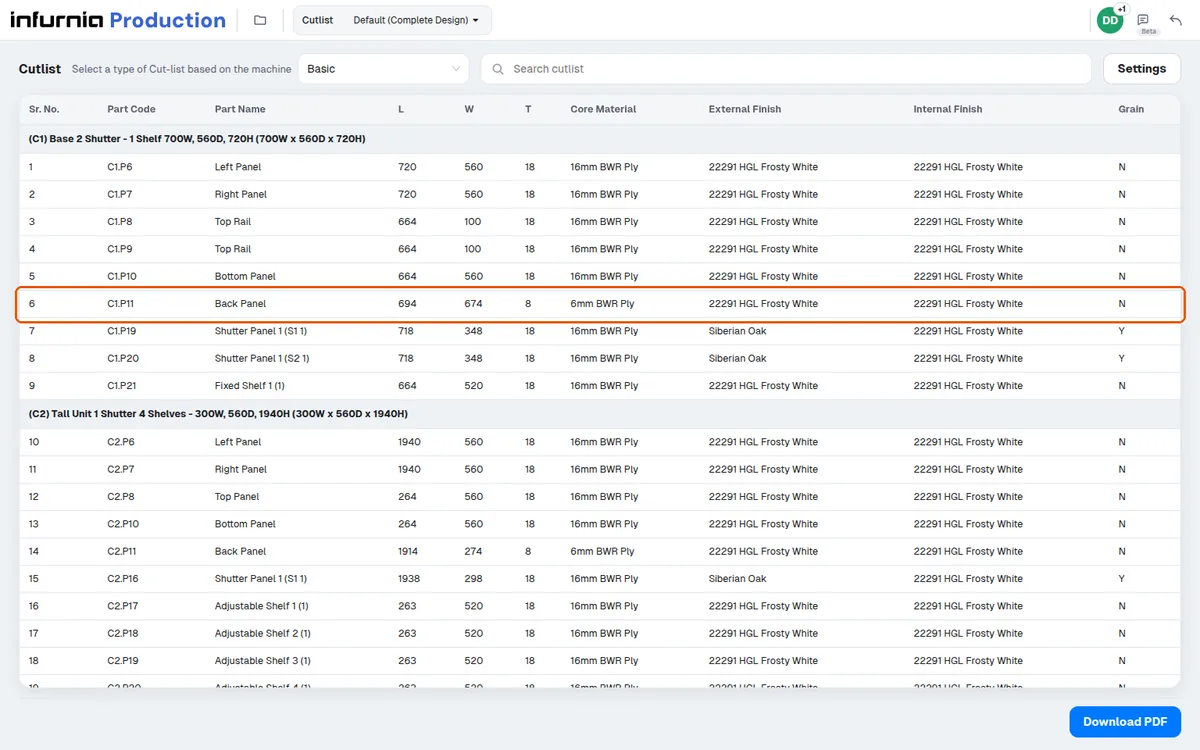
Before downloading production outputs, review the raw material and board layout to confirm each cabinet's carcass external and internal panels use the same material (not mixed) and that shutters use the intended finish with matching edge banding.
Before releasing a design to production, check the cutlist and the edgeband output in QC mode to confirm each panel's edgeband finishes are assigned correctly.
✓ 21 அக்டோபர், 2026 அன்று தயாரிப்பில் சரிபார்க்கப்பட்டது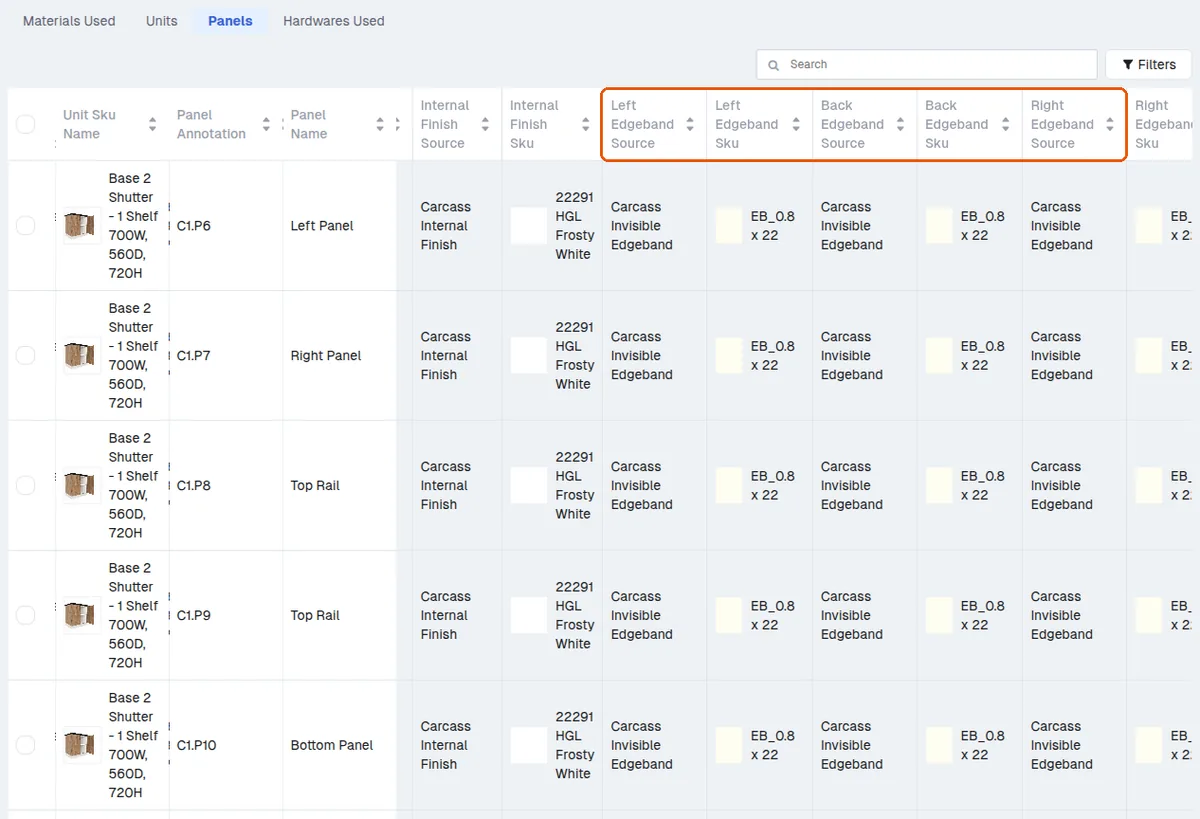
If an external panel shows an internal-finish edgeband (or vice versa), treat it as a design/assignment mistake, correct it in the design and re-verify before proceeding.
When production output shows an unexpected or extra edge band, open QC mode before moving to raw materials.