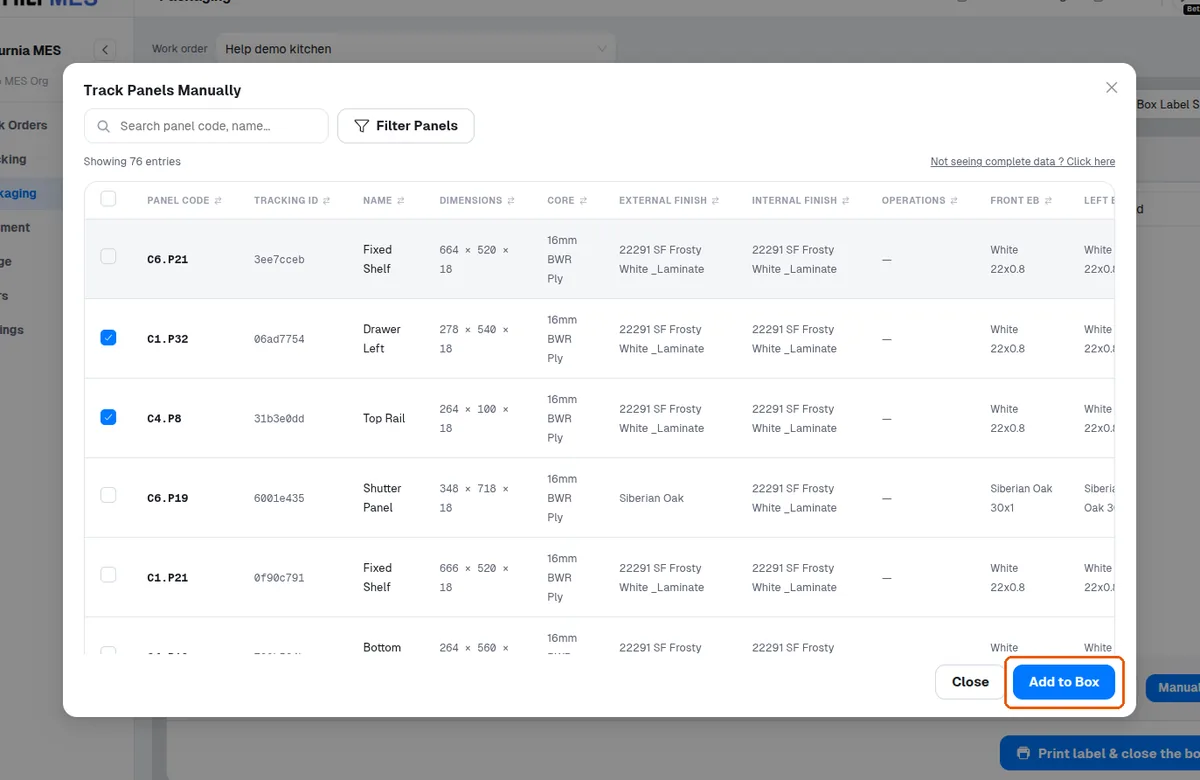
Add panels to a box with the Manual panel selector
Fall back to the Manual panel selector to filter panels by core, finishes, edge bands and operations and place them without scanning.
If a scanner still isn't detected, use camera mode or the Manual panel selector, which can filter panels by core, finishes, edge bands and operations.
Panels can also be added to a box entirely manually, without scanning them at any earlier station: choose the order, create or open a box, and use the Manual panel selector to pick the panel IDs to place in it.
✓ ଅକ୍ଟୋବର 21, 2026 ରେ ପ୍ରଡକ୍ଟରେ ଯାଞ୍ଚ କରାଯାଇଛି