Set onion-skin passes and through-cut ordering in nesting NC programs
Control whether through-cuts are machined in one pass or two, and know that they always run last in the program.
Through-cut contours (and 'small part' contours when small-part handling is enabled) are always grouped separately and machined at the end of the program, after all regular routing and drilling - regardless of any setting.
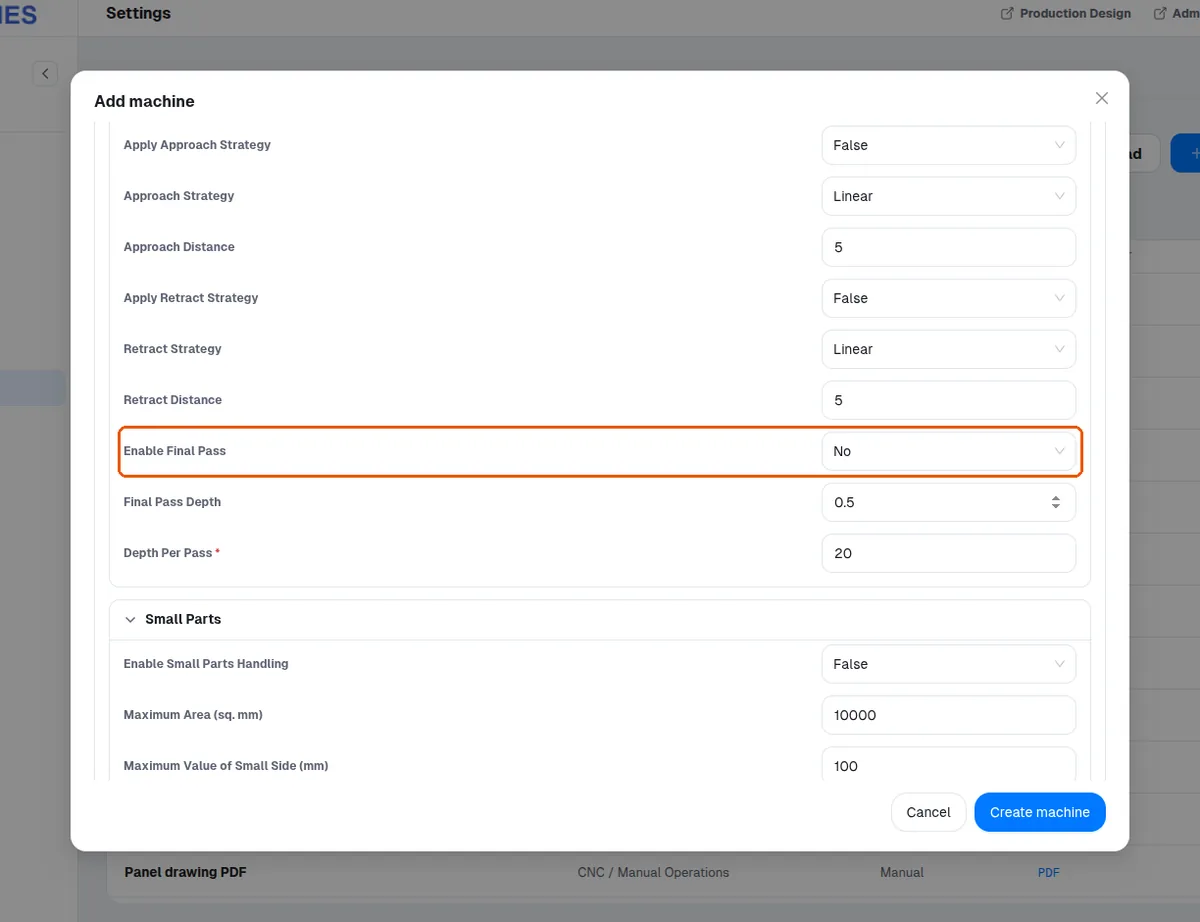
✓ ଅକ୍ଟୋବର 18, 2026 ରେ ପ୍ରଡକ୍ଟରେ ଯାଞ୍ଚ କରାଯାଇଛିThe onion-skin option (Router > Enable Onion Skin Pass): with 'yes', every through-cut is machined twice - a first pass that stops short of full depth by the configured Final Pass Depth (default 0.5 mm), leaving a thin skin holding the part, then a final full-depth pass.
✓ ଅକ୍ଟୋବର 18, 2026 ରେ ପ୍ରଡକ୍ଟରେ ଯାଞ୍ଚ କରାଯାଇଛିWith 'no' (default), through-cuts are single-pass.
✓ ଅକ୍ଟୋବର 18, 2026 ରେ ପ୍ରଡକ୍ଟରେ ଯାଞ୍ଚ କରାଯାଇଛିWith 'small_parts', only parts classified as small get this two-pass treatment.
✓ ଅକ୍ଟୋବର 18, 2026 ରେ ପ୍ରଡକ୍ଟରେ ଯାଞ୍ଚ କରାଯାଇଛିSmall-part handling is configured under the machine's Small Parts settings: 'Enable Small Parts Handling' (off by default) and 'Maximum Area (sq. mm)' (default 10000), which defines the area below which a panel is treated as a small part.
✓ ଅକ୍ଟୋବର 18, 2026 ରେ ପ୍ରଡକ୍ଟରେ ଯାଞ୍ଚ କରାଯାଇଛି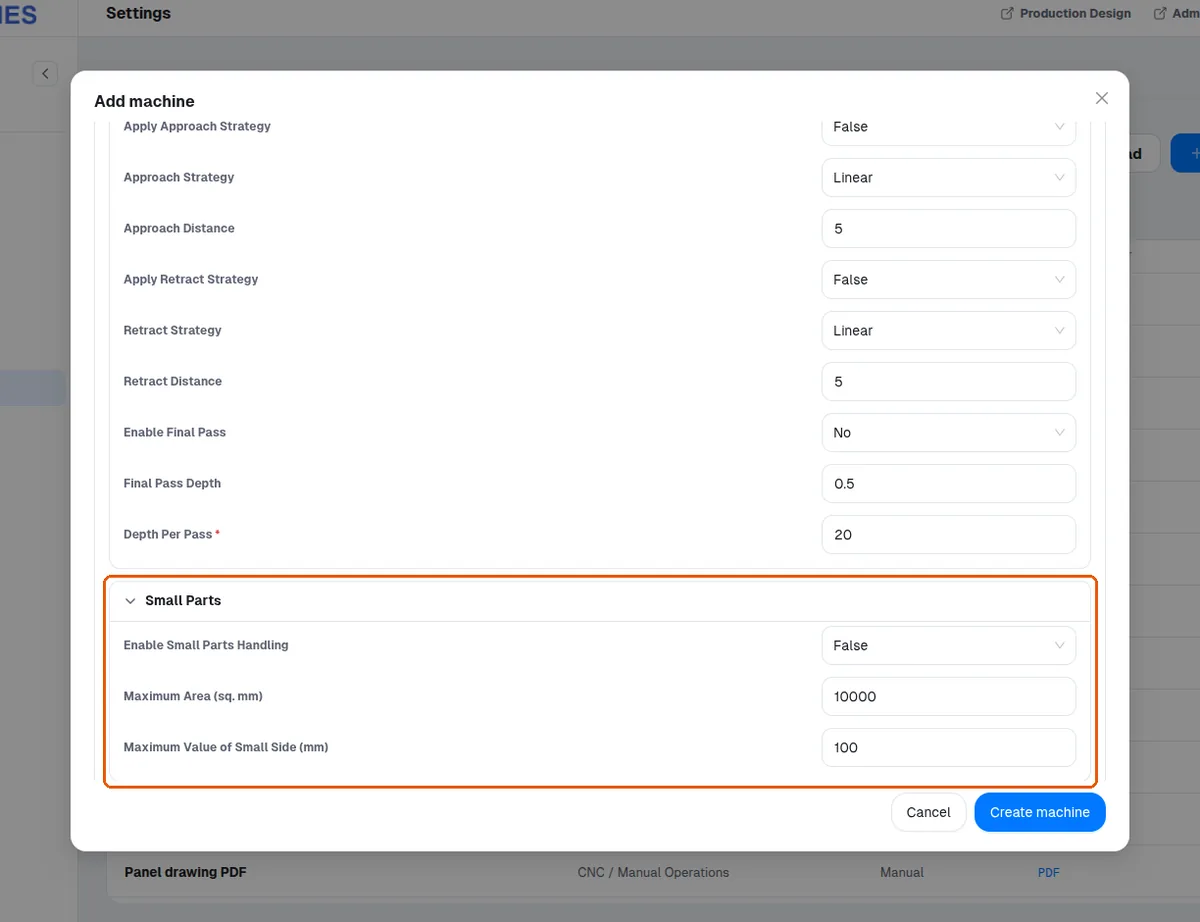
If they want single-pass through-cuts, set Enable Onion Skin Pass to 'no' and regenerate.
In the MES app (Settings > Machines > Add machine, CNC / Manual Operations > Nesting > NC) the option is labelled 'Enable Final Pass' (No by default), next to 'Final Pass Depth'; there is no field named 'Enable Onion Skin Pass'.
✓ ଅକ୍ଟୋବର 18, 2026 ରେ ପ୍ରଡକ୍ଟରେ ଯାଞ୍ଚ କରାଯାଇଛି