Add grooves or moulding to a panel and set the CAM operation
Add groove or moulding shapes on the external side of a shutter and send their operations to the CNC.
To add grooves or a moulding pattern to a shutter, work at the panel level: open construction, choose edit panel design, and use flip face to switch between the external and internal side.
✓ 2026 ഒക്ടോബർ 10-ന് പ്രോഡക്റ്റിൽ പരിശോധിച്ചുAdd the required shapes (for example rectangles for a groove pattern) on the external side.
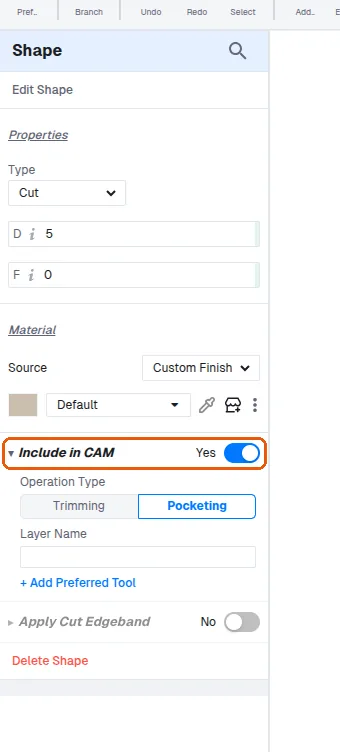
Specify the operation for each shape, such as trimming or pocketing, and include it in CAM so it is sent to the CNC.
✓ 2026 ഒക്ടോബർ 19-ന് പ്രോഡക്റ്റിൽ പരിശോധിച്ചു