Apply one countertop to several units with Modify Countertop
Select several cabinets and set their countertop thickness and material together in one pop-up.
Countertops can be changed across several units at once: select the units and use Modify Countertop to apply the new countertop to all of them together.
✓ 2026 ഒക്ടോബർ 20-ന് പ്രോഡക്റ്റിൽ പരിശോധിച്ചു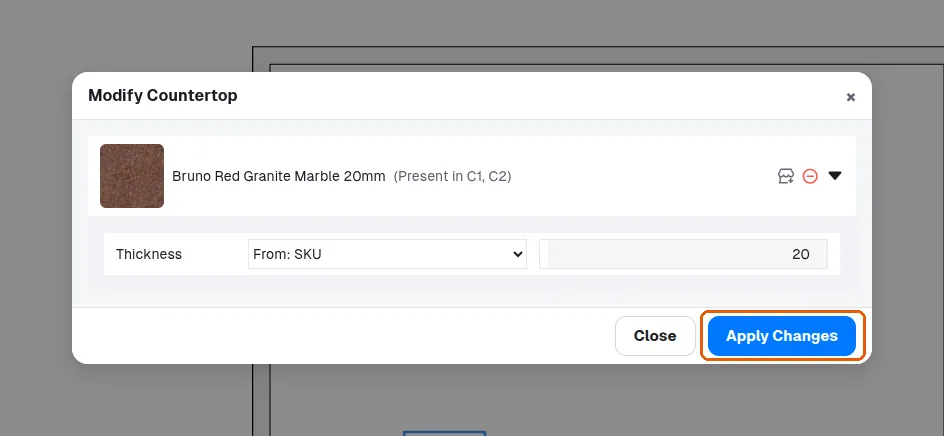
Selecting several units and using the properties panel's Modify Countertop applies the new countertop material to all of them together.
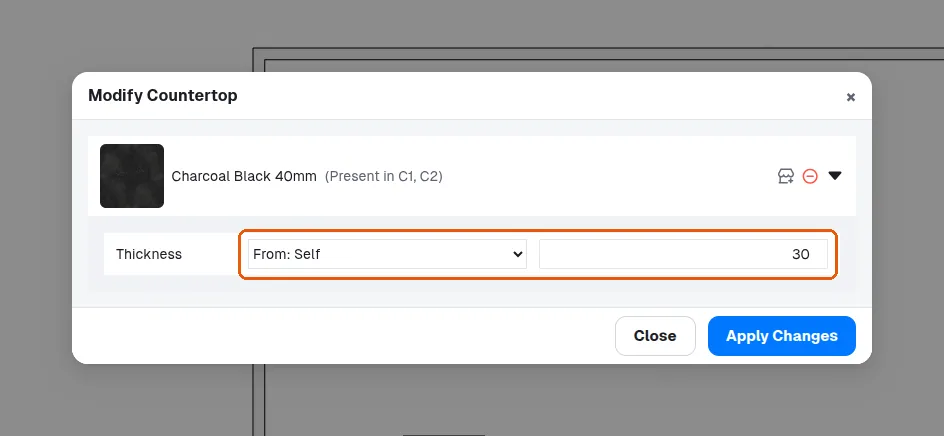
✓ 2026 ഒക്ടോബർ 9-ന് പ്രോഡക്റ്റിൽ പരിശോധിച്ചുThe countertop thickness is changed by selecting the cabinets, choosing Modify Countertop in the properties panel and, in its pop-up, setting where the thickness comes from: From: SKU follows the countertop material; From: Self takes a typed value (for example 30 mm). Apply Changes applies it to every selected unit.
✓ 2026 ഒക്ടോബർ 22-ന് പ്രോഡക്റ്റിൽ പരിശോധിച്ചു