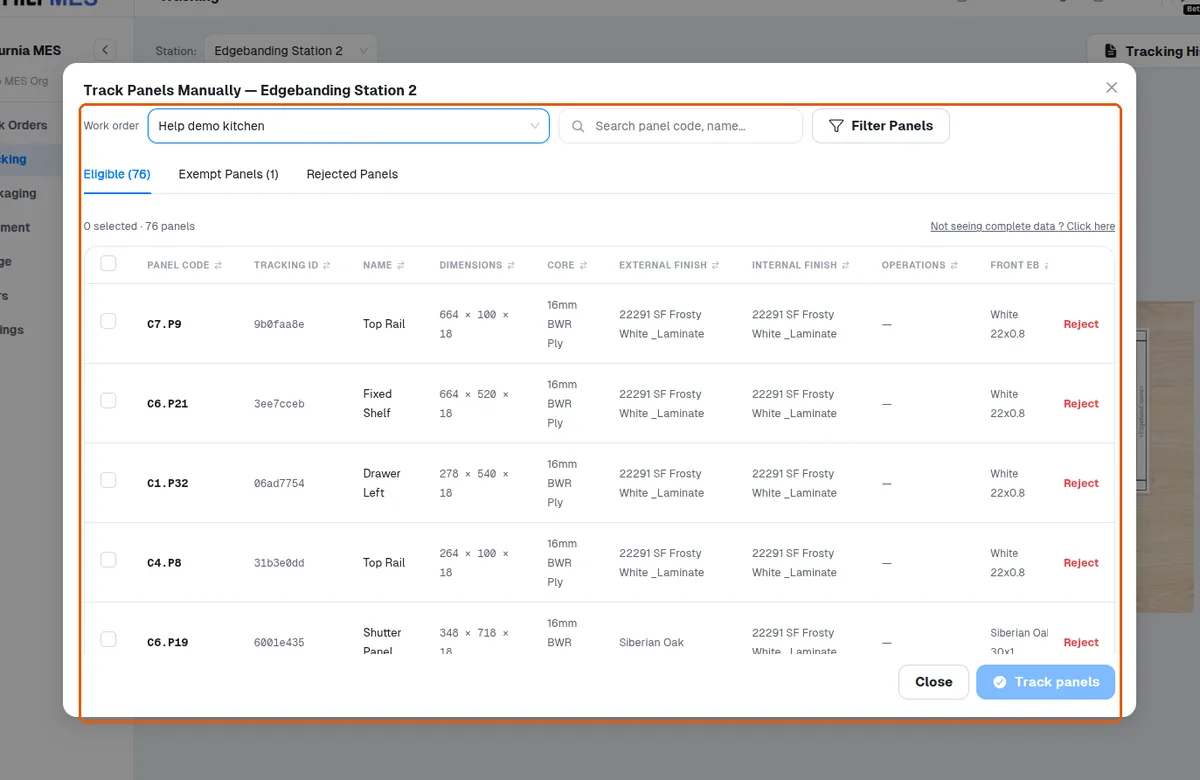
Track panels with a phone camera or the Manual view
Use a phone camera or pick panels in the Manual view when no hardware scanner is at hand.
A phone camera can be used in place of a hardware scanner to read the panel QR and mark the stage complete, and the tick-mark appears immediately with no separate confirm step.
✓ 2026년 10월 20일에 제품에서 확인됨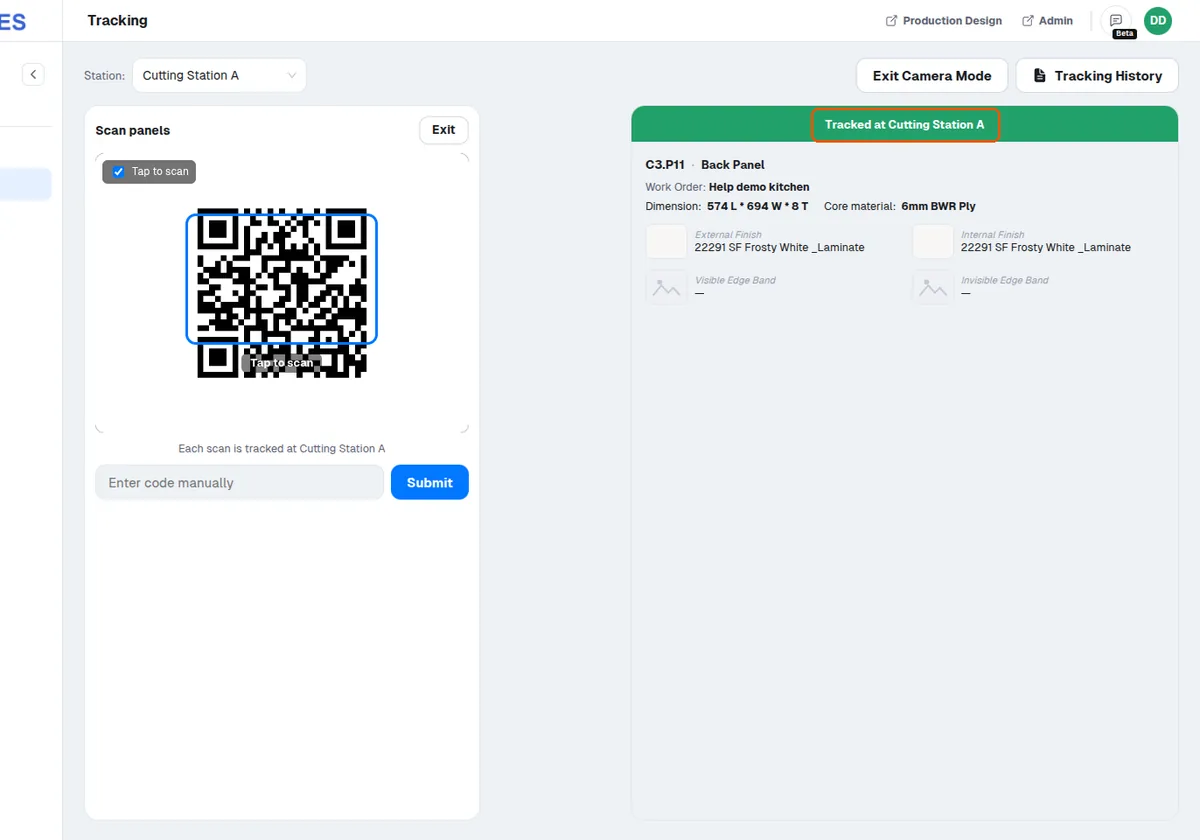
Operators can also track a panel without a scanner by opening the Manual view on the Tracking page, choosing the work order and selecting the panels to track. At Edgebanding and CNC stations the picker separates panels design data says are not required there into a read-only 'Exempt Panels' tab — those panels are excluded from the station's progress counts and cannot be tracked from that view.
✓ 2026년 10월 20일에 제품에서 확인됨