Understand how sheet templates change the generated page
See what a sheet template replaces and what the pipeline adds when no template is used.
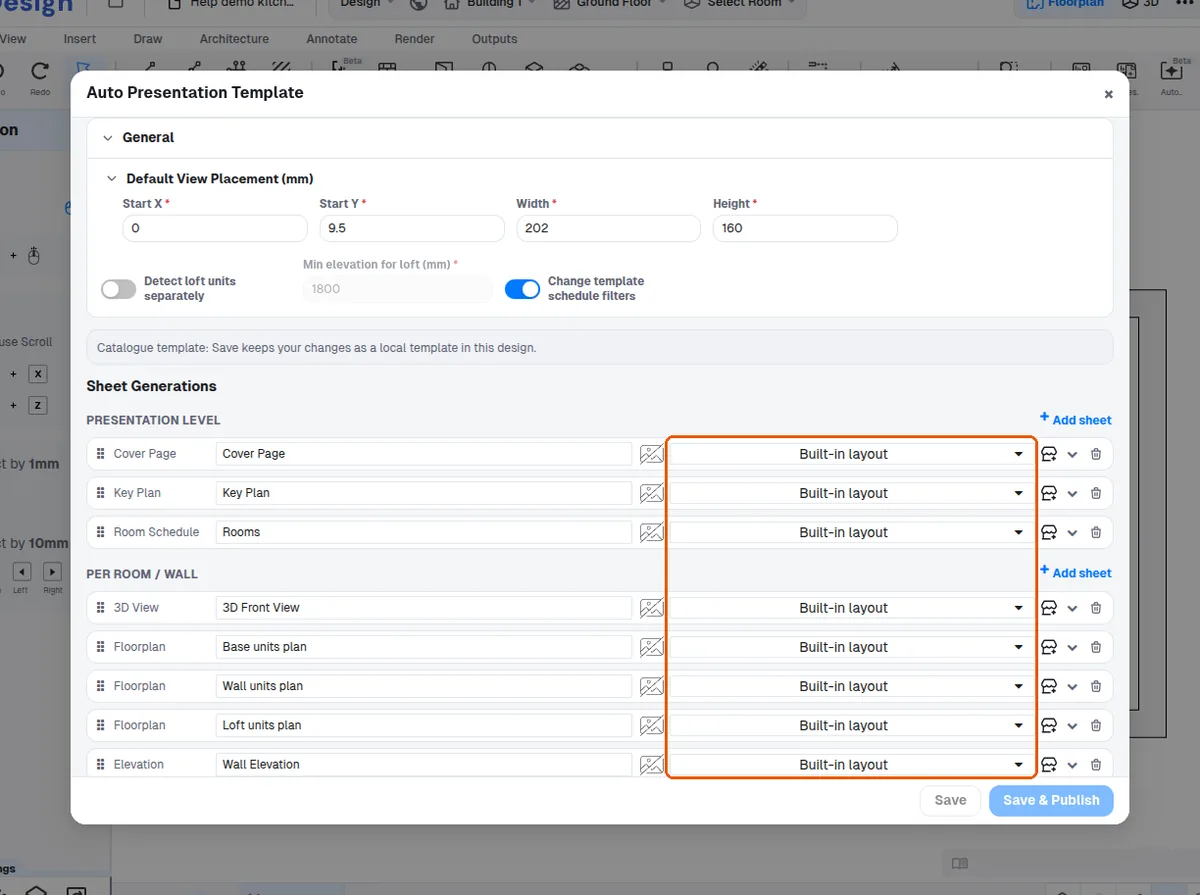
Each sheet-generation entry in a presentation template can optionally use a sheet template.
✓ 2026년 10월 20일에 제품에서 확인됨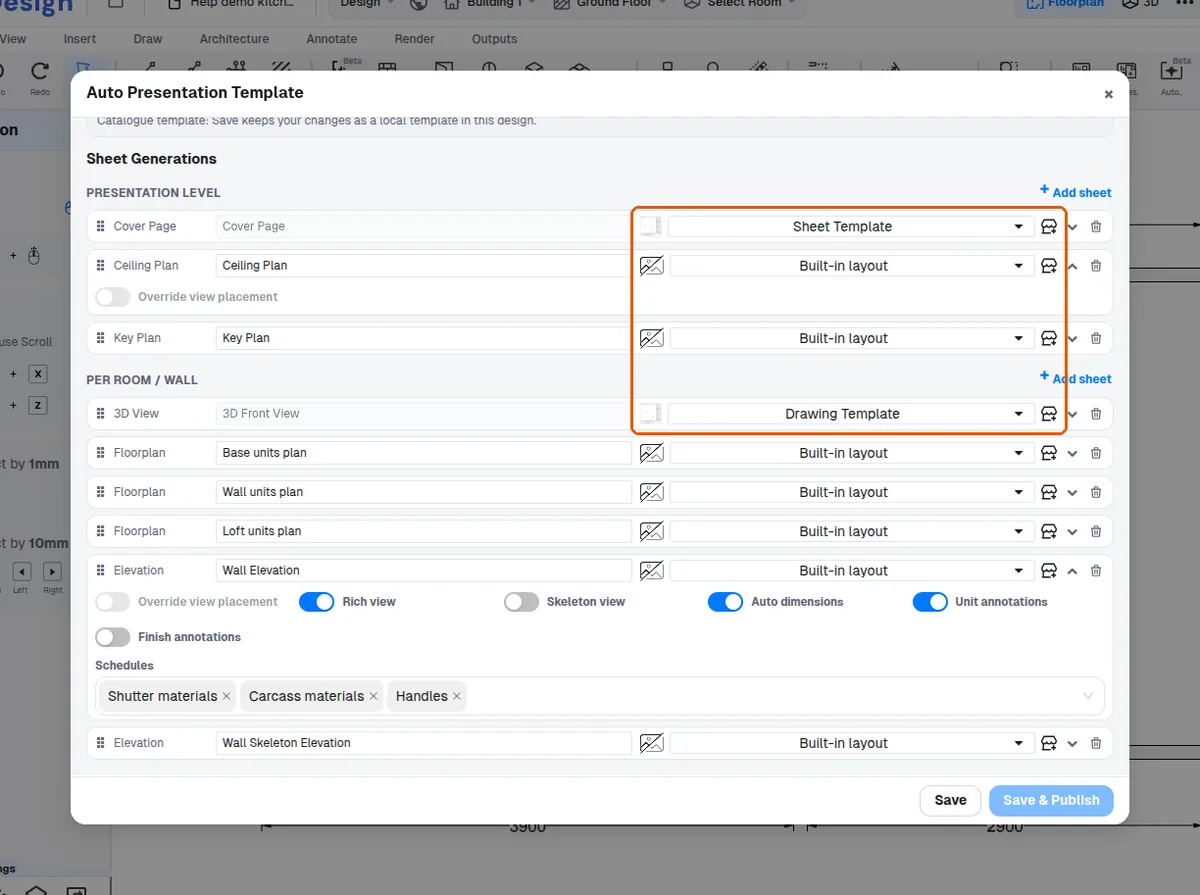
Without a template, the pipeline lays out its own hardcoded page (title strip, footer, dynamic view, and side schedules where applicable) computed from the sheet's dimensions.
✓ 2026년 10월 10일에 제품에서 확인됨With a template, the template page is cloned and only the dynamic view is inserted at the entry's placement (per-entry override if enabled, else the template's default placement); no extra title/footer/schedules are added.
✓ 2026년 10월 20일에 제품에서 확인됨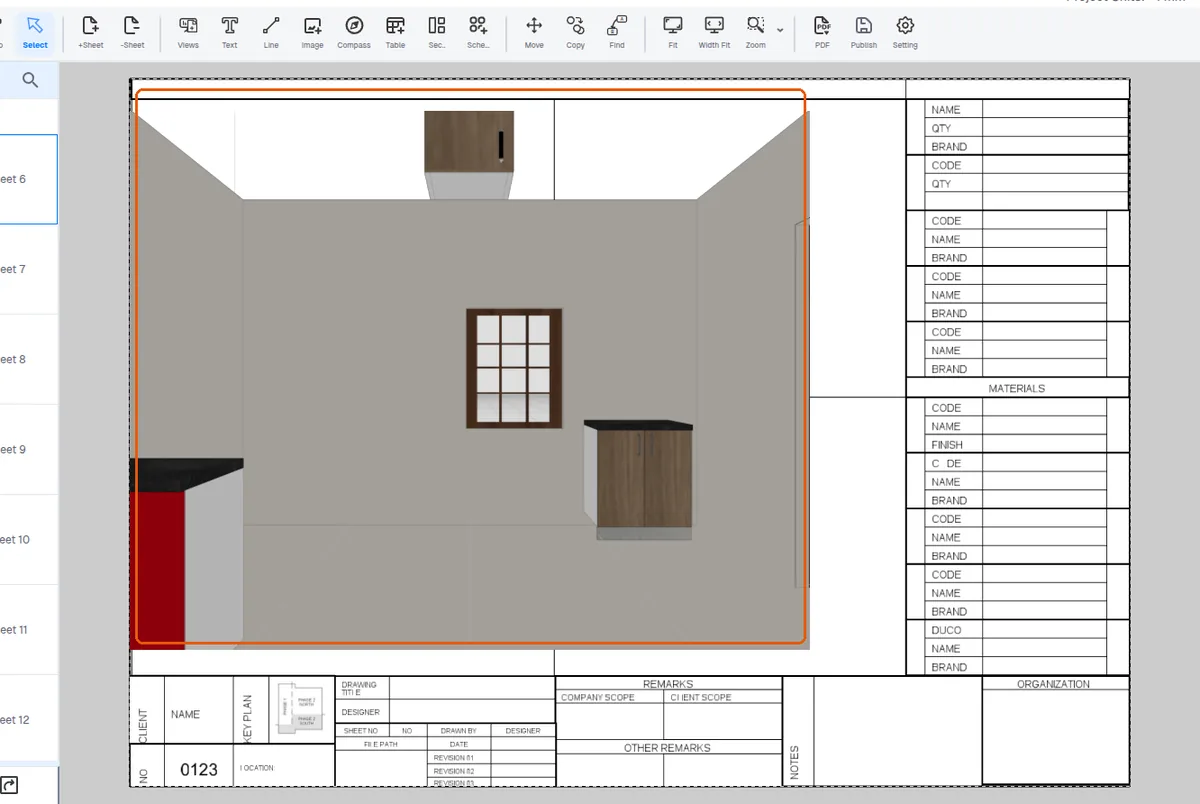
Schedules already present in the template get their filters rewritten to match the sheet's room/layer/elevation context - controlled by the template's 'Change template schedule filters' setting (default on).
✓ 2026년 10월 20일에 제품에서 확인됨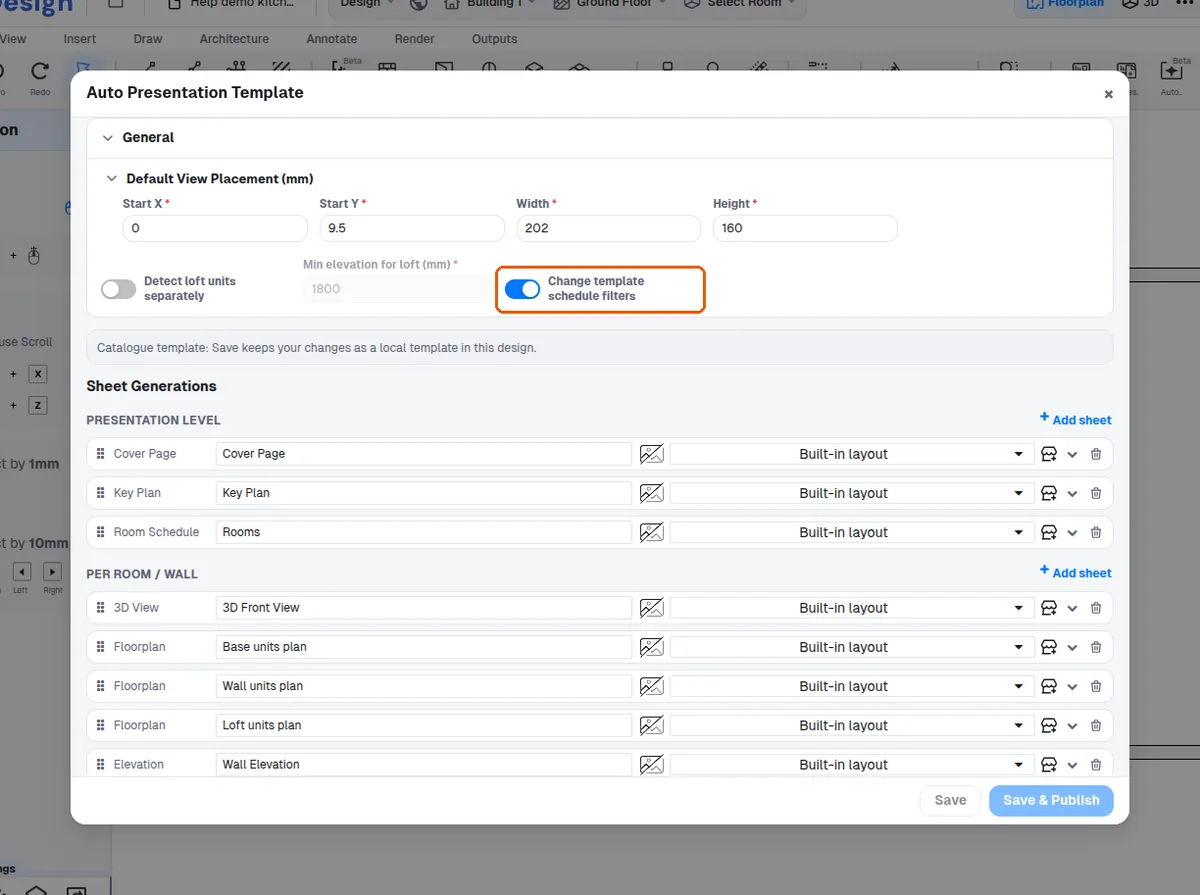
If no template is needed, the output falls back to a blank sheet with the standard hardcoded layout instead of a template page.
✓ 2026년 10월 20일에 제품에서 확인됨