Assign a sheet template to a sheet-generation entry
Give an entry its own template so the generated presentation uses it automatically.
A custom sheet template can be drawn and assigned per sheet-generation entry in the presentation template.
The sheet-generation list and per-entry template settings live in the presentation template.
✓ 2026년 10월 20일에 제품에서 확인됨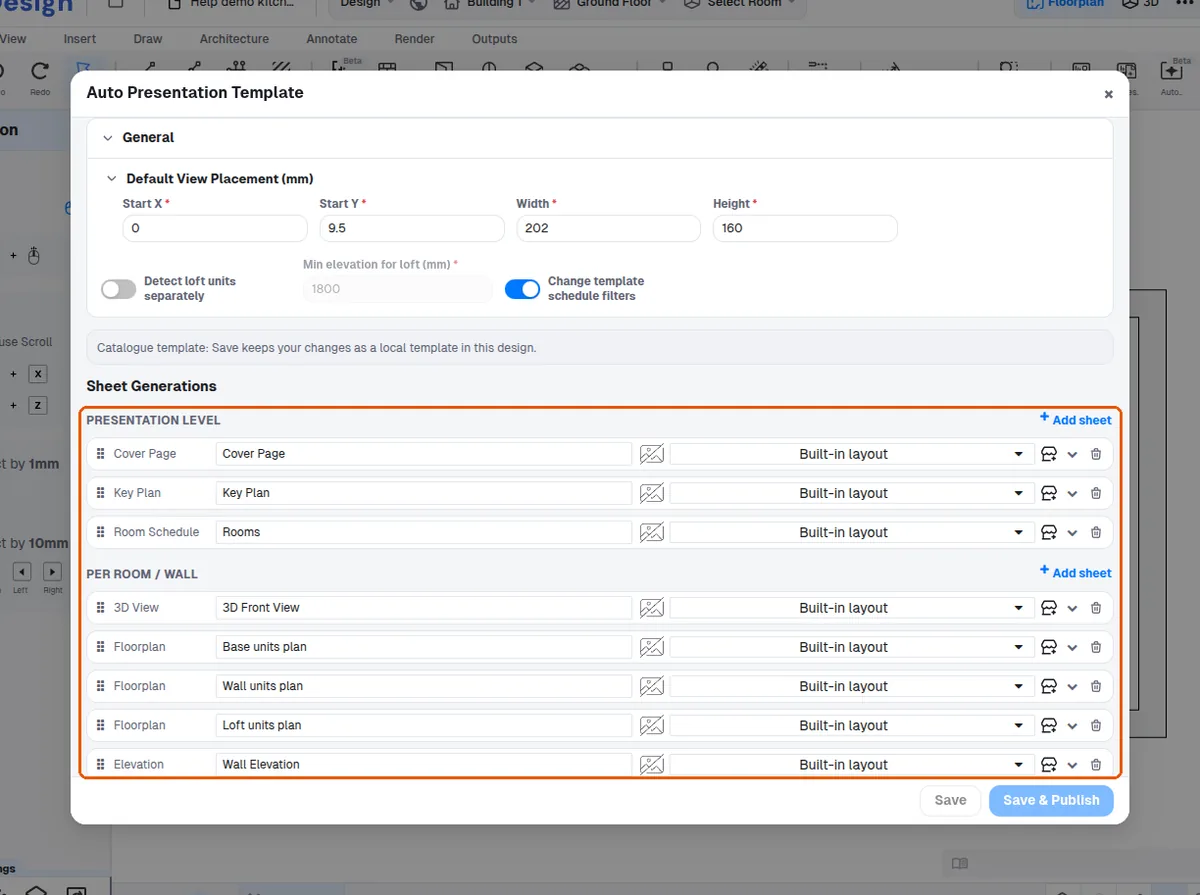
The wizard's first step shows a read-only snapshot of the sheet-generation list and per-entry template settings before generating.
✓ 2026년 10월 20일에 제품에서 확인됨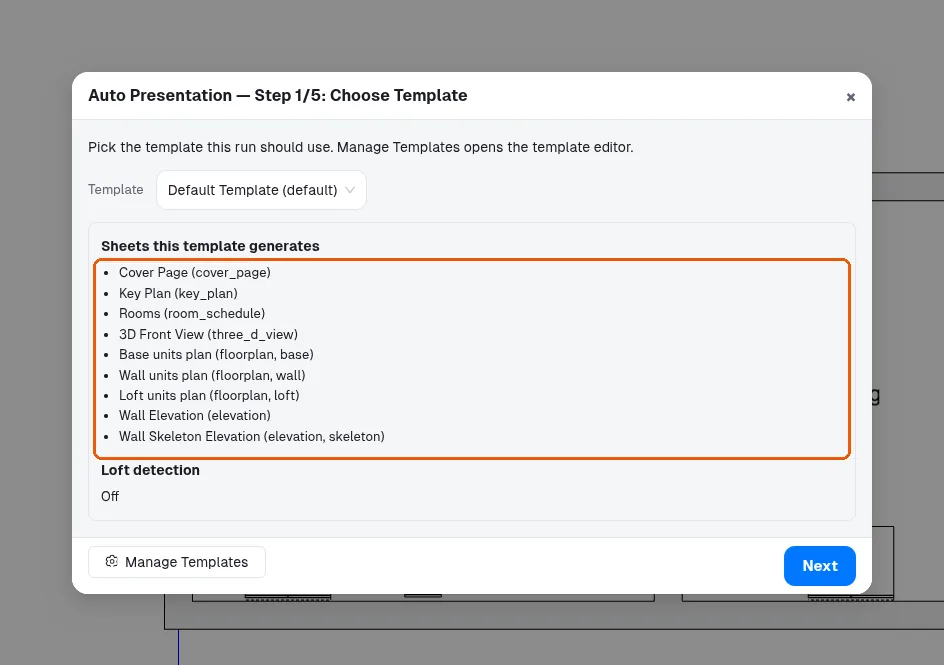
The template is assigned per sheet-generation entry in the presentation template by opening that entry's template row and picking the sheet from the template carousel.
✓ 2026년 10월 20일에 제품에서 확인됨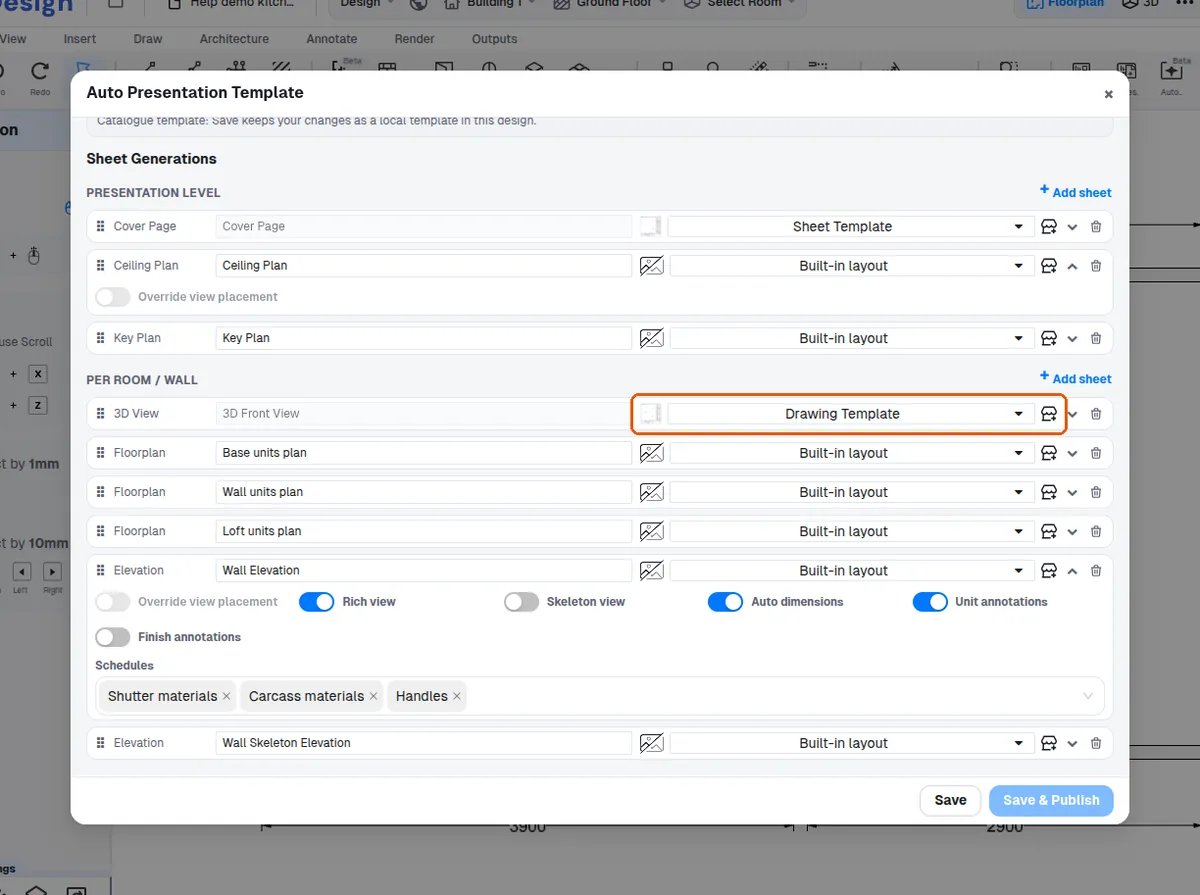
Once set, the generated presentation uses it automatically, so the sheet does not have to be added again each time.
✓ 2026년 10월 20일에 제품에서 확인됨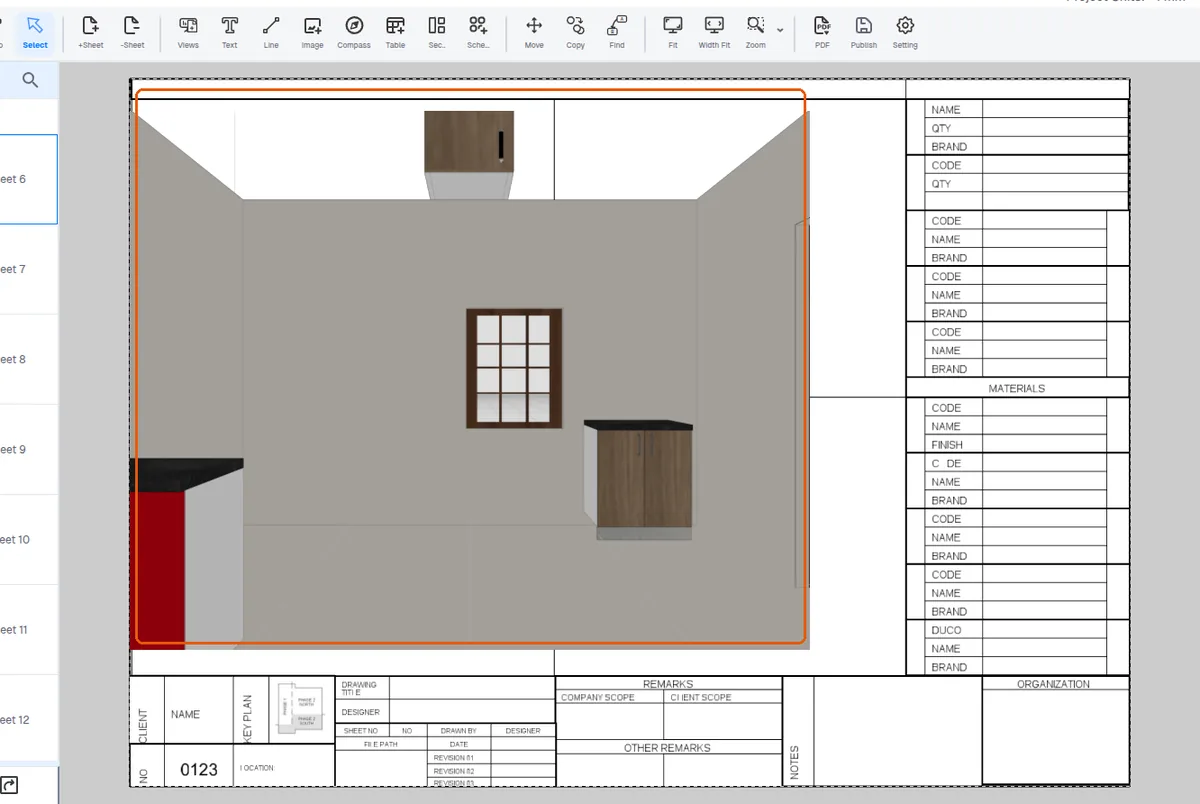
Separate templates can be assigned to different sheet-generation entries, so a 3D view page and elevation sheets can each use their own template.
✓ 2026년 10월 20일에 제품에서 확인됨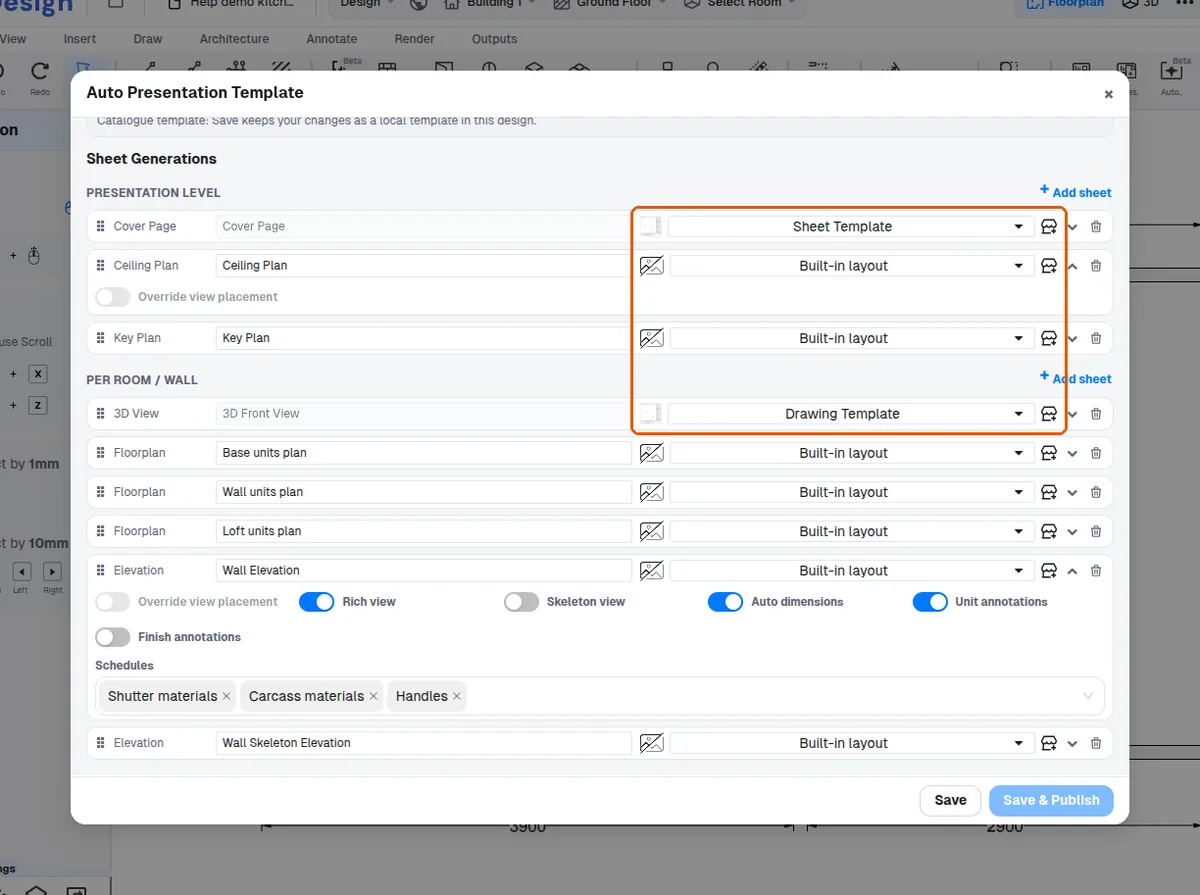
Each sheet-generation entry in a presentation template can be given its own sheet template, and the auto-generated presentation then builds that sheet from the assigned template.