Fix tiny text in a dynamic schedule by resizing its box
Understand how a dynamic schedule fits its drawn box so you can keep rows readable instead of letting them compress to a 1 mm floor.
A dynamic schedule's table is fitted to the component's box: all body row heights are multiplied by (available height / natural height) and all column widths by (available width / natural width).
The fitting applies when you resize the component and when the row count is unchanged.
When the row count itself changes (grouping, filtering, field edits), the schedule instead keeps its row height and the box grows or shrinks to fit the rows.
✓ 2026년 10월 21일에 제품에서 확인됨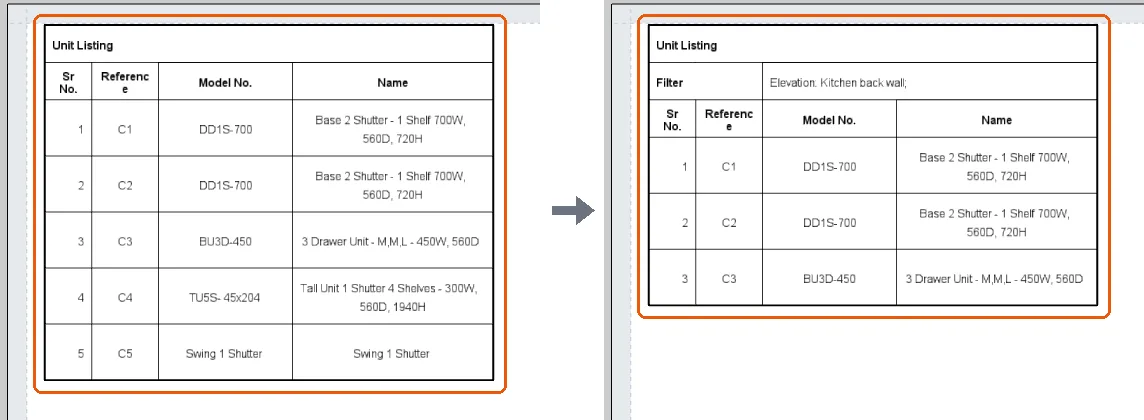
If every row is filtered out, the box shrinks to just the header.
✓ 2026년 10월 20일에 제품에서 확인됨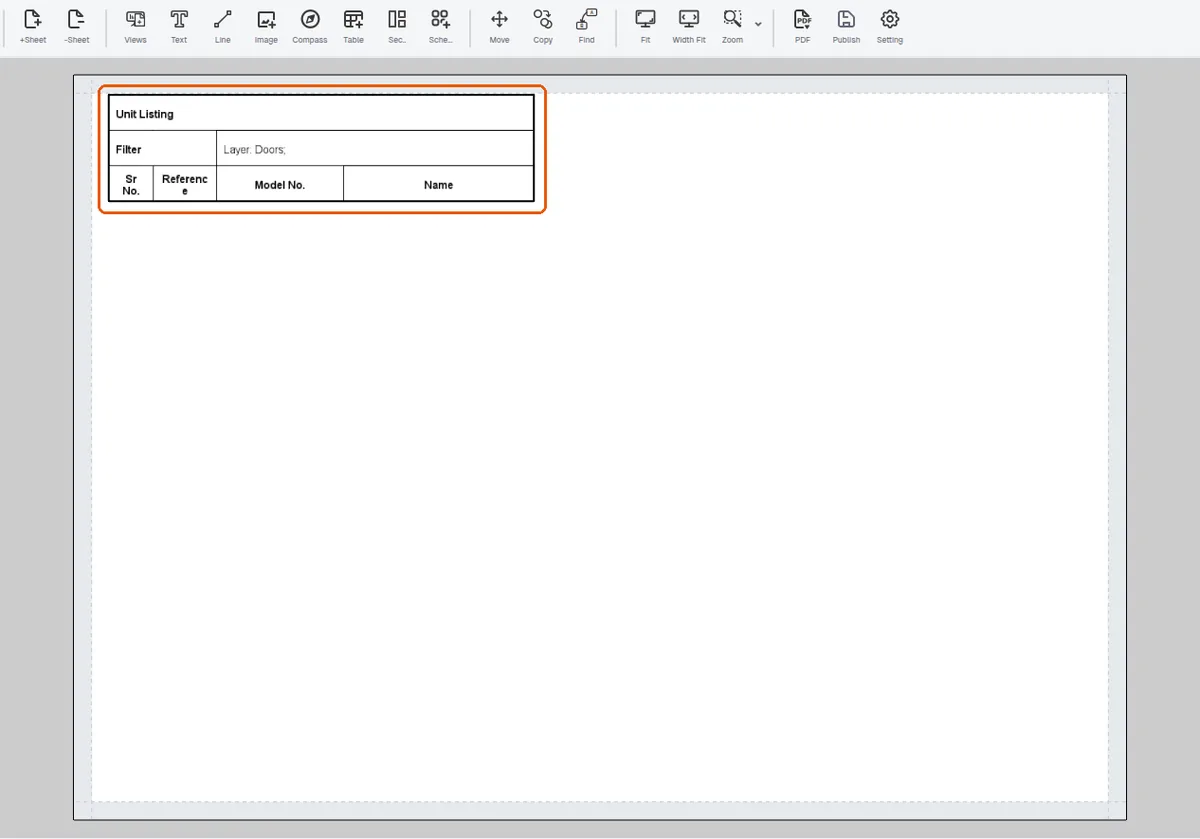
As the design grows and the schedule gains rows, the box grows to fit them at the current row height, so rows and text keep their size; rows get shorter and more cramped only if you shrink the box yourself.
✓ 2026년 10월 20일에 제품에서 확인됨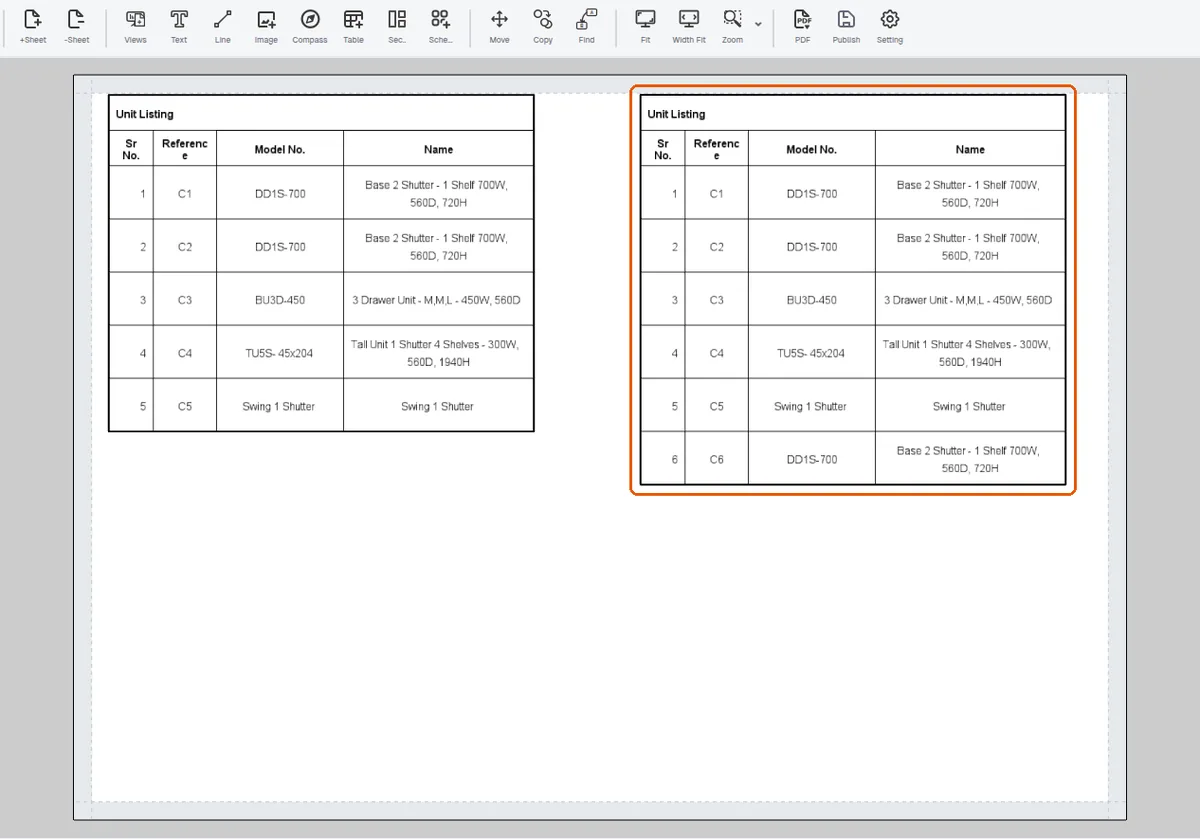
Shrinking the box (Object Height) compresses the schedule's rows to fit it, down to a floor of 1 mm per body row (the header rows have none); below that the schedule stops shrinking and the box takes the height the rows need. The floor is not a readable size: a five-row Unit Listing typed down to 3 mm stopped at about 5.6 mm, with 1 mm body rows.
A dynamic schedule never paginates or overflows onto the next sheet by itself; splitting across pages must be done manually (e.g. two components with complementary filters).
✓ 2026년 10월 20일에 제품에서 확인됨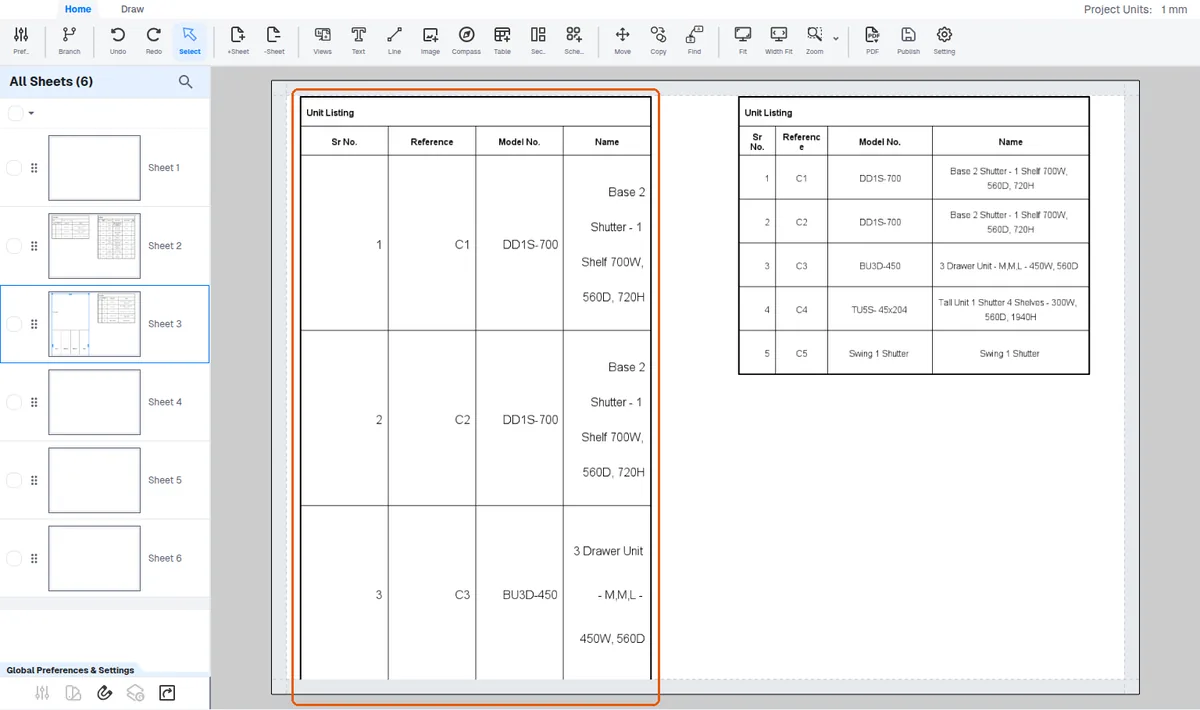
At insert time the component sizes itself to natural content (header rows 10mm, body rows 15mm) and remembers those row heights, so it starts clean.
✓ 2026년 10월 20일에 제품에서 확인됨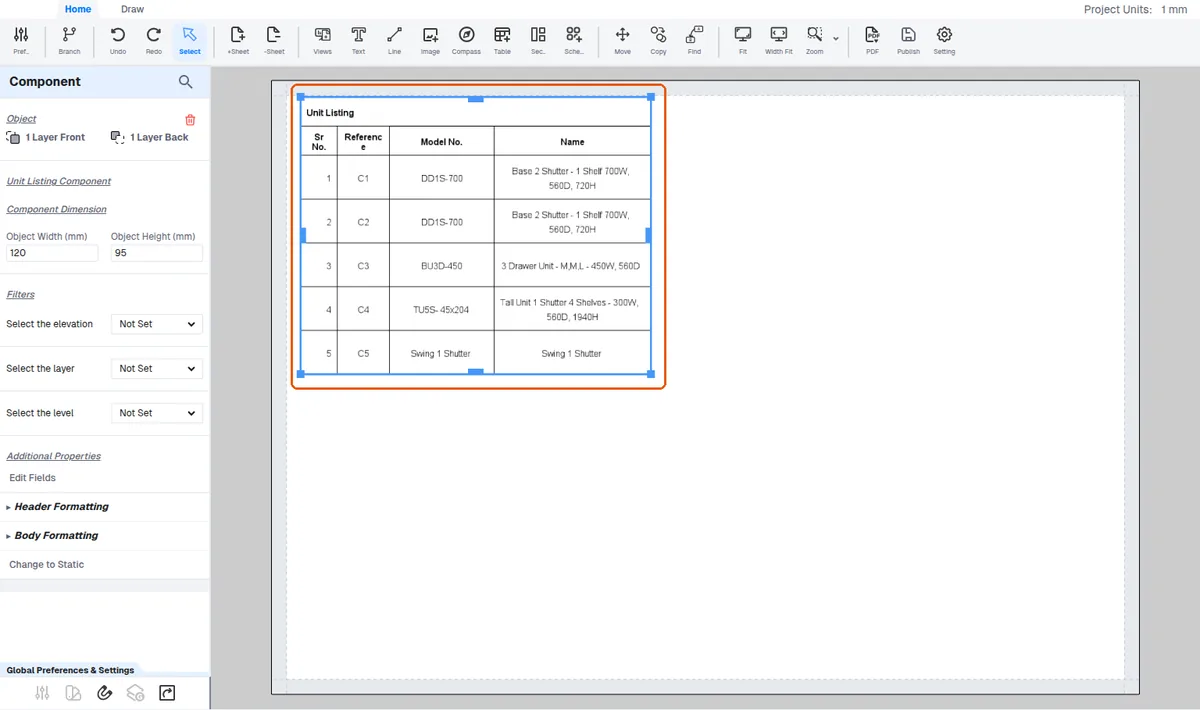
Column widths are remembered per column.
'Make all columns equal width' / 'Reset original column sizes' under Body Formatting recover from messy manual column drags.