Set wall height, thickness and material
Enter wall height, thickness and material either in the wall tool settings before drawing or in the selected wall's properties panel afterwards.
Wall height is likewise entered as a value (floor-to-ceiling height and thickness) in the wall properties before or while drawing, so walls drawn afterwards take that height.
✓ 2026年10月22日に製品で確認済み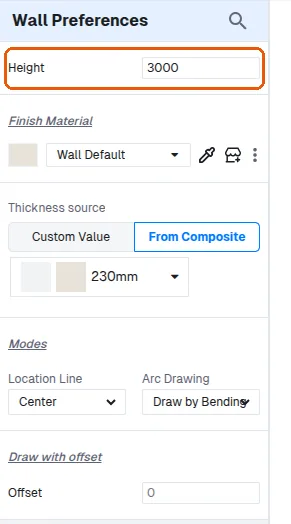
Wall height, thickness and material can be set either before drawing a wall (in the wall tool settings) or afterwards (in the selected wall's properties panel); both orders work.