Find and replace a material or edge band in QC Mode
Trace which units and panels use a SKU and swap it for another across the design.
When a finish or material list looks wrong, filter the Panels tab by panel type (for example back panel), select the affected panels and reassign them to the correct material source, then open the Units tab, select all and confirm each core material assignment is correct.
✓ Verificato nel prodotto il 21 ottobre 2026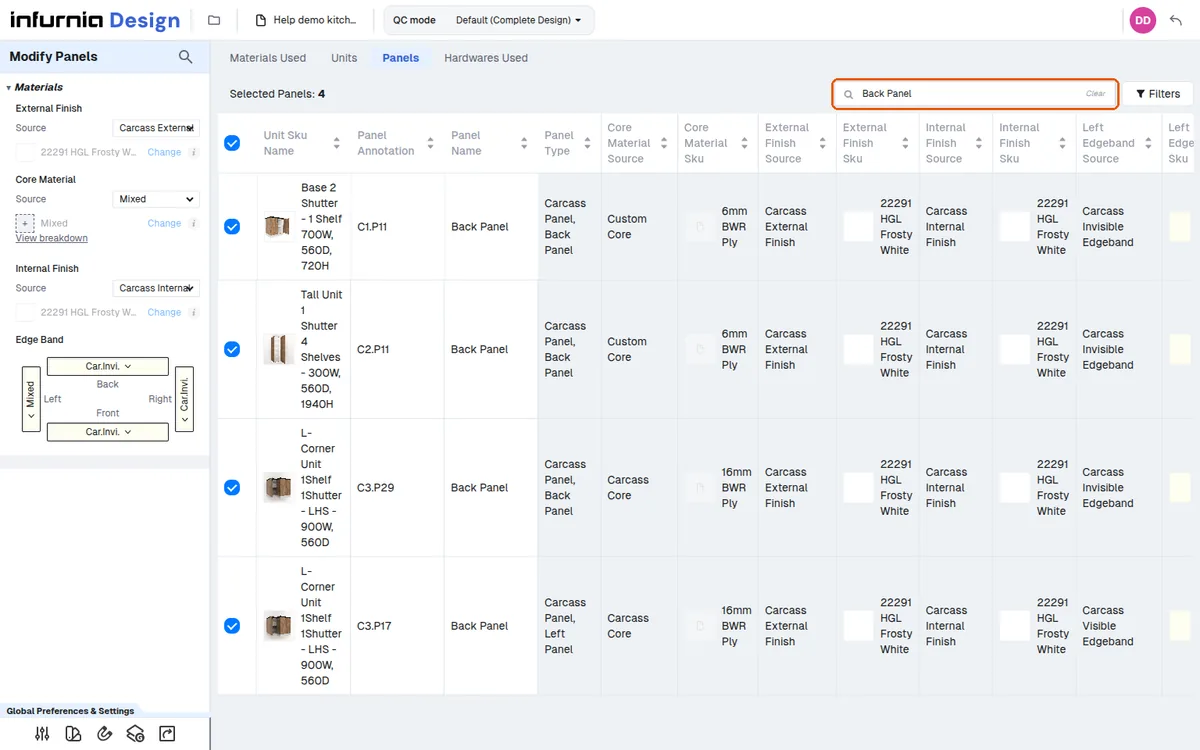
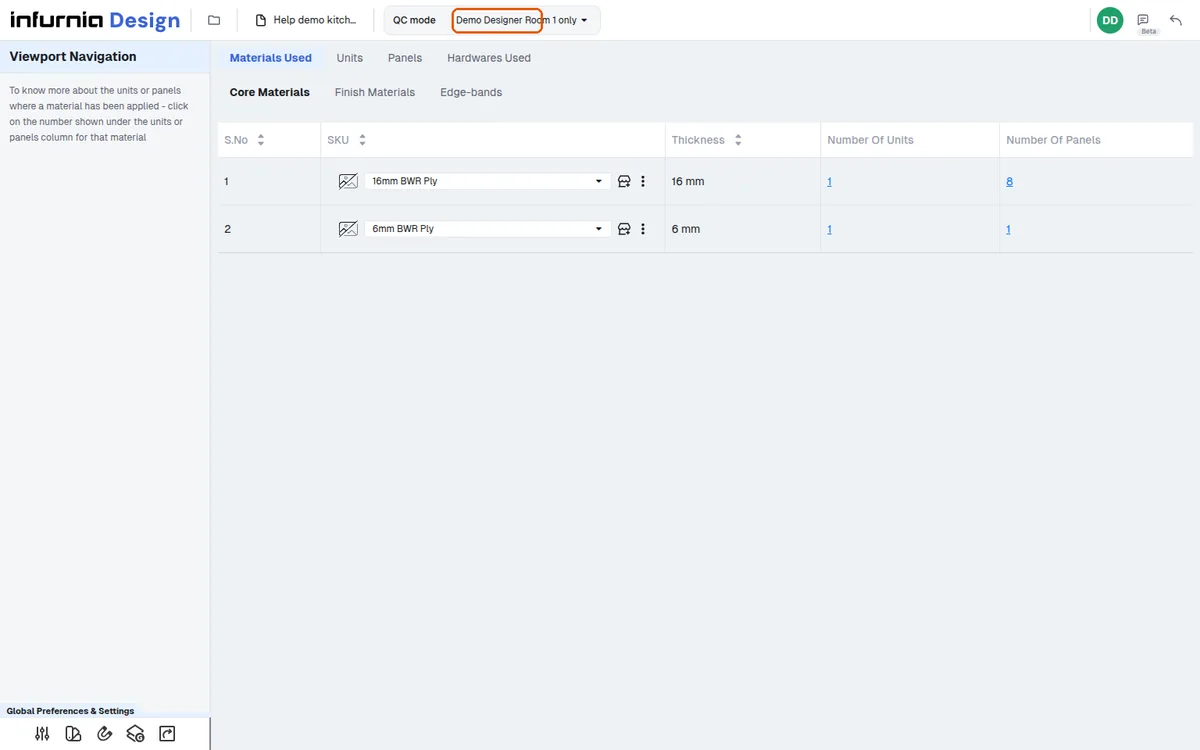
To replace an out-of-stock material, open QC mode, go to the relevant Materials Used sub-tab (Core, Finish, or Edge-bands), click the unit count for that SKU to list the units using it, then use the modify menu on those units and click change to pick another material.
✓ Verificato nel prodotto il 21 ottobre 2026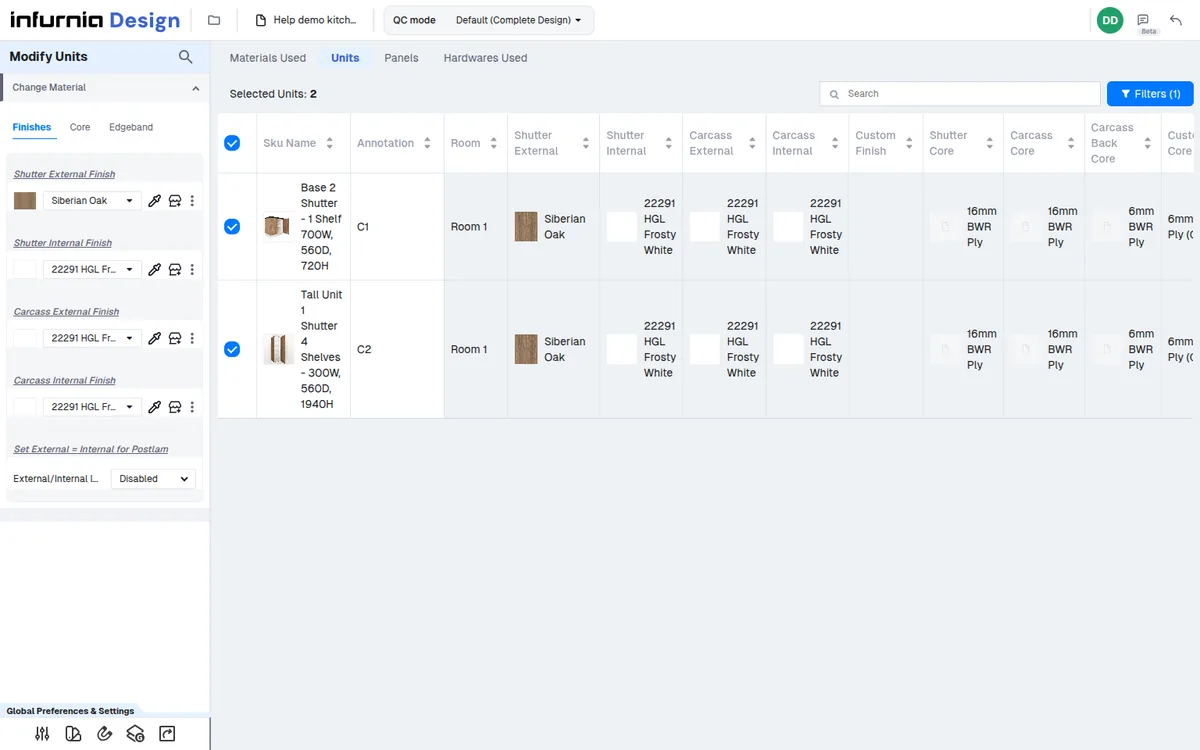
Core and finish are changed from the materials-used tab; edge bands from the Edge-bands sub-tab.
✓ Verificato nel prodotto il 21 ottobre 2026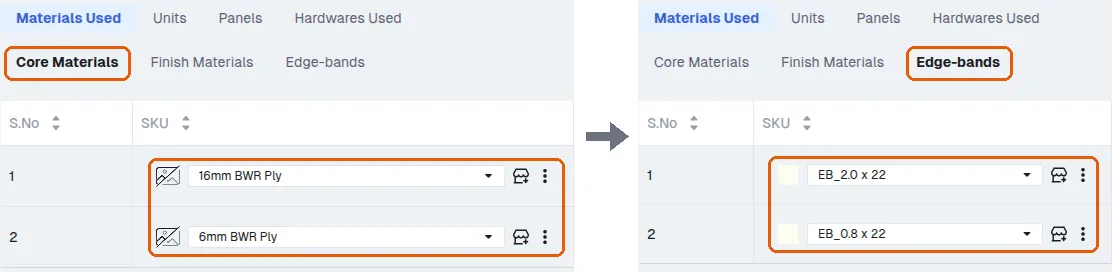
In QC mode, core, finish and edge-band materials can all be changed from within QC mode itself, without returning to the design module.
Core materials can be swapped from the catalogue there (for example changing a ply core from one grade to another).
✓ Verificato nel prodotto il 19 ottobre 2026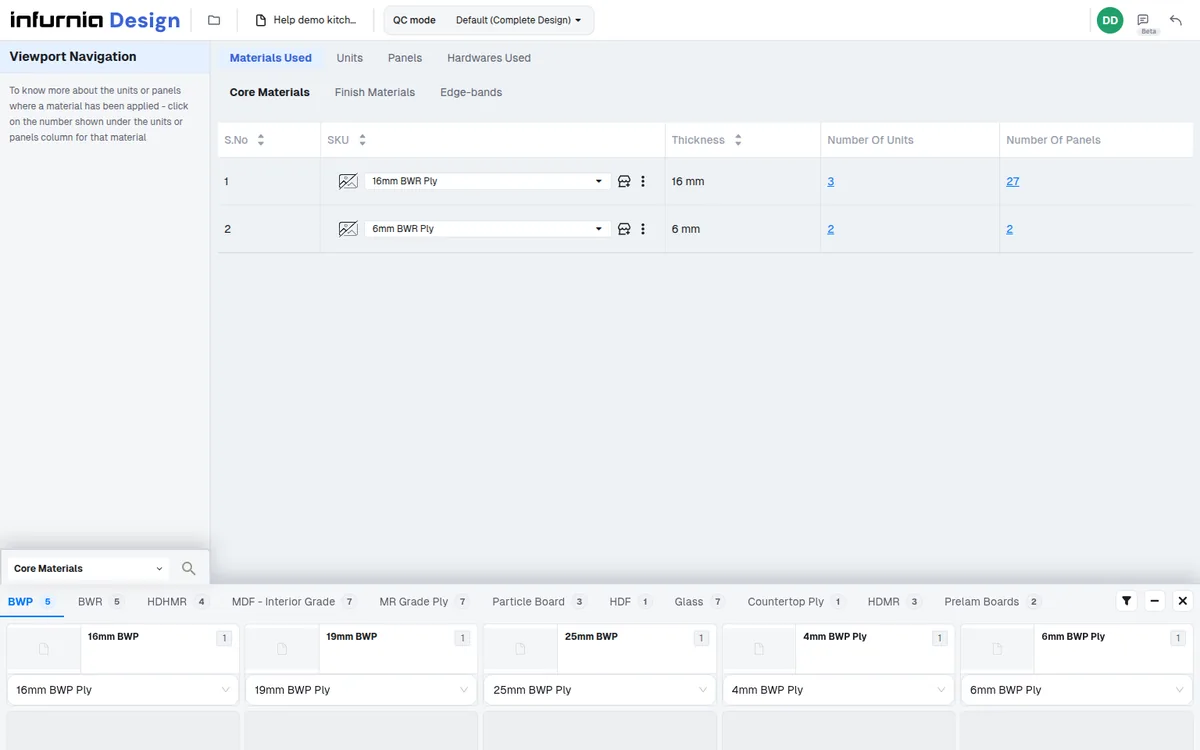
A material or laminate can be located and replaced across the project.
✓ Verificato nel prodotto il 21 ottobre 2026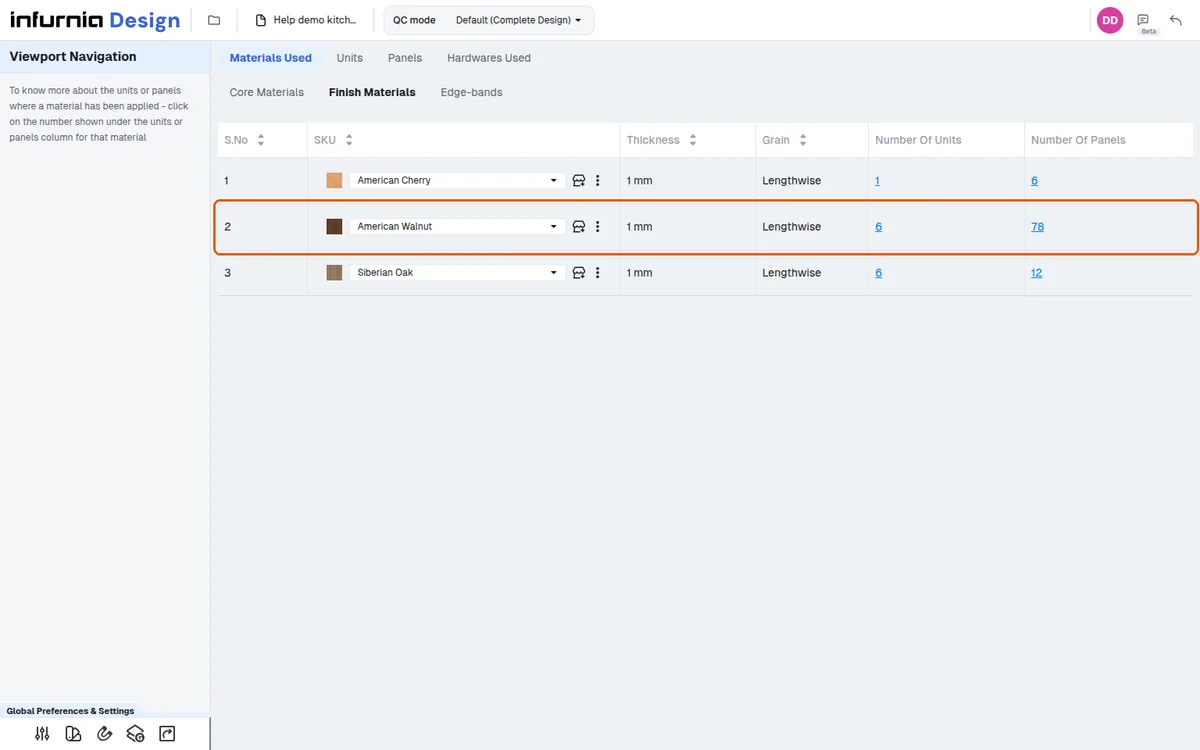
The Materials Used tab shows which ply and laminates are used.
✓ Verificato nel prodotto il 19 ottobre 2026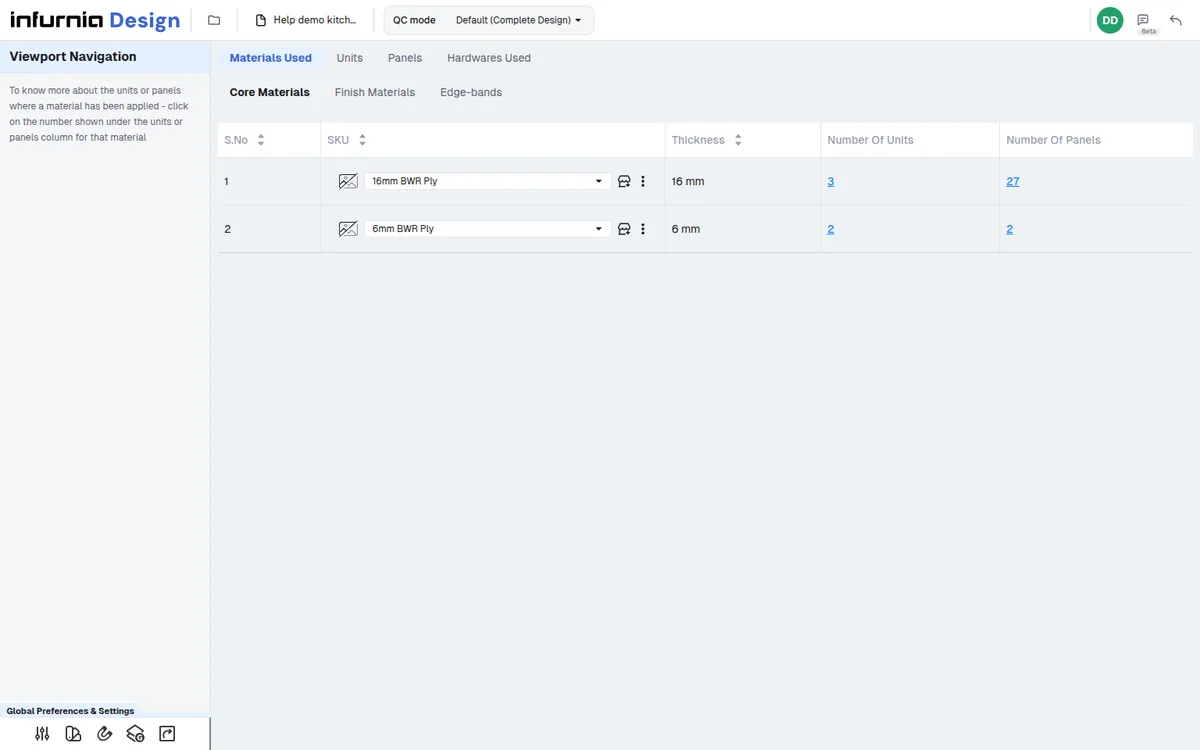
The Materials Used tab shows where a specific laminate appears in the design.
✓ Verificato nel prodotto il 19 ottobre 2026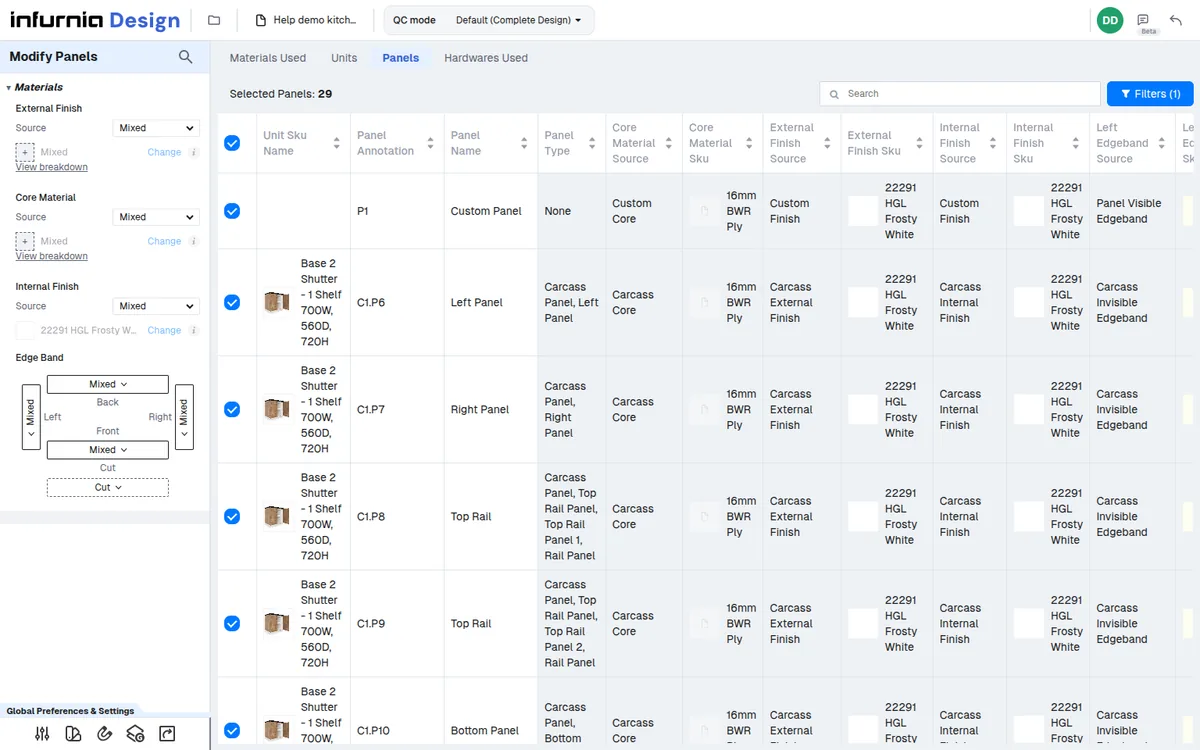
QC can be scoped to a single room (for example the kitchen), and the materials-used view then lists the core and finish materials used by that room's units so each can be verified and corrected from the same view.
✓ Verificato nel prodotto il 19 ottobre 2026