Map users to tracking stations and fix missing users
Give each MES user access to the stations they work at and understand why a user may not appear in the Operators list.
To map a user: Settings > Tracking Stations > edit (pencil) on a station > Operators — the list offers only the users who hold an MES role (MES Operator or MES Admin) in that business unit, so a missing user usually means their role is wrong.
✓ Diperiksa di produk pada 20 Oktober 2026The Tracking page's station dropdown only ever shows processing-type stations — Panel Cutting, Edgebanding, CNC, Special Works, Assembly, Quality Check.
✓ Diperiksa di produk pada 20 Oktober 2026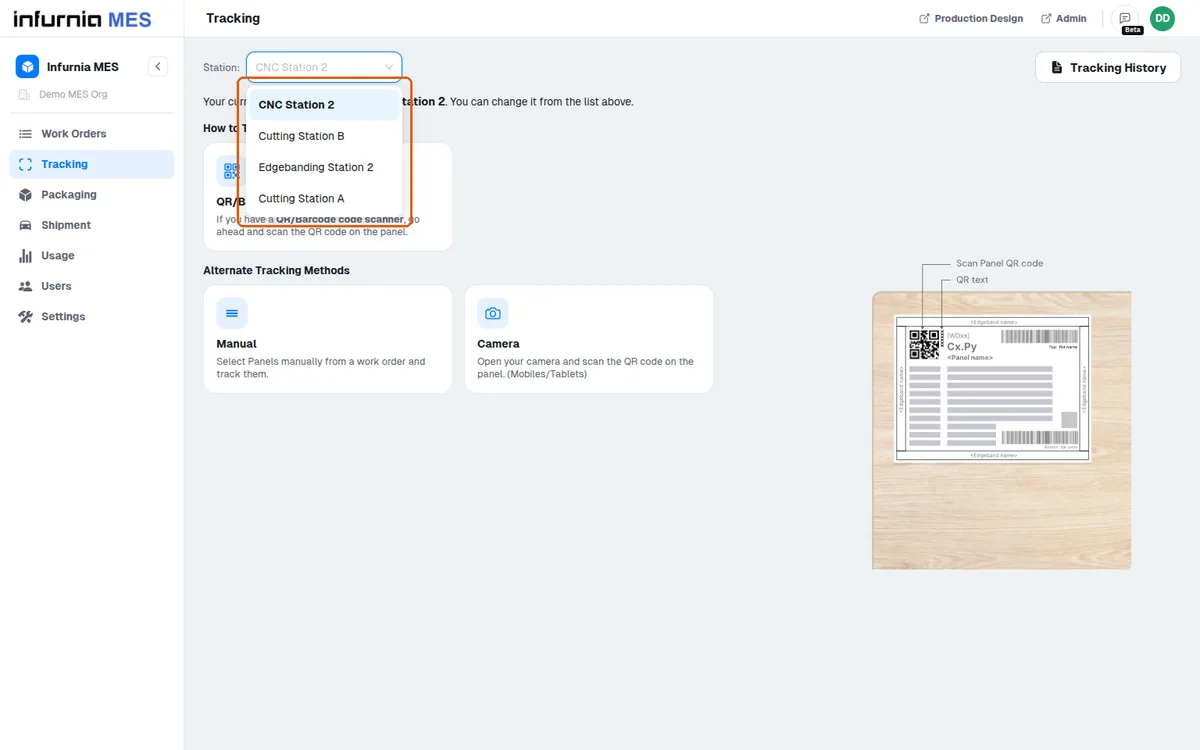
Only active stations count; a mapping to a switched-off station is ignored.
✓ Diperiksa di produk pada 20 Oktober 2026When mappings exist, the first mapped station is auto-selected on page load and can be switched from the dropdown at the top.
✓ Diperiksa di produk pada 20 Oktober 2026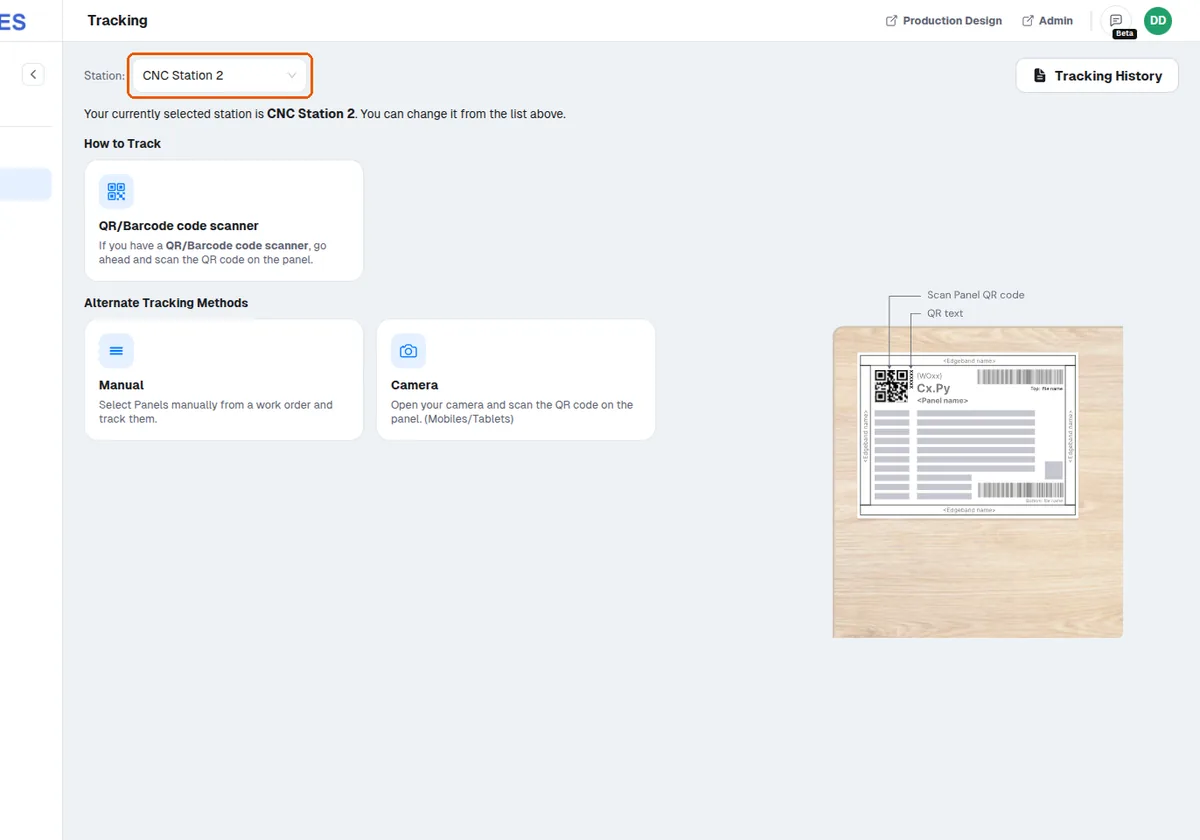
Access is granted per station, so each email ID can be given access only to the stations it needs.
✓ Diperiksa di produk pada 20 Oktober 2026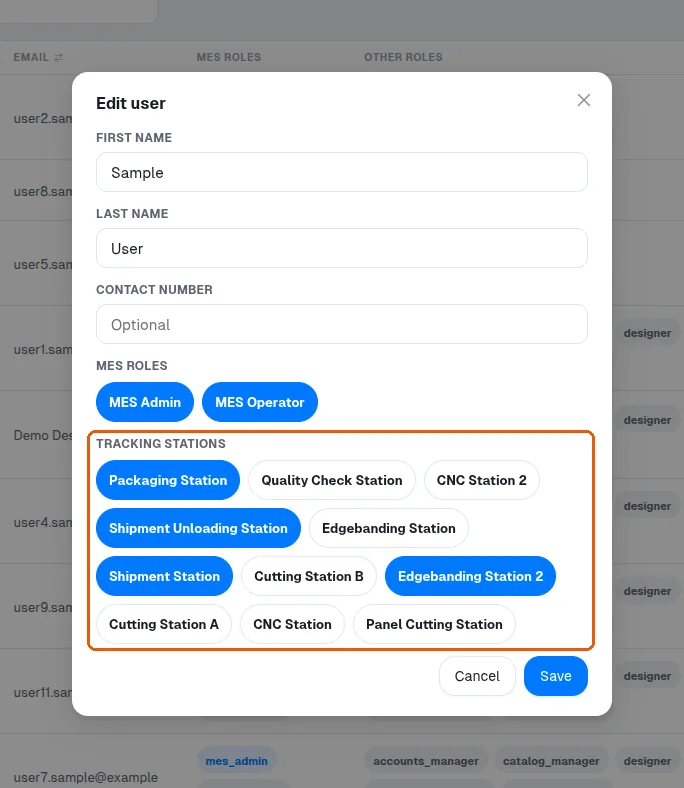
Station access can later be removed from the same settings area.
✓ Diperiksa di produk pada 20 Oktober 2026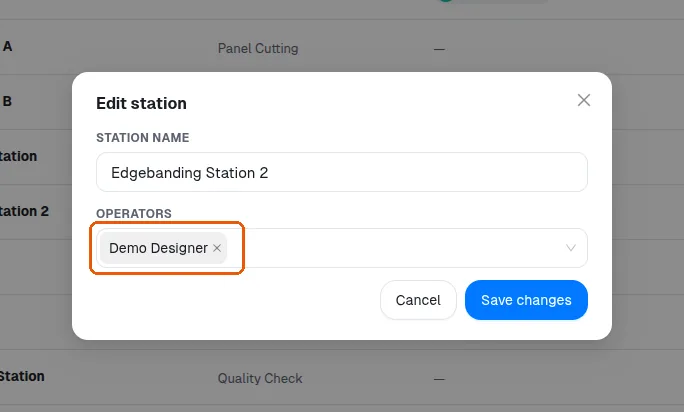
New MES users are created in the admin portal with MES Operator or Admin permissions before they can be linked to stations.
✓ Diperiksa di produk pada 20 Oktober 2026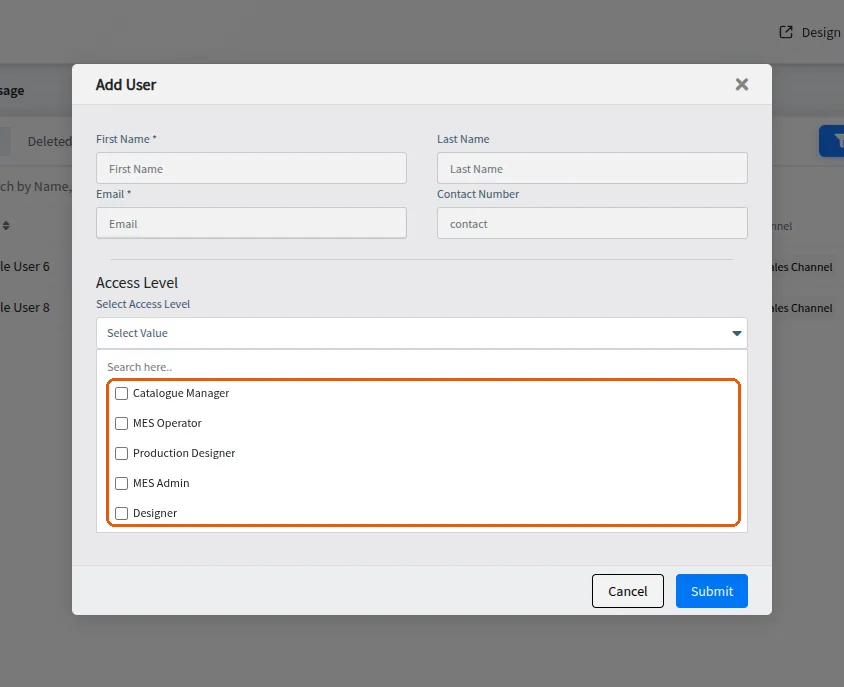
The email ID used must remain active for the user to log in.