skeleton mode से cabinet internals दिखाएँ
internal elevation view के लिए cabinet की internal construction दिखाने और shutter disable करने के लिए skeleton mode टॉगल करें।
elevation view में, bottom bar के right-hand icon group में Skeleton Mode बटन skeleton mode टॉगल करता है; यह View Specific Layers, Orthographic Camera, Rich View, Line Weights, Tiling Layout Plan और Reflected Ceiling Plan के बाद आता है।
✓ 22 अक्टूबर 2026 को प्रोडक्ट में जाँचा गया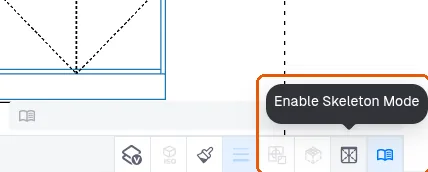
skeleton mode में shutter disable हो जाते हैं और cabinet की internal construction दिखाई देती है, जिसका उपयोग internal elevation view तैयार करते समय किया जाता है।
✓ 9 अक्टूबर 2026 को प्रोडक्ट में जाँचा गया