Change a locked view: unlock, adjust and lock again
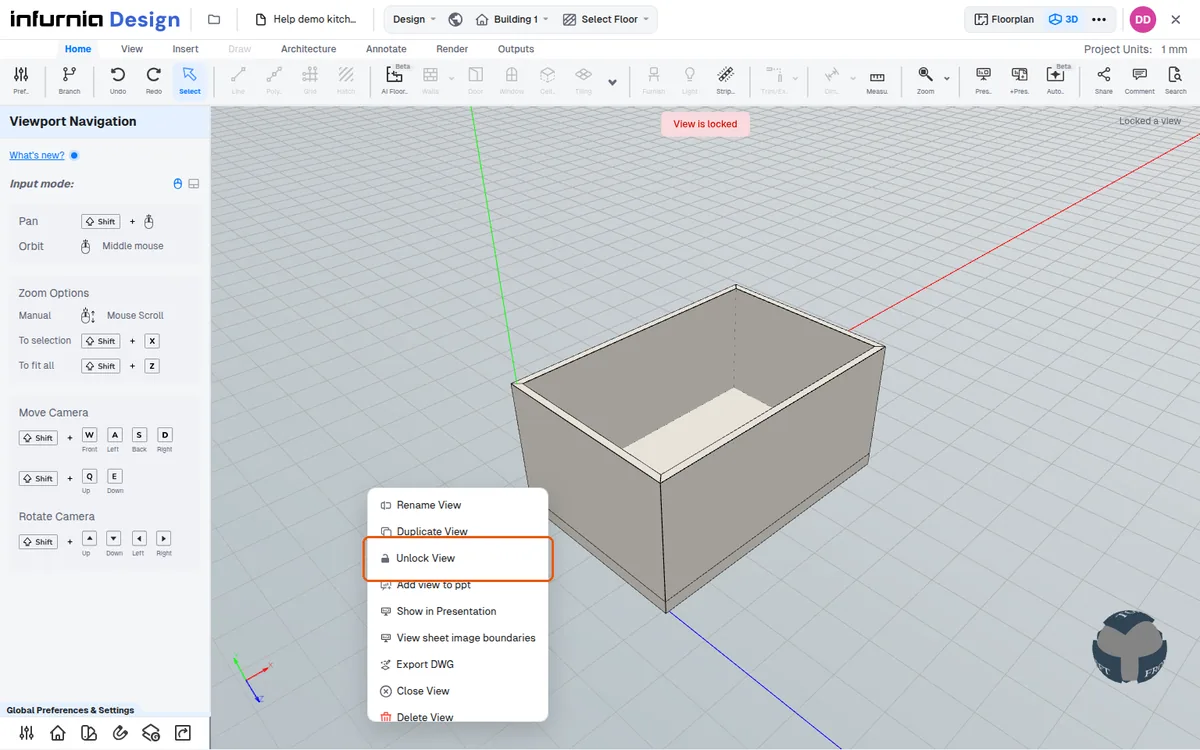
Unlock a locked view to switch it between 3D and Floor Plan or zoom it, then lock it again to keep the new framing.
While a view is locked, switching it between 3D and Floor Plan is refused with the message 'Unlock the view to switch modes'.
✓ 22 ઑક્ટોબર, 2026ના રોજ પ્રોડક્ટમાં ચકાસેલWhile a view is locked, zooming with the mouse wheel leaves its camera unchanged.
✓ 22 ઑક્ટોબર, 2026ના રોજ પ્રોડક્ટમાં ચકાસેલTo change a locked view, choose Unlock View in its settings, adjust it and choose Lock View again; the view then keeps the new framing.
✓ 22 ઑક્ટોબર, 2026ના રોજ પ્રોડક્ટમાં ચકાસેલ