Share a design with another user
Give another user access to a design so they can continue working on it.
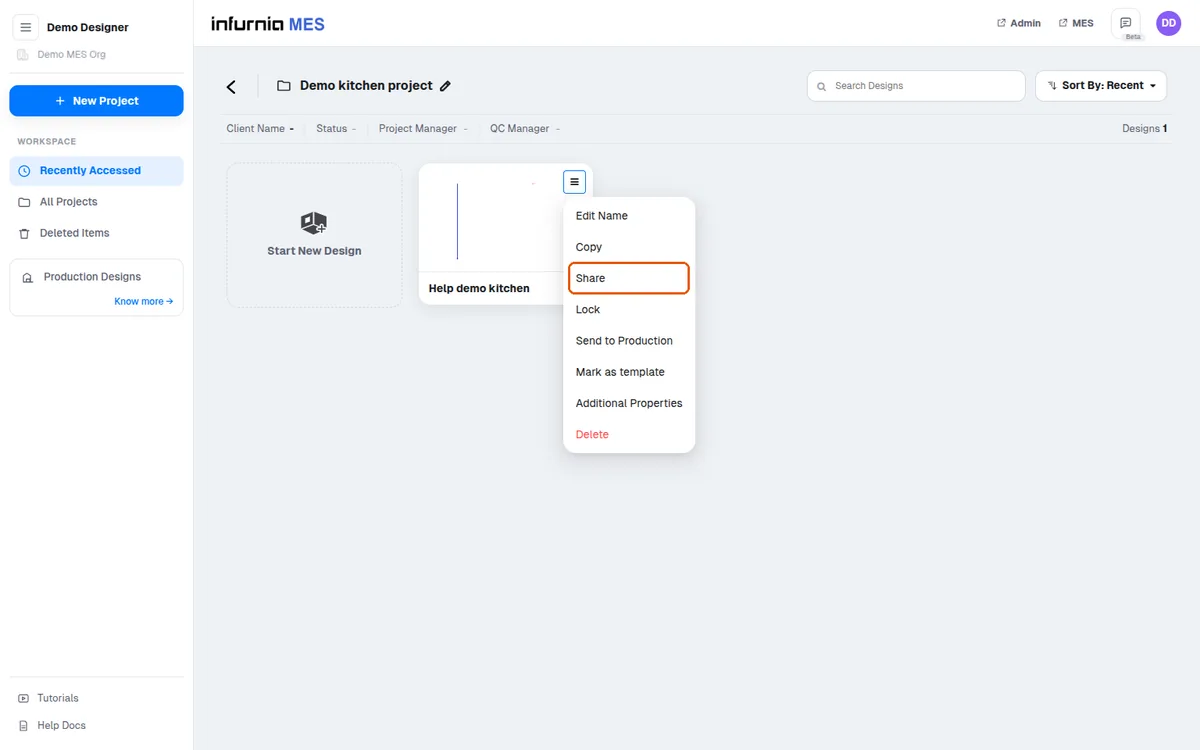
A design can be shared with another user from the Home tab using the share option (third from last), where you select the recipient's email ID.
✓ Vérifié dans le produit le 19 octobre 2026To give another user access to a design, open the design from the design list, click the three-dot menu, choose Share, then Invite, and select the email ID of the person to invite. The same sharing option is also available from inside the opened design, so the invited user can continue working on it.
✓ Vérifié dans le produit le 20 octobre 2026