Clone a SKU to get an owned, editable copy
Clone a non-owned or warehouse item so it becomes owned by your workspace and fully editable.
For a non-owned (Infurnia) library item, cloning it first is the recommended route to a custom variant.
The clone becomes owned by your workspace.
✓ Vérifié dans le produit le 22 octobre 2026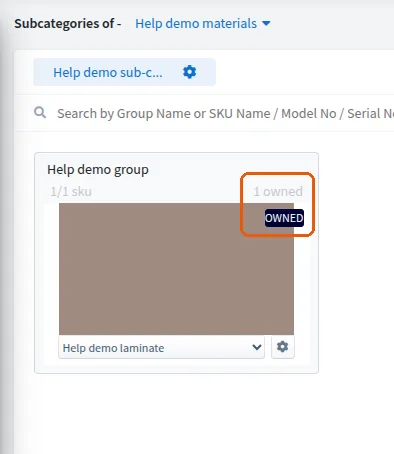
The clone's SKU structure can then be edited.
✓ Vérifié dans le produit le 20 octobre 2026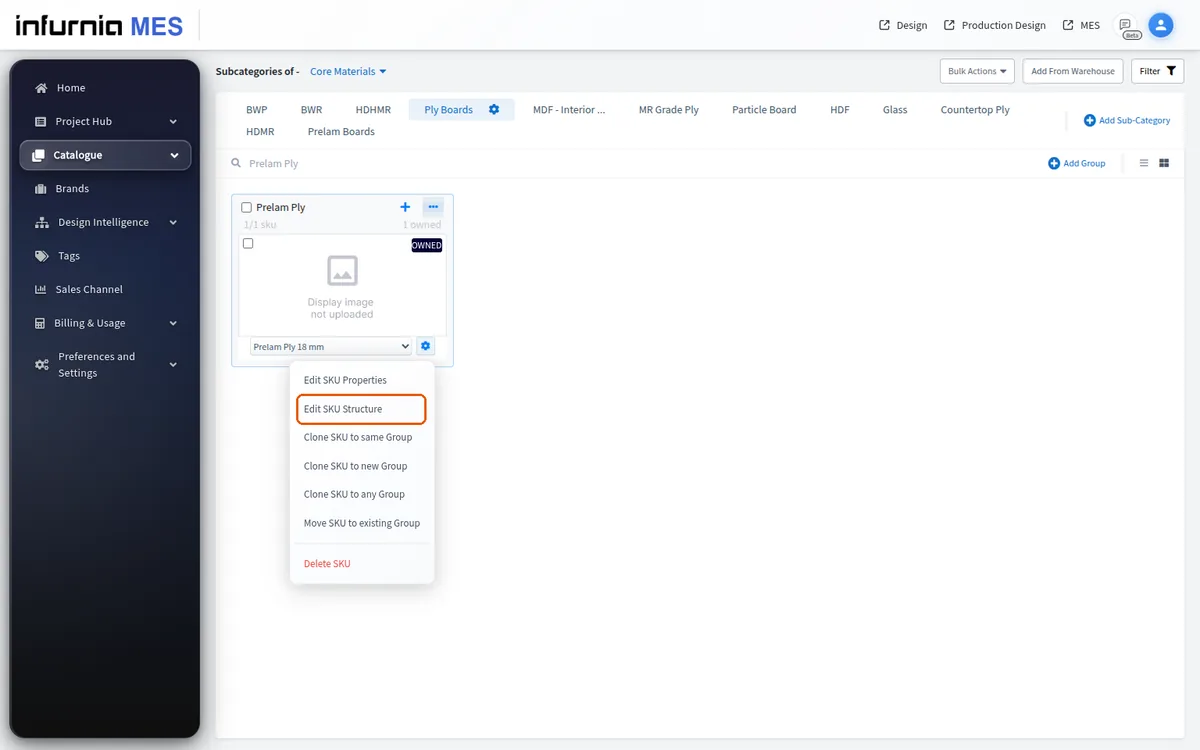
The clone becomes owned by your workspace.
Cloning is also the way to retain the items a project actually needs: identify the required items and clone-and-own them so they stay owned by your workspace for that project.
Items already owned remain owned.
To change the name, display picture or technical parameters, clone the SKU first.
The clone becomes owned by your workspace and is then fully editable.
Cloning also lets you assign your own model numbers or ERP codes.
✓ Vérifié dans le produit le 10 octobre 2026Cloning is also the way to bring a default brand product into your own custom category.
✓ Vérifié dans le produit le 10 octobre 2026The clone's settings and additional properties can then be modified as needed.
✓ Vérifié dans le produit le 10 octobre 2026Hardware pulled from the global warehouse is non-owned and cannot be edited in place.
✓ Vérifié dans le produit le 10 octobre 2026